How to Use ChatGPT Dots as Your Personal AI Secretary
TL;DR
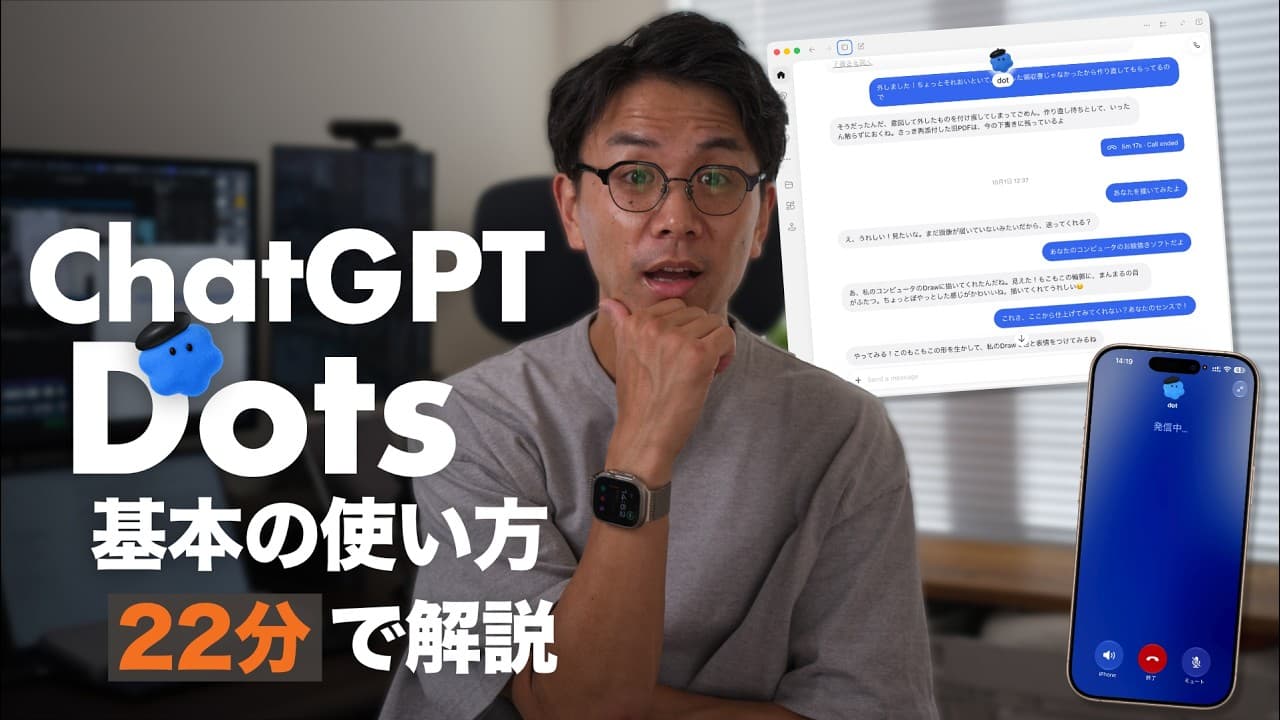
ChatGPT Dots acts as a personal AI assistant, capable of managing tasks and reminders autonomously. It integrates with apps like Gmail and Google Drive to identify priorities and suggest actions. Users can assign roles to Dots, which continue working independently, making it a robust tool for managing digital tasks efficiently.
Transcript
So, ChatGPT's "Dots" is finally available on my account. To start with the conclusion: it is incredibly fun. I was actually laughing while playing with it because of how fun it is. It automatically picked up an email where I made a promise, and brought it to me with a link to the original, asking, " This deadline is tomorrow; are you okay with that... Read More
Key Insights
- ChatGPT Dots is an AI agent that can autonomously manage tasks and reminders.
- Dots can access and process emails and documents from connected apps like Gmail and Google Drive.
- The AI can propose actions based on deadlines and priorities it identifies from user data.
- Users can assign roles to Dots, allowing it to work independently even when not prompted.
- Dots can connect to a user's computer, accessing files to assist with specific tasks.
- The service is being rolled out gradually, with availability limited to certain subscription plans.
- Voice interaction with Dots is possible, allowing for natural and efficient task management.
- The integration of Dots with existing AI systems can enhance productivity by acting as a project manager.
Install to Summarize YouTube Videos and Get Transcripts
Explore YouTube Video Summarizer or Get YouTube Transcript Extractor
Questions & Answers
Q: How does ChatGPT Dots manage tasks autonomously?
ChatGPT Dots manages tasks autonomously by integrating with connected apps like Gmail and Google Drive to access emails and documents. It identifies priorities and deadlines, proposing actions based on this data. Users can assign roles to Dots, allowing it to continue working independently, even when not prompted, enhancing task management efficiency.
Q: What apps can ChatGPT Dots integrate with?
ChatGPT Dots can integrate with apps such as Gmail and Google Drive. This integration allows it to access and process emails and documents, identify tasks and deadlines, and suggest actions based on the data it gathers. This capability enhances its functionality as a personal AI assistant, managing tasks efficiently.
Q: How do users interact with ChatGPT Dots?
Users interact with ChatGPT Dots through a desktop app or browser interface, where they can assign roles and tasks to the AI. Additionally, voice interaction is possible, allowing users to manage tasks naturally and efficiently. Dots can also connect to a user's computer for file access, assisting with specific tasks.
Q: What are the limitations of ChatGPT Dots' availability?
ChatGPT Dots is being rolled out gradually and is currently available to certain subscription plans, such as Pro 100, Pro 200, and Pro 500, excluding regions like the EA, UK, and Switzerland. Business Premium and Enterprise accounts can also access it, but Enterprise requires administrator enablement.
Q: Can ChatGPT Dots access local files on a computer?
Yes, ChatGPT Dots can access local files on a computer if it is connected to one. The computer must be turned on, and the ChatGPT app should be open. This allows Dots to assist with tasks by accessing necessary files, enhancing its utility as a personal AI assistant.
Q: How does ChatGPT Dots enhance productivity?
ChatGPT Dots enhances productivity by autonomously managing tasks and reminders, integrating with apps like Gmail and Google Drive to identify priorities. It proposes actions based on deadlines and can access local files for task assistance. Its ability to work independently and integrate with existing AI systems further boosts efficiency.
Q: What is the role of voice interaction in ChatGPT Dots?
Voice interaction in ChatGPT Dots allows users to manage tasks naturally and efficiently. Users can issue commands and receive responses verbally, making it convenient for quick requests and task management on the go. This feature enhances the overall user experience and productivity of the AI assistant.
Q: What potential does ChatGPT Dots have for future AI assistance?
ChatGPT Dots has significant potential for future AI assistance by acting as a personal secretary, managing tasks autonomously and integrating with various digital tools. As the service evolves, it is expected to handle more complex tasks, offering a glimpse into the future of AI-driven personal assistance and productivity enhancement.
Summary & Key Takeaways
-
ChatGPT Dots functions as a personal AI assistant, managing tasks and reminders autonomously. It integrates with apps like Gmail and Google Drive to identify priorities and propose actions, enhancing productivity. Users can assign roles to Dots, enabling it to work independently, making it a robust tool for managing digital tasks efficiently.
-
The AI agent can access and process emails and documents, suggesting actions based on identified deadlines and priorities. It connects to a user's computer for file access, assisting with specific tasks, and can be interacted with via voice, providing a natural and efficient task management experience.
-
ChatGPT Dots is being rolled out gradually, available to certain subscription plans, and integrates seamlessly with existing AI systems. It acts as a project manager, enhancing productivity by managing tasks and priorities autonomously, offering a glimpse into the future of personal AI assistance.
Read in Other Languages (beta)
Share This Summary 📚
Summarize YouTube Videos and Get Video Transcripts with 1-Click
Try YouTube Summary with ChatGPT & Claude or YouTube Transcript Generator
Explore More Summaries from Leo Tohyama / AIコーチ 📚



Summarize YouTube Videos and Get Video Transcripts with 1-Click
Try YouTube Summary with ChatGPT & Claude or YouTube Transcript Generator