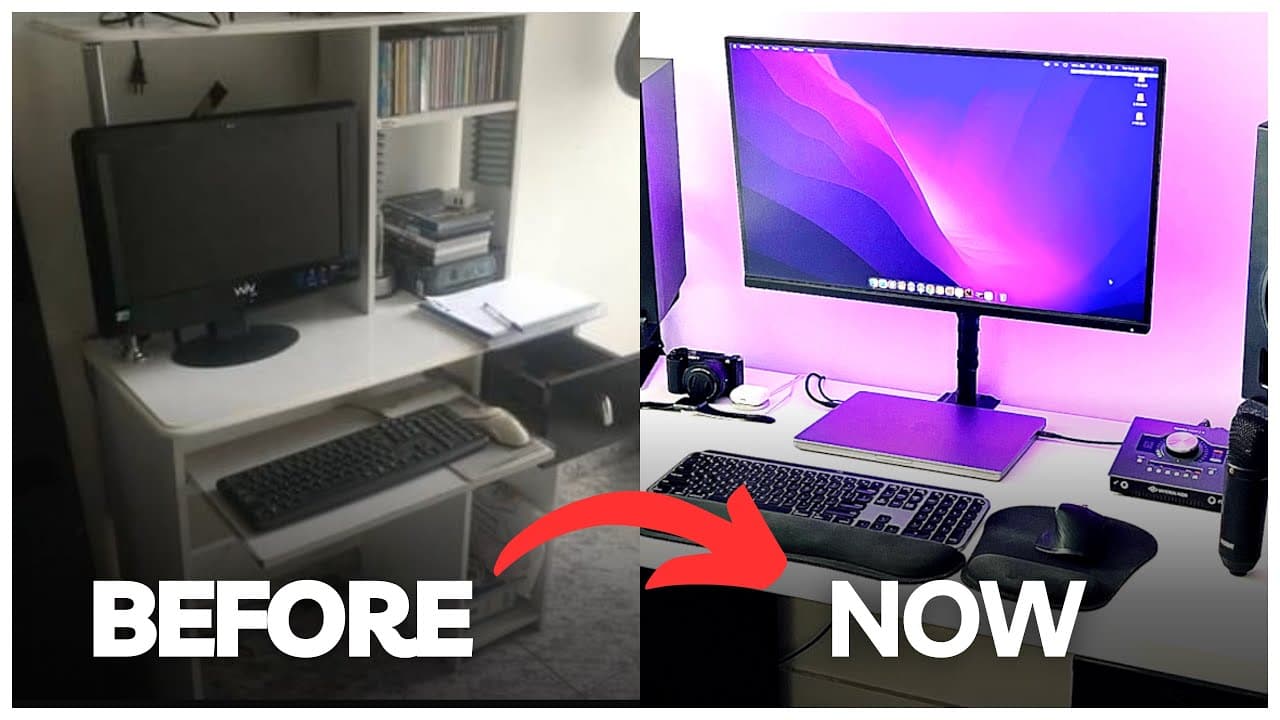
EPIC Home Studio Setup Transformation!
TL;DR
A detailed walkthrough of an effective home studio setup.
Transcript
I'm about to show you some of my previous and current home studio setups to give you some ideas for your own home studio but um I decided to turn into my home studio moving over to the main desk this is actually a desk I found on Amazon it's a 63 by 31 gaming desk and I really like it because it has a cup holder over here and also it comes with a h... Read More
Key Insights
- 💦 Choosing an efficient and ergonomic workspace, like a well-designed desk and chair, can significantly improve comfort and productivity during long hours of work.
- 🔊 Integration of high-quality audio interfaces, such as the Apollo Twin X, can streamline the recording process and elevate sound quality during mixing sessions.
- 👂 The creator underscores the importance of having a diverse mic locker to cater to various recording needs and enhance flexibility in sound texture.
- 🚠 Maintaining organization with cable management systems and effective storage solutions makes for a more inviting and functional studio environment.
- 🛟 Investing in a sufficient monitor can improve workflow by providing better visibility and usability for detailed editing tasks while also serving as a charging hub.
- ⌛ The video illustrates that personal gear evolution is common in creative fields, reflecting growth and learning preferences over time.
- 👂 Selecting studio monitors with resourceful placement charts can guide optimal setup for sound response, ensuring mixes translate well across different playback systems.
Install to Summarize YouTube Videos and Get Transcripts
Explore YouTube Video Summarizer or Get YouTube Transcript Extractor
Questions & Answers
Q: What are the key features of the desk used in the studio?
The desk is a 63 by 31 gaming desk from Amazon, notable for its built-in cup holder and headphone stand. It also has cable management capabilities that help keep the workspace tidy by concealing wires. This organization feature is essential for maintaining a clean and efficient working environment.
Q: Why did the creator choose the Apollo Twin X interface over previous gear?
The Apollo Twin X was chosen for its superior performance and ease of use compared to the previous Focusrite Scarlett series. The creator appreciates the intuitive console app, which allows live monitoring with effects seamlessly. The investment in this audio interface is justified by its high-quality sound and excellent plugins that contribute to professional production.
Q: How does the monitor enhance the workflow for video editing and music production?
The 27-inch ViewSonic monitor is color calibrated, ensuring that visual changes accurately reflect in the editing process. It is capable of charging the MacBook Pro via USB-C, which simplifies the workspace by reducing the number of cables needed. This dual functionality significantly improves efficiency when multitasking between music production and video editing.
Q: What advice does the creator give to beginners setting up a home studio?
The creator emphasizes starting with what you have, suggesting that aspiring musicians not feel pressured to immediately invest in high-end gear. They recommend beginning with accessible equipment and gradually upgrading as needed, highlighting that many successful creators began with basic setups and built up over time through experience and saving.
Summary & Key Takeaways
-
The video showcases various home studio setups, focusing on practical equipment choices and organization tips to optimize space for music production.
-
It highlights key gear, including a MacBook Pro, audio interface, monitors, and essential microphones, emphasizing the importance of quality in creative work.
-
The creator encourages viewers to start with accessible gear and gradually upgrade, sharing personal experiences with their own evolving setup.
Read in Other Languages (beta)
Share This Summary 📚
Summarize YouTube Videos and Get Video Transcripts with 1-Click
Try YouTube Summary with ChatGPT & Claude or YouTube Transcript Generator
Explore More Summaries from Home Studio Academy 📚

Summarize YouTube Videos and Get Video Transcripts with 1-Click
Try YouTube Summary with ChatGPT & Claude or YouTube Transcript Generator