What Are the Best Productivity Apps in 2019?
TL;DR
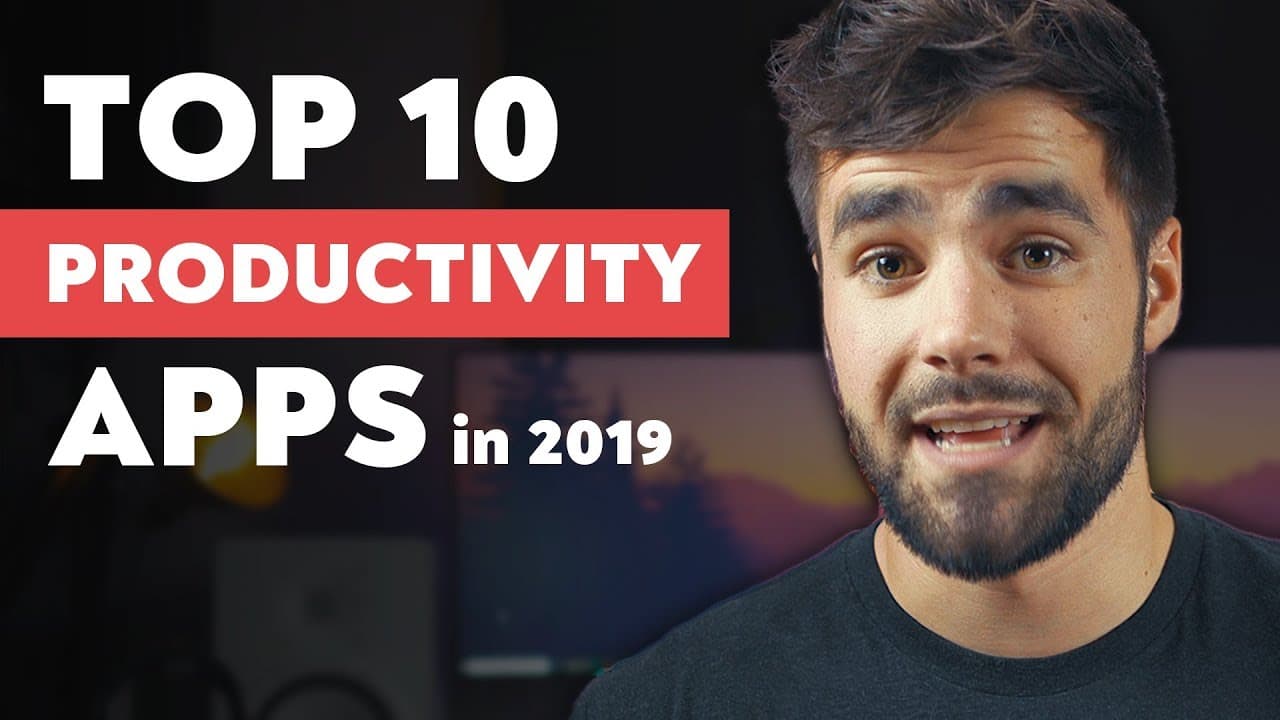
The best productivity apps in 2019 include Todoist for to-do lists, Google Calendar for scheduling, ClickUp for project management, Evernote for note-taking, Scrivener for long-form writing, Habitica for habit tracking, Toggl for active time tracking, RescueTime for passive time monitoring, Gmail for email management, Slack for team communication, and Google Drive for cloud storage. Each app offers unique features to enhance productivity across various tasks.
Transcript
- Hey, what is going on guys. So over the past year, we've done several videos breaking down some of the best productivity apps in specific categories. We've talked about the best note taking apps, the best to-do apps, the best habit trackers, but in this video, we're going to get a bit more general because I wanna talk about what I think are the b... Read More
Key Insights
- 😀 Todoist is recommended for its organizational features and efficient task entry, making it the top choice for a to-do list app.
- 👻 Google Calendar is praised for its versatility, allowing users to create separate calendars and visually separate different aspects of life.
- 📽️ ClickUp provides the flexibility and features needed for project management, particularly for complex projects and collaboration with multiple team members.
- 😀 Evernote remains the favorite note-taking app due to its organizational capabilities and the ability to capture various types of data.
- 😀 Scrivener is the top pick as a serious long-form writing app, offering planning and organizing features along with export options.
- 🥳 Habitica combines habit tracking with gamification, encouraging users to complete habits through leveling up and providing a party system for accountability.
- ⌛ Toggl is recommended for active time tracking, while RescueTime is suggested for passive time tracking, both aiding in productivity management.
- 😀 Gmail stands out as an email management app with its labeling system, search capabilities, and convenient keyboard shortcuts.
- 👊 Slack is the top choice for team chat, allowing real-time communication, group chats, and integrations for collaborative work.
Install to Summarize YouTube Videos and Get Transcripts
Explore YouTube Video Summarizer or Get YouTube Transcript Extractor
Questions & Answers
Q: What makes Todoist the top recommendation for a to-do list app?
Todoist stands out due to its ability to create different projects and sublists, its natural language interpretation feature for quick task entry, and its integrations with Amazon Echo and Siri for easy task management.
Q: Why is Google Calendar recommended as the best calendar app?
Google Calendar allows users to create separate calendars for different areas of life, visually separate and manage schedules, and offers a full-featured experience with availability on various platforms.
Q: What are the advantages of using ClickUp as a project management app?
ClickUp provides flexibility and a wide range of features, including task hierarchy, task dependency, assigning multiple people to tasks, and different levels of hierarchy, making it suitable for complex projects and team collaboration.
Q: What sets Evernote apart as the favorite note-taking app?
Evernote excels in organizing information, with features like capturing images and scanned documents that are searchable, recording voice notes, and offering a versatile writing experience.
Q: Why is Scrivener recommended as a serious long-form writing app?
Scrivener offers a range of features ideal for long-form writing, including an outline corkboard view for planning, the ability to split writing into sections for focused work, and various export options for different file formats.
Q: How does Habitica stand out as a habit tracker?
Habitica differentiates itself with its gamification elements, allowing users to level up their character through habit completion, while its party system provides accountability and consequences for failing to complete habits.
Q: What are the benefits of using Toggl for active time tracking?
Toggl is recommended for its active time tracking features, including reminders to start tracking if forgotten. It helps users track time spent on specific tasks or projects for better productivity management.
Q: Why is Google Drive preferred for cloud sync?
Google Drive offers ample storage space, good pricing options, and easy accessibility across devices. It also integrates with other Google apps like Docs and Sheets, providing a comprehensive cloud syncing solution.
Summary & Key Takeaways
-
The video discusses the best productivity apps in various categories, providing recommendations for each.
-
Todoist is recommended as the top to-do list app due to its organizational features and natural language interpretation for task entry.
-
Google Calendar is suggested as the best calendar app with its ability to create separate calendars and visually separate different areas of life.
-
ClickUp is recommended as the top project management app, offering flexibility and features like task hierarchy and task dependency.
-
Evernote is highlighted as the favorite note-taking app, praised for its organizational features and ability to capture different types of data.
-
Scrivener is recommended as a serious long-form writing app, providing features for planning, organizing, and exporting written content.
-
Habitica is suggested as the best habit tracker, offering gamification elements, party systems for accountability, and leveling up through habit completion.
-
Toggl is recommended for active time tracking, while RescueTime is suggested for passive time tracking to monitor productivity and minimize distractions.
-
Gmail is recommended for email management due to its labeling, search, and keyboard shortcut features, along with its integration with Todoist.
-
Slack is suggested as the top team chat app, allowing real-time communication, group chats, and integrations for improved collaboration.
-
Google Drive (Google One) is recommended for cloud sync, offering ample storage space, accessibility across devices, and integration with Google's office suite.
Read in Other Languages (beta)
Share This Summary 📚
Summarize YouTube Videos and Get Video Transcripts with 1-Click
Try YouTube Summary with ChatGPT & Claude or YouTube Transcript Generator
Explore More Summaries from Thomas Frank 📚


Summarize YouTube Videos and Get Video Transcripts with 1-Click
Try YouTube Summary with ChatGPT & Claude or YouTube Transcript Generator