How to Program ARM Assembly Language for Beginners
TL;DR
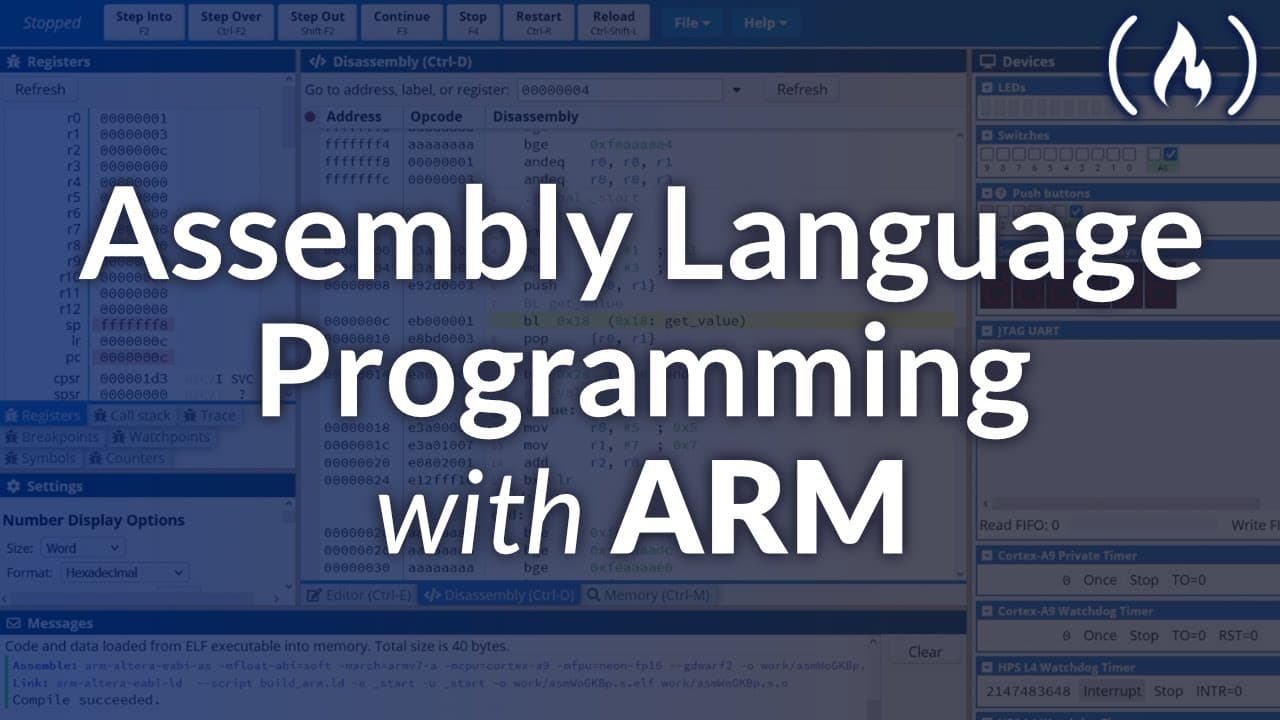
Beginners can learn ARM assembly by using the free, browser-based CPUlator emulator to write basic programs for the ARMv7 D1 SoC. Scott Cosentino’s course introduces instructions, arithmetic, logical and shift operations, branching, loops, hardware interactions, and Linux troubleshooting. It also explains 32-bit registers and stack memory while teaching principles that transfer to x86 and other assembly languages, so read on for the core concepts and setup requirements.
Transcript
assembly language is a low level programming language for a computer or other programmable device that is closest to the machine language. It is often specific to a particular computer architecture. So there are multiple types of assembly languages arm is an increasingly popular assembly language, Scott Cosentino teaches this course about assem... Read More
Key Insights
- ARM is a low-level assembly language specific to a particular computer architecture, and it is closest to machine language. Over 200 billion devices contain an ARM chip, making the language valuable to understand for anyone working close to hardware.
- Working at a lower level lets programmers be closer to the hardware, enabling better and more efficient interactions between hardware and software in situations that require direct hardware control.
- ARM chips power many embedded devices, Android and some iPhone devices, and newer laptops like the new MacBooks, which now use ARM-based processors instead of older architectures.
- Registers are memory areas very close to the CPU, so they can be read and written quickly, but they hold a limited amount of data. This course uses an ARMv7 D1 SoC, a 32-bit processor.
- A word is the maximum data size that fits in a register: 32 bits on a 32-bit processor, 64 bits on a 64-bit processor. A half word is half that size, a byte is always eight bits.
- Registers R0 through R6 are general purpose, while R7 has a special function for system calls. Storing a numerical value in R7 tells the operating system which action to perform when the program interrupts.
- Stack memory is stored in the computer's RAM, making it slower to access and write than registers, but it can store far more data and is used to represent complex sets like a list of numbers.
- The stack pointer (SP) register always holds the address of the next available piece of memory on the stack. Addresses increase by four each step, and all values are represented in hexadecimal.
Install to Summarize YouTube Videos and Get Transcripts
Explore YouTube Video Summarizer or Get YouTube Transcript Extractor
Questions & Answers
Q: How can beginners learn to program ARM assembly language?
Beginners can follow Scott Cosentino’s course and practice in the free CPUlator emulator through a web browser. The course starts with ARM architecture and basic instructions, then covers arithmetic, logical and shift operations, branching, loops, hardware interactions, and Linux troubleshooting.
Q: What is ARM assembly language, and why is it worth learning?
ARM assembly is a low-level programming language that is close to machine language and specific to a computer architecture. More than 200 billion devices are estimated to contain an ARM chip, and understanding the language helps programmers write efficient interactions between hardware and software.
Q: What devices use ARM-based processors?
ARM processors are used in embedded devices, many Android devices, some iPhone devices, and newer laptops such as the new MacBooks. Their growing use makes understanding ARM processors and direct programming an important skill.
Q: What emulator does the ARM assembly course use?
The course primarily uses the free online CPUlator emulator, which is accessible from a web browser on almost any computer. It demonstrates the ARMv7 D1 SoC, so most lessons require no special equipment or prerequisites.
Q: Do you need Linux or an ARM processor to follow the course?
Most of the course can be completed in CPUlator without an ARM processor or special equipment. The final Linux-based videos require a Linux machine or virtual device, while learners with an ARMv7 processor can also follow along on their own computer.
Q: What is a register in ARM assembly?
A register is a small storage area close to the CPU, making it fast to read and write. On the 32-bit processor used in the course, a register holds 32 bits of data, which is called one word.
Q: What are R0 through R7 used for in ARM assembly?
R0 through R6 are general-purpose registers that can store data as needed. R7 is used for system calls: a numerical value stored there identifies the operating-system action to perform when the program interrupts.
Q: How does stack memory differ from registers?
Stack memory is stored in RAM, so it is slower to access and write than registers but can hold much more data, including complex sets such as lists of numbers. The SP register points to the next available stack address, and the addresses increase by four at each step and are represented in hexadecimal.
Summary & Key Takeaways
-
Scott Cosentino teaches an introduction to ARM assembly, a low-level language closest to machine language and specific to a computer architecture. With over 200 billion devices containing ARM chips, including phones and new MacBooks, understanding ARM lets programmers work closer to hardware and write more efficient hardware-software interactions.
-
The course uses the free online CPUlator emulator running an ARMv7 D1 SoC, so learners can follow along in a browser without special equipment. It covers basic instructions, arithmetic, logical and shift operators, branching, loops, and hardware interactions, with the final Linux-based videos requiring a Linux machine or virtual device.
-
Registers sit close to the CPU for fast storage but hold only 32 bits, called a word. R0 to R6 are general purpose while R7 handles system calls. Stack memory in RAM is slower but larger, holding complex data; the SP register tracks the next available stack address, incrementing by four in hexadecimal.
Read in Other Languages (beta)
Share This Summary 📚
Summarize YouTube Videos and Get Video Transcripts with 1-Click
Try YouTube Summary with ChatGPT & Claude or YouTube Transcript Generator
Explore More Summaries from freeCodeCamp.org 📚




Summarize YouTube Videos and Get Video Transcripts with 1-Click
Try YouTube Summary with ChatGPT & Claude or YouTube Transcript Generator