How to Build and Launch Apps With AI Agents
TL;DR
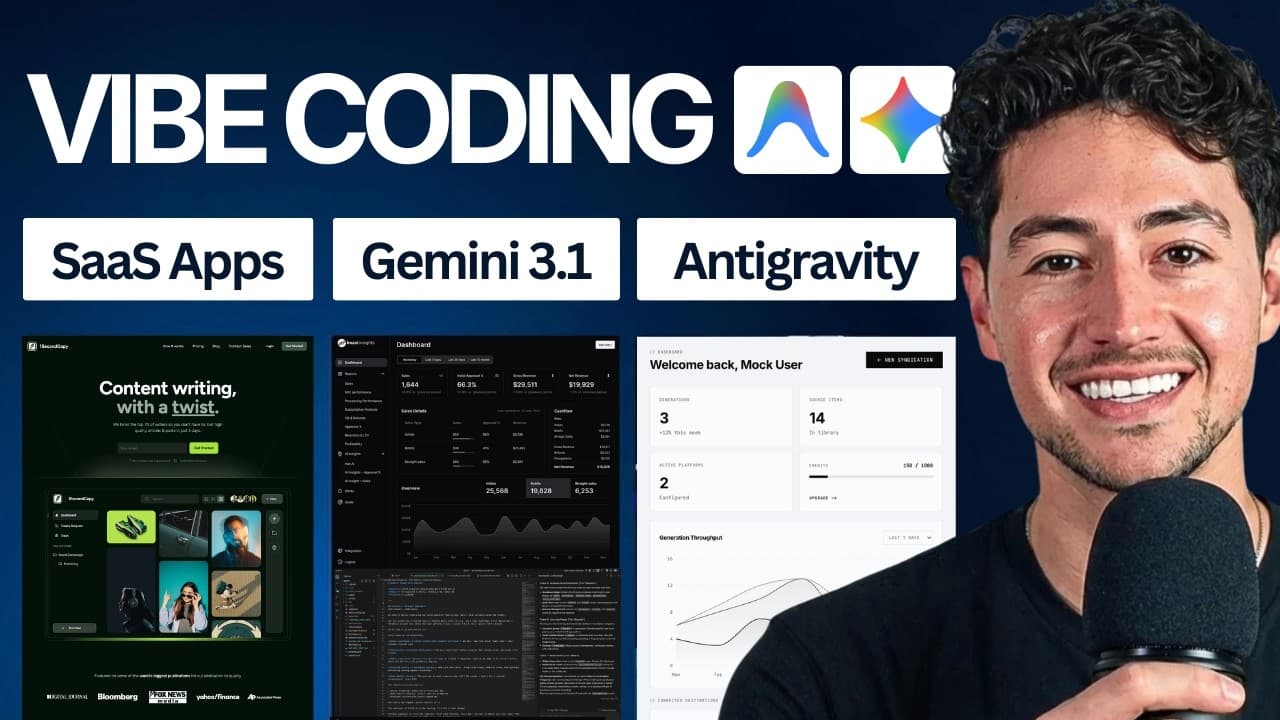
Start by installing Antigravity, opening a project folder, authenticating Gemini, and describing the desired application in natural language. The course presents the environment as an AI-centered IDE, then introduces files, agent conversations, planning, rules, workflows, model selection, Claude integration, version control, deployment, iteration, automation, and ways to sell what you build.
Transcript
Hey, welcome to the definitive course on vibe a year in profit. I also teach around 2,000 people teaching you guys how to set up anti-gravity, simple portfolio sites before working our way and then show you guys some of the principles fluff. Here's what we're going to cover. We'll available in probably around 15 minutes. Then You'll have this live ... Read More
Key Insights
- Antigravity is presented as an AI-centered integrated development environment where users can open folders, manage files, inspect code, use terminals, preview content, and direct an agent through natural-language conversations instead of manually handling every programming detail.
- The initial setup requires selecting the correct Antigravity download for the computer, including the Apple silicon option mentioned by the instructor or the appropriate Windows version, completing installation, opening the application, and authenticating an account before using Gemini through the agent interface.
- The Explorer represents the files and folders inside a project, while the editor displays their contents. Users can create, rename, and delete files, recognize modified files through interface indicators, search for specific material, and preview Markdown in a more readable rendered format.
- Workspace rules are persistent instructions that constrain how the model behaves within a particular project. A rule can establish requirements such as a design guide, an implementation sequence, or a final testing checkpoint, helping the agent follow consistent expectations across repeated development conversations.
- Workflows are reusable standard operating procedures that tell the agent to perform a sequence of steps. The instructor distinguishes them from rules and demonstrates defining a process that walks through development stages before asking the user to test whether the resulting application works.
- Context references give an AI agent targeted project information through files, code, rules, terminals, media, and MCP servers. Adding relevant context helps the model understand what the user is referring to and can reduce ambiguity when requesting modifications or troubleshooting generated work.
- Planning mode is suited to designing or building an application because it lets the model propose actions before changing project files. Faster conversational modes are useful for small one-off requests, while permission settings determine whether Claude must seek confirmation before editing existing files.
- The course connects building with distribution and business outcomes by including portfolio projects, deployment to the internet, GitHub versioning, idea development, iteration techniques, automated content distribution, and selling completed systems. The instructor emphasizes making money from useful things created with AI tools.
Install to Summarize YouTube Videos and Get Transcripts
Explore YouTube Video Summarizer or Get YouTube Transcript Extractor
Questions & Answers
Q: How do you start vibe coding with Antigravity?
Begin by downloading the Antigravity version that matches your computer, such as the Apple silicon option mentioned by the instructor or the appropriate Windows download. Install and open it, authenticate the account used for Gemini, and open a project folder. The main workflow is then to describe the desired result in natural language through the agent chat while inspecting the files and changes it creates.
Q: What is Antigravity used for in AI development?
Antigravity is presented as an integrated development environment centered on AI agents. It combines a project Explorer, file editor, agent conversations, terminals, browser capabilities, history, rules, workflows, and model controls. Instead of manually exploring and editing every file, a user can tell Gemini what to build or change, review the proposed actions, and inspect the resulting project inside one interface.
Q: How do files and folders work in Antigravity?
The Explorer on the left represents the project folder and its collection of files, including files with different endings and purposes. Users can create new files, rename them, delete them, and open them in editor tabs. The interface also indicates when content has been modified. For Markdown files, a preview control can render headings and formatting in a readable document-like view.
Q: How do workspace rules improve AI-generated applications?
Workspace rules provide persistent instructions that apply to a specific project and help constrain the model's behavior. A rule can tell the agent to follow a particular website design guide, complete implementation steps in a chosen order, or ask the user to test the application at the end. This reduces the need to repeat the same expectations in every new agent conversation.
Q: What is the difference between rules and workflows?
Rules define ongoing expectations for how the model should behave, either broadly or within a workspace. Workflows define a reusable sequence of actions, similar to a standard operating procedure. The instructor demonstrates using a workflow to guide the agent through application-development steps and conclude with user testing, while a rule can continuously enforce requirements such as a design guide.
Q: How can you give Gemini more project context?
Antigravity allows prompts to reference relevant context items rather than relying only on a general description. The transcript mentions files, media, code context, rules, terminals, and MCP servers as information that can be added to a conversation. Supplying the specific materials connected to a request helps Gemini identify the intended target and understand the surrounding project before proposing or making changes.
Q: When should you use planning mode with Gemini?
Planning mode is appropriate when designing or building an application because it lets Gemini reason through the intended work and present a plan before acting. For quick, isolated tasks, a more direct conversation can be sufficient. The instructor also recommends examining the model's visible reasoning when an error occurs, since it can help reveal why the model chose a particular action or misunderstood a request.
Q: How can Claude be used inside Antigravity?
Claude can be added through a Claude Code extension inside Antigravity. The user signs into a Claude account and then communicates with Claude through a separate chat interface. The extension includes permission choices that affect whether the agent must ask before modifying existing files. A bypass-permissions mode removes repeated confirmations, while planning and approval-oriented modes provide more oversight before changes occur.
Summary & Key Takeaways
-
The course begins with Antigravity installation and orientation. It explains how to choose the correct download for Apple silicon or Windows, authenticate Gemini, open a project folder, navigate files, preview Markdown, switch tabs, review conversation history, and use the agent chat as the primary interface for natural-language development.
-
The instructor presents rules, workflows, context references, MCP servers, planning modes, and model selection as tools for directing AI agents. Workspace instructions can establish a design guide or testing sequence, while prompts can reference files, terminals, rules, code context, and servers to give Gemini more relevant information.
-
The broader workflow progresses from simple portfolio sites toward internet deployment, versioning with GitHub repositories, turning rough ideas into applications, and iterating on generated work. Claude can also run through an extension with different permission modes. The stated objective is to create useful systems and eventually sell what is built.
Read in Other Languages (beta)
Share This Summary 📚
Summarize YouTube Videos and Get Video Transcripts with 1-Click
Try YouTube Summary with ChatGPT & Claude or YouTube Transcript Generator
Explore More Summaries from Nick Saraev 📚






Summarize YouTube Videos and Get Video Transcripts with 1-Click
Try YouTube Summary with ChatGPT & Claude or YouTube Transcript Generator