How To Use Compression For Beginners (In Less Than 7 Mins)
TL;DR
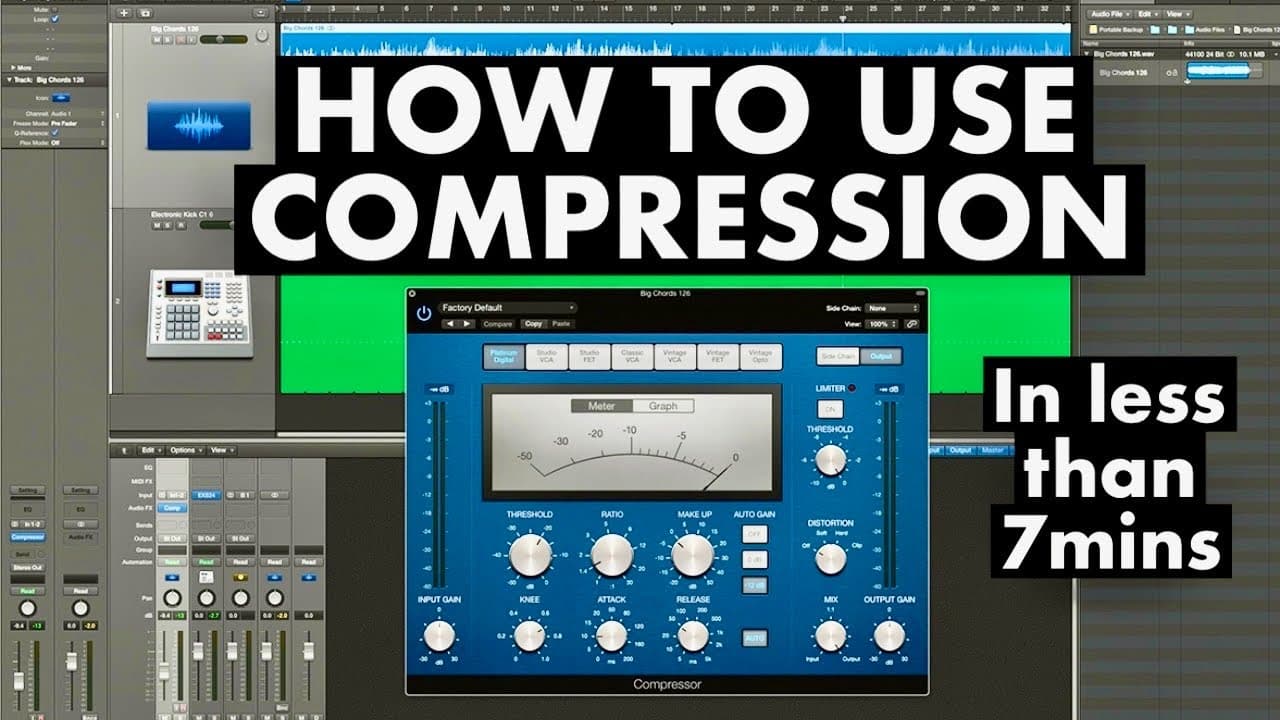
Audio compression makes recordings more balanced by bringing their loudest and quietest parts closer together. Beginners should focus on four controls: threshold, ratio, attack, and release; for the demonstrated lead vocal, Nolan Freitas targets an average of negative 3 to negative 6 dB and uses a 3:1 ratio. Read on for practical guidance on setting each control, matching gain, and adding vocal character.
Transcript
in this video i'll be teaching you all the basics that you need to know about compression coming up welcome to the home studio academy everybody my name is nolan freitas and my goal is to help you build your own home studio and teach you how to create professional sounding recordings from home so today we're going to be covering compression what is... Read More
Key Insights
- 👂 Compression is a fundamental tool in audio mixing that helps create a polished and professional sound.
- 🥳 The basic controls of a compressor include threshold, ratio, attack, and release, which interact to dictate how the compressor affects the audio signal.
- 👻 Each digital audio workstation (DAW) comes equipped with its own version of a compressor, allowing users to utilize the tool regardless of the software they are using.
- ❎ Setting an appropriate threshold for vocals typically falls within the range of negative 3 to negative 6 dB based on the desired mixing outcome.
- 🥌 Different compressor types and settings can drastically alter the character and tone of recordings; experimenting with various compressors is encouraged.
- 🪜 Adding saturation and tube distortion can contribute additional warmth and character to the recorded audio, enhancing its appeal.
- 👂 It's important to actively listen to the track before and after compression to assess the effect of changes made through settings adjustments.
Install to Summarize YouTube Videos and Get Transcripts
Explore YouTube Video Summarizer or Get YouTube Transcript Extractor
Questions & Answers
Q: How do beginners use compression in audio mixing?
Start by setting the threshold so the compressor responds to the louder parts of the recording, then choose how much compression to apply with the ratio. Adjust attack and release by listening for how quickly the compressor should engage and disengage, and finish by matching the input and output gain.
Q: What does an audio compressor do?
A compressor minimizes the dynamics in a recording by bringing its loudest and quietest parts closer together. This creates a more balanced, even performance and can also add color and character to the sound.
Q: Which compressor controls do beginners need to understand?
The four essential controls are threshold, ratio, attack, and release. Threshold determines when compression starts, ratio controls how much is applied, attack sets how quickly it engages, and release sets how quickly it stops.
Q: How should the threshold be set for vocals?
For vocals, Nolan Freitas aims for an average gain reduction between negative 3 and negative 6 dB. The highest notes may go beyond that range, so the setting should be judged by the vocal’s average behavior rather than a single peak.
Q: What compression ratio can be used for a lead vocal?
The demonstration raises the lead vocal compressor to a 3:1 ratio. After increasing the compression, the threshold is lowered to compensate, and the result is checked by listening.
Q: How do attack and release affect compression?
Attack determines how quickly the compressor turns on after the signal crosses the threshold, while release controls how quickly it turns off. The lowest settings produce the fastest attack and release, and higher settings make both slower, so the best choice should be found through experimentation.
Q: How can compression make a lead vocal more present?
Compression evens out higher peaks and quieter sections, which brings the lead vocal forward and helps it sit on top of the mix. Comparing the vocal before and after compression makes this increase in presence easier to hear.
Q: Why should input gain and output gain be matched after compression?
Matching input and output gain prevents the compression process from unintentionally adding or removing overall volume. At the end, adjust the output so it is consistent with the input and evaluate the processing without a volume difference misleading your judgment.
Summary & Key Takeaways
-
The video introduces the concept of audio compression, explaining its function in balancing loud and quiet parts in recordings for a professional sound.
-
It covers key compressor controls including threshold, ratio, attack, and release, guiding viewers in adjusting these settings for optimal vocal mixing.
-
Practical demonstrations in Logic Pro show how to apply compression effectively, enhance vocal presence, and ensure consistent gain levels in the final mix.
Read in Other Languages (beta)
Share This Summary 📚
Summarize YouTube Videos and Get Video Transcripts with 1-Click
Try YouTube Summary with ChatGPT & Claude or YouTube Transcript Generator
Explore More Summaries from Home Studio Academy 📚

Summarize YouTube Videos and Get Video Transcripts with 1-Click
Try YouTube Summary with ChatGPT & Claude or YouTube Transcript Generator