How to Create a Custom Avatar Using Midjourney
TL;DR
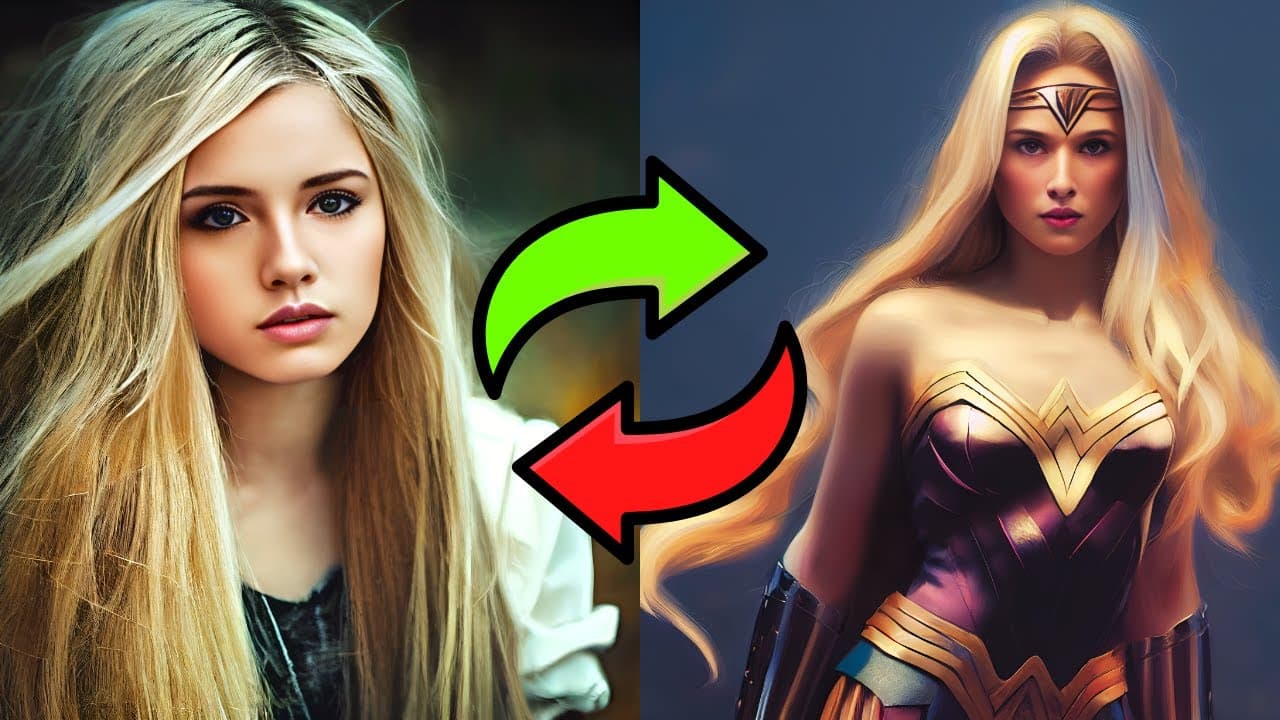
To create a custom avatar in Midjourney, start by defining your avatar's characteristics and generating multiple versions using specific prompts. Once you've selected a preferred version, use its seed number to create variations and place the avatar in different scenes or styles, enhancing its uniqueness and versatility.
Transcript
so we all enjoy mid journey but how can we take it to the next level when it comes to use cases i think creating your own avatar inside the mid journey algorithm could be a part of the next level we are looking for with this you can replicate the same character you have created in different styles and environments so let's find out how you can do t... Read More
Key Insights
- 👻 Creating your own avatar using the Mid Journey algorithm allows for customization and replication in different styles and environments.
- 👀 It is important to choose specific characteristics for the avatar, such as hair color and skin tone, to achieve the desired look.
- ❓ The process involves generating multiple versions of the avatar using prompts and selecting the preferred version for upscaling and rating.
- 🖐️ The seed number plays a crucial role in creating variations of the avatar by changing prompts and running the algorithm again.
- 🙂 The avatar can be accurately represented in different scenes and styles, even though slight imperfections may exist.
- 🪜 Naming the avatar uniquely adds to its individuality and helps distinguish it from generic avatars.
- 👻 The Mid Journey algorithm offers creative possibilities, allowing users to create avatars that resemble popular characters like Wonder Woman or Lara Croft.
Install to Summarize YouTube Videos and Get Transcripts
Explore YouTube Video Summarizer or Get YouTube Transcript Extractor
Questions & Answers
Q: How do you create an avatar using the Mid Journey algorithm?
To create an avatar, you start by choosing the avatar's characteristics and using a prompt. This prompt helps generate different versions of the avatar using the Mid Journey algorithm.
Q: What are the important steps in creating an avatar?
The important steps include choosing the desired characteristics, using a prompt, upscaling the chosen version, giving it ratings, and obtaining a seed number. This seed number is crucial for creating different variations of the avatar.
Q: Can you customize the avatar's name?
Yes, you can customize the avatar's name to make it unique. It is recommended to choose a name related to the avatar's appearance, such as "Nyla Wolf." You can also adjust the image weight and stylize settings for small variations.
Q: How can the avatar be placed in different scenes and styles?
Once the avatar is created, it can be placed in different scenes and styles by running the avatar with the desired scene prompts. By using specific prompts, such as "Wonder Woman" or "Lara Croft," the avatar can be depicted in different contexts.
Summary & Key Takeaways
-
The content explains the process of creating an avatar using the Mid Journey algorithm, starting with choosing the desired avatar and using a prompt.
-
The prompt is used to generate multiple versions of the avatar, which can be upscaled and given ratings.
-
The avatar can then be placed in different scenes and styles, resulting in a variety of representations.
Read in Other Languages (beta)
Share This Summary 📚
Summarize YouTube Videos and Get Video Transcripts with 1-Click
Try YouTube Summary with ChatGPT & Claude or YouTube Transcript Generator
Explore More Summaries from All About AI 📚
Summarize YouTube Videos and Get Video Transcripts with 1-Click
Try YouTube Summary with ChatGPT & Claude or YouTube Transcript Generator