How to Improve Hi-Fi Sound for Free Hacks
TL;DR
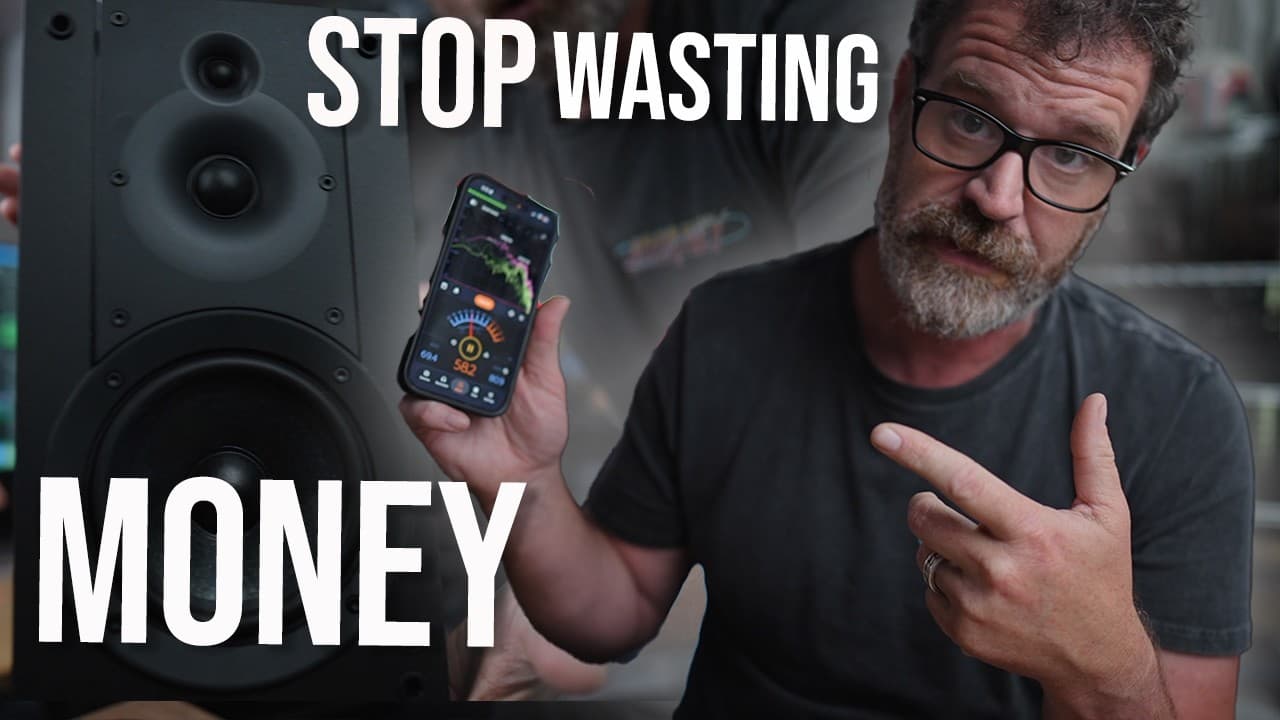
Free hacks can dramatically improve hi-fi sound without buying new gear. Focus on one change at a time, test with mono listening, and use polarity and toe in to optimize imaging. Keep cables short, separate power and signal paths, and turn off DSP on TVs and receivers to hear true music detail.
Transcript
I wish this video existed when I first started out because it would have saved me a ton of money and a ton of time. If your hi-fi sounds a little bit off, then this video might fix it. I thought it was free. I'm talking about 15 free or mostly free hi-fi hacks. Some of them are fun. Some of them are potentially dangerous, but they're all designed t... Read More
Key Insights
- Stacking two pairs of speakers can create a bigger soundstage but may cause impedance and phase issues if not done carefully
- A Hafler circuit can create ambient rear-channel effects by wiring rear speakers to produce the difference between left and right channels
- Change one system element at a time and listen over time to separate its impact from other variables
- Mono listening helps distinguish speaker differences in efficiency and tonal balance beyond stereo imaging
- Flipping speaker polarity can improve imaging and align soundstage when channels are miswired
- Cable management matters because long cables create noise; use the shortest cables feasible and separate power and signal paths when possible
- Cross power and interconnect cables at 90 degrees and keep them on opposite sides of the rack to reduce interference
- Room placement and speaker toe in or height adjustments can dramatically affect bass response and imaging without changing components
Install to Summarize YouTube Videos and Get Transcripts
Explore YouTube Video Summarizer or Get YouTube Transcript Extractor
Questions & Answers
Q: How can I start improving hi-fi sound without buying new gear
Begin with non invasive changes that require no purchases. Test by moving speakers a little closer or further, and adjust toe in and height to reduce harshness or bloomy highs. Use mono listening to compare two speakers quickly, and only change one variable at a time while listening for changes. Keep notes so you know which adjustment produced which effect. This process helps you understand your room and setup before spending money.
Q: What is the Hafler circuit and how does it help my setup
The Hafler circuit uses two rear speakers wired to reproduce the difference between the left and right channels, creating ambient sound that enhances the listening experience on a non surround processor. This setup can widen the soundstage and improve spatial cues if your amplifier can handle the configuration. However, it requires careful wiring and compatible impedance to avoid damage or degraded performance.
Q: Why is mono listening recommended when testing speakers
Mono listening eliminates stereo imaging as a variable, letting you focus on how efficiently each speaker reproduces sound and their tonal balance. It helps you compare bass response and overall loudness without the distraction of placement and panning cues. Using a simple Y connector can split one channel to both amps, enabling a clean before/after comparison.
Q: How should I use polarity to fix imaging issues
If imaging seems off, try reversing the polarity on your speakers or cables to see if the soundstage improves. Incorrect polarity can blur imaging and stage depth, but flipping it back or forth while listening can reveal which arrangement delivers the most accurate representation of the recorded performance. This is a quick diagnostic step you can perform without tools.
Q: What is the best approach to cable management in a hi-fi rack
Keep cables as short as possible and avoid clutter behind the rack. Shorter cables reduce potential interference and noise. Separate power cables from interconnects and route them on opposite sides of the rack when possible. If they must cross, cross at 90 degrees to minimize cross talk and interference, which can muddy details in the music.
Q: How can DSP affect music playback and what should I do about it
DSP on a TV or music system can alter the natural character of the music, often making it sound less authentic. The recommendation is to turn off DSP features on the TV and only keep essential processing in the audio chain, adding one adjustment at a time such as crossovers or room correction when needed. This helps preserve the original dynamics and timbre.
Q: What room factors most influence hi-fi sound and what can I change
The room shape, reflecting surfaces, and speaker placement have a large impact on sound. Moving speakers slightly, adjusting distance from walls, and experimenting with balance controls can change bass response and imaging without new gear. Since most rooms cannot be treated, practical adjustments are the first line of improvement.
Q: What habits help you identify true improvements in sound quality
Listen while not focusing exclusively on music, multitask, and switch between reference tracks to notice subtle changes. Observe whether changes actually improve clarity, imaging, or tonal balance rather than just louder bass. Keep a log of adjustments and their perceived effects to build a reliable personal guide for future changes.
Summary & Key Takeaways
-
A practical approach to optimizing a hi-fi system using low or no cost changes, emphasizing mindful listening and staged changes. The guide covers speaker wiring, polarity, mono testing, and avoiding unnecessary upgrades. It also highlights room influence and strategic cable management for clearer sound.
-
The method advocates incremental adjustments, allowing you to identify which changes actually improve sound rather than assuming improvements from new gear. It also cautions about potential risks with speaker stacking and impedance.
-
The video stresses documenting adjustments, using balance controls, toe in, and speaker height to tune sound before considering component replacements. It ends with a reminder that room acoustics influence perceived quality more than most people expect.
Read in Other Languages (beta)
Share This Summary 📚
Summarize YouTube Videos and Get Video Transcripts with 1-Click
Try YouTube Summary with ChatGPT & Claude or YouTube Transcript Generator
Explore More Summaries from cheapaudioman 📚
Summarize YouTube Videos and Get Video Transcripts with 1-Click
Try YouTube Summary with ChatGPT & Claude or YouTube Transcript Generator