How to build a social app with AI in 100 minutes

TL;DR
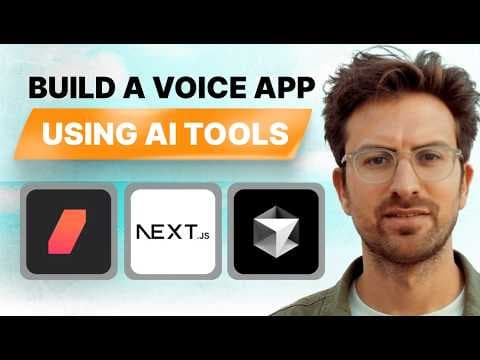
AI-assisted development accelerates building apps by guiding design, code generation, and deployment. Start by designing UI in a specialized tool, then describe features to an AI coder, copy and fix errors, and iterate until it works. The approach uses V0 for UI, Cursor AI for code, Replit for deployment, and Firebase for backend, enabling a functional startup idea community without deep coding skills.
Transcript
like I've noticed a lot of people under a lot of like commenting on a lot of videos saying like oh I'm going to wait another year so it gets till it gets even easier and I just think there's a massive opportunity right now Greg as you said to create an agency and doing it when it's hard is better because by the time the creating what we're doing no... Read More
Key Insights
- AI-assisted development is viable today, enabling rapid app construction with persistent effort rather than perfect initial outputs.
- The key to speed is breaking work into smaller components and iterating on them one at a time rather than redesigning entire pages.
- UI design with V0 allows rapid visualization, while Cursor AI translates prompts into code and Copied errors help refine logic and styling.
- Publishing iterations creates a shareable history and allows quick review or fork from prior components.
- A simple profile component can demonstrate user data collection, essential for a social app with profiles and ideas.
- Realtime feedback is achievable through community sharing and rapid rework of designs and components.
- The approach emphasizes visual design first, then code, minimizing back-and-forth between design and implementation.
- No deep technical knowledge is required to start, with AI handling heavy lifting and humans guiding the results.
- More videos from this channel:
- More from this channel: Greg Isenberg
Install to Summarize YouTube Videos and Get Transcripts
Explore YouTube Video Summarizer or Get YouTube Transcript Extractor
Questions & Answers
Q: How can you start building an AI driven social app without coding skills
You start by choosing a UI design tool like V0 to sketch the interface and define components. Then you describe features to an AI coding assistant such as Cursor AI, copy the generated code, test it, and fix any issues. Repeat with small, focused components, publish iterations, and progressively assemble the app using a backend like Firebase and a deployment platform like Replit.
Q: What is the recommended workflow for iterating UI components
Iterate one component at a time to reduce context switching and speed up development. Start with a single card or button, style it, publish, and preview. Use the published link to review in full page context, then fork or recreate the component with tweaks. This approach keeps iterations fast and measurements clear.
Q: What tools are used in the episode to build the app
The episode uses V0 for UI design, Cursor AI for code generation, Replit for deployment, and Firebase for backend. This stack enables a no code to low code pathway where design and code are iterated rapidly, and deployment happens without heavy traditional development overhead.
Q: How does AI assist in this development process
AI assists by translating prompts into working UI and code, generating startup steps, and troubleshooting by suggesting fixes. Developers guide the AI by specifying design choices and functional requirements, while the AI fills in the implementation details, enabling faster prototyping and iteration.
Q: What is a practical outcome from building a Startup Idea Community app
A practical outcome is a working platform where users can join, create profiles, input startup ideas, and have AI generated steps, along with commenting and rating. The process demonstrates how to deploy a product quickly and validate ideas with a live community feature, even without traditional software engineering resources.
Q: Why is persistence emphasized in AI assisted development
Persistence is emphasized because building a working app often involves iterative trials and learning from errors. The idea is to push through challenges, refine prompts, and progressively improve design and functionality. High agency developers stay engaged, while low agency individuals may abandon tasks at early signs of trouble.
Q: What is the role of publishing in the workflow
Publishing serves as a checkpoint and a shareable artifact. It allows you to view the current implementation in full context, share it for feedback, and fork or reuse components later. This practice creates a transparent iteration history and helps collaborators understand progress quickly.
Q: What broader message about AI and development is conveyed
The broader message is that AI can handle the heavy lifting of coding and design, enabling people to focus on problem solving and creativity. You guide the AI by describing what you want, and the AI translates that into functional features, potentially lowering barriers to app creation and speeding up deployment.
Summary & Key Takeaways
-
A practical, step by step workflow shows how to build a social app in under two hours using AI tools, with emphasis on iteration and component-focused design.
-
The episode demonstrates organizing work with component-based design, publishing iterations, and using AI to generate and troubleshoot features like profile creation and a startup idea test bed.
-
The experience highlights a future where AI assists development, lowering barriers to entry and allowing creators to focus on problem-solving and creativity.
Read in Other Languages (beta)
Share This Summary 📚
Summarize YouTube Videos and Get Video Transcripts with 1-Click
Try YouTube Summary with ChatGPT & Claude or YouTube Transcript Generator
Explore More Summaries from Greg Isenberg 📚





Summarize YouTube Videos and Get Video Transcripts with 1-Click
Try YouTube Summary with ChatGPT & Claude or YouTube Transcript Generator