How to Build a Home Studio in 2024 for Musicians
TL;DR
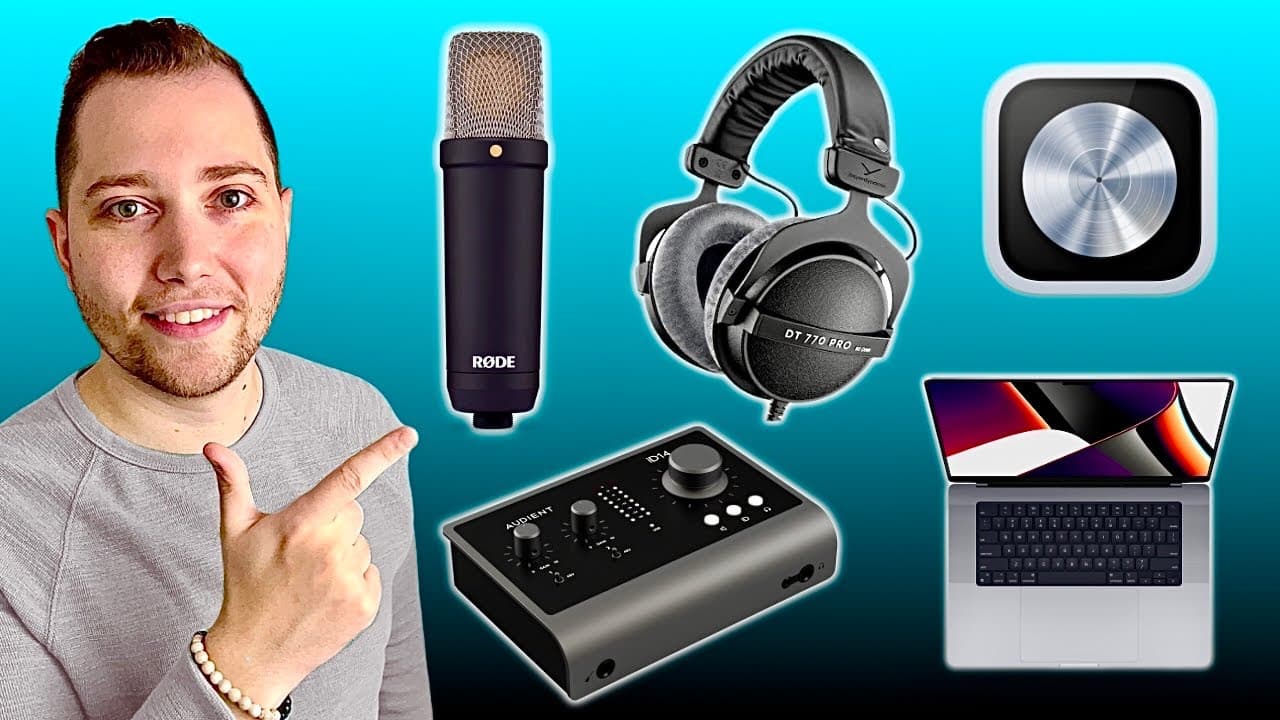
To build a home studio, you'll need a well-specced computer with a solid processor, at least 8GB of RAM, and sufficient storage. Essential equipment includes a Digital Audio Workstation (DAW), a good microphone (condenser for detail, dynamic for noise rejection), an audio interface, and studio headphones for accurate sound playback. Prioritize comfort and functionality to enhance your audio production experience.
Transcript
if you're a musician content creator podcaster or voice actor here are the five Essentials you absolutely need to build a home studio essential number one is a computer this is perhaps the most important component of any Studio because it's going to be your main workstation but let's get one thing out of the way should you get a Mac or a PC trust m... Read More
Key Insights
- 👪 The choice between Mac or PC for a home studio is driven by personal preference, not brand superiority, but ensure your computer meets essential specifications.
- 📽️ RAM is crucial for performance; 8GB is the minimum requirement, while 16GB ensures efficient handling of projects.
- ✋ External SSDs provide a cost-effective solution for expanding storage, avoiding high prices from manufacturers like Apple.
- 🥶 GarageBand and Pro Tools Intro are recommended free DAW options for beginners, offering foundational tools to start audio production.
- 🎙️ Acoustic treatment is vital for effective mic performance, especially when using sensitive condenser microphones that capture unwanted background noise.
- 🫓 Studio headphones should have a flat frequency response for accurate audio mixing, with models like the Beyerdynamic DT770 Pro being favorable for comfort and reliability.
- 🎮 Dynamic microphones are ideal for content creators who want noise rejection, making them suitable for environments with less controlled acoustics.
Install to Summarize YouTube Videos and Get Transcripts
Explore YouTube Video Summarizer or Get YouTube Transcript Extractor
Questions & Answers
Q: What are the critical specifications to consider when buying a computer for a home studio?
When purchasing a computer for a home studio, focus on the processor, RAM, and storage. A computer with an M1 chip or newer is ideal. Aim for at least 8GB of RAM, but 16GB is preferable for smooth operation with multiple tracks and plugins. Storage should start at 512GB, with 1TB or more recommended for future projects, especially for video editing.
Q: How do I choose the right DAW for my needs?
Selecting the right Digital Audio Workstation (DAW) depends on your platform and budget. GarageBand comes free with Mac computers, perfect for beginners. If you're on a PC, try Pro Tools Intro for free. For professional use, Logic Pro for Mac offers a one-time payment option, while Reaper is a good non-subscription choice for PC users, providing flexibility and affordability.
Q: What type of microphone should I use for vocals in a home studio?
For capturing vocals, consider your needs; condenser microphones are excellent for detailed audio but may pick up background noise. They are suitable for musicians and voice actors. Dynamic microphones, on the other hand, like the Shure SM7B, are preferable for podcasters and live streamers due to their background noise rejection capabilities.
Q: Why is an audio interface necessary in a home studio?
An audio interface is crucial because it converts the analog signal from your microphone into a digital signal that your computer can process. This component ensures high-quality audio recording and playback. Budget options like the Audient EVO 4 are great for beginners, while more advanced models offer additional features for seasoned producers.
Summary & Key Takeaways
-
A powerful and well-specced computer is essential for audio production, with a focus on processor type, RAM, and storage capacity; external SSDs are recommended for expanding storage affordably.
-
A Digital Audio Workstation (DAW) is vital for recording audio. GarageBand for Mac and Pro Tools Intro for PC serve as excellent free options, while Logic Pro and Reaper are solid paid choices.
-
Selecting the right microphone is crucial; condenser mics are best for detailed recordings, while dynamic mics excel with background noise rejection. An audio interface and studio headphones are also necessary for quality audio processing.
Read in Other Languages (beta)
Share This Summary 📚
Summarize YouTube Videos and Get Video Transcripts with 1-Click
Try YouTube Summary with ChatGPT & Claude or YouTube Transcript Generator
Explore More Summaries from Home Studio Academy 📚

Summarize YouTube Videos and Get Video Transcripts with 1-Click
Try YouTube Summary with ChatGPT & Claude or YouTube Transcript Generator