How Can AI Help Build a Kids YouTube Channel to 35M Views?
TL;DR
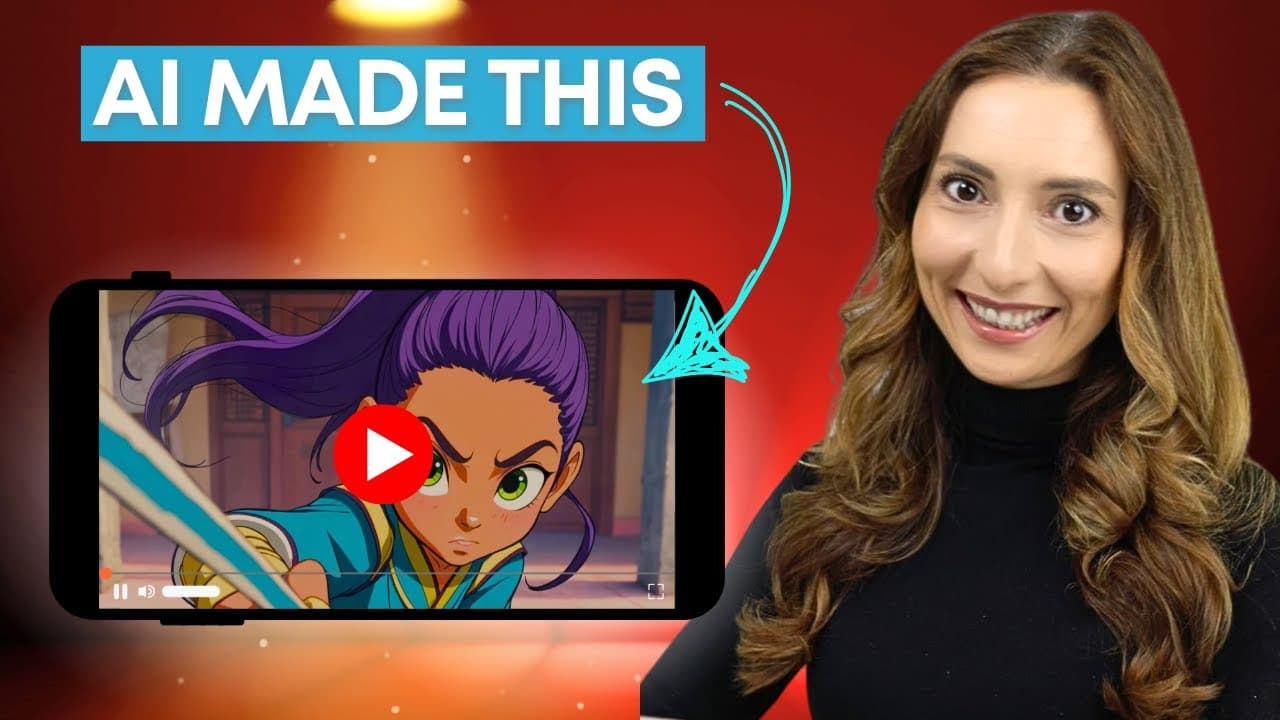
To create a kids YouTube channel with AI, first choose an age group, build a detailed production prompt, generate the video in InVideo AI, and revise the result before publishing. The featured workflow can turn a process that once took weeks into under an hour, covering scenes, narration, songs, and animation. Read on for the age-specific content strategy, prompting framework, editing options, and platform costs.
Transcript
We grew a kids channel to 35 million views in a single year. In the beginning, each video took weeks. Scripting, animations, acid gathering, voice over, editing, and we did it all manually. Slide by slide, scene by scene. Today, the same video could be created in under an hour using AI. And before you think, I am not creative or this is something t... Read More
Key Insights
- Audience age is a central content decision because children at different developmental stages respond to different formats. The recommended categories are ages 0–3, 3–5, 5–8, and 8–12, with content moving from rhythm and repetition toward stories, gaming, characters, and problem solving.
- Content for ages 0–3 is built around repetitive rhymes and high-contrast animation. The stated reasoning is that younger children are attracted to rhythm and repetition, so recognizable patterns and recurring sounds are more appropriate than complicated plots or demanding educational explanations.
- Content for ages 3–5 is most suitable when it teaches simple concepts such as letters, colors, counting, and behaviors. The example production brief targets ages 2–4 by pairing five colored fruits with repeated song lyrics, friendly instruments, visible labels, and bright, soft animation.
- Content for ages 5–8 works through adventure stories, friendship, fun facts, and light moral lessons. At this stage, the recommended strategy shifts beyond basic repetition toward narratives that provide engagement while remaining playful, understandable, and appropriate for the selected audience.
- Content for ages 8–12 is associated with gaming videos, character-driven storytelling, and problem solving. The underlying strategy is to offer older children more active engagement and stronger narratives instead of relying primarily on the rhythmic repetition recommended for much younger viewers.
- Metaprompting is the practice of asking an AI system to help construct better instructions for another AI tool. A detailed prompt can define the audience, duration, educational objective, characters, visual style, music, lyrics, sequence, transitions, tone, on-screen text, and ending before generation begins.
- InVideo AI can generate original scenes, narration, songs, and animation from a structured prompt. The generated result can then be revised through text commands or manual controls, including changes to individual scenes, scripts, music, duration, pacing, included objects, and the energy of the soundtrack.
- Each uploaded video can function as a digital asset that continues attracting views while the creator does other things. The proposed strategy emphasizes building a collection of assets that can compound reach, revenue, and brand value, rather than measuring success only through brief viral performance.
Install to Summarize YouTube Videos and Get Transcripts
Explore YouTube Video Summarizer or Get YouTube Transcript Extractor
Questions & Answers
Q: How do you create a kids YouTube channel with AI?
Start by selecting a specific age group and deciding whether the content will educate or entertain. Use metaprompting to create a detailed production brief, paste it into InVideo AI, review and edit the generated scenes and audio, then export the video and prepare its thumbnail and title.
Q: How quickly can AI create a kids YouTube video?
The production process previously took weeks because scripting, animation, asset gathering, voice-over, and editing were completed manually. The transcript says AI can produce the same type of video in under an hour and gives an example completed in 30 minutes.
Q: What kids video formats work for different age groups?
For ages 0–3, the recommended formats are repetitive rhymes and high-contrast animation, while ages 3–5 suit simple lessons about alphabets, colors, counting, and behaviors. Ages 5–8 favor adventures, friendship, fun facts, and light moral lessons; ages 8–12 favor gaming, character-driven stories, and problem solving.
Q: What is metaprompting for AI video creation?
Metaprompting means asking an AI assistant to help construct stronger instructions for another AI tool. It turns a broad idea into a structured production brief defining elements such as the audience, duration, educational goal, visual style, music, scene sequence, labels, transitions, and ending.
Q: What should a prompt for an AI-generated kids video include?
A detailed prompt should specify the age range, duration, objective, format, visual style, characters or objects, scene order, music, on-screen text, tone, transitions, and final scene. The example requests a 1–2 minute educational song for children aged 2–4 featuring five colored fruits, followed by a group dance and repeated chorus.
Q: How can an AI-generated kids video be edited after creation?
The demonstrated workflow supports revisions through text commands and manual controls. Creators can request a different song style, add an object, extend the runtime, adjust the soundtrack, replace individual scenes, or directly revise the script and music.
Q: Can AI create multilingual kids videos and cloned voiceovers?
InVideo AI is described as supporting translation into more than 50 languages, with an Italian version shown as an example. Its voice-cloning feature uses approximately 30 seconds of recorded speech and can reproduce the creator’s own voice in later videos.
Q: How much does the demonstrated AI video workflow cost?
The presentation says InVideo can be explored with a free account, but generative AI features require a paid plan. The stated starting price is $96 per month for 15 generated minutes, and the presentation also discloses InVideo sponsorship and affiliate links.
Summary & Key Takeaways
-
AI can reduce the production time for animated children’s content from weeks to under an hour by generating scripts, scenes, narration, music, and voiceovers from a prompt. The suggested workflow begins with audience selection, continues through structured prompting and AI generation, and ends with editing, thumbnail creation, exporting, and uploading.
-
Children’s content should match its intended developmental group. Ages 0–3 are associated with repetition, rhymes, and high-contrast animation. Ages 3–5 favor basic educational topics, while ages 5–8 prefer adventures and light lessons. Ages 8–12 are better suited to gaming, character-driven stories, and problem-solving content.
-
The demonstrated InVideo AI workflow supports scene generation, script and music revisions, text-command editing, manual controls, voice cloning, and translation into more than 50 languages. Generative features require a paid plan described as starting at $96 monthly for 15 generated minutes. The presentation was sponsored by InVideo and includes affiliate links.
Read in Other Languages (beta)
Share This Summary 📚
Summarize YouTube Videos and Get Video Transcripts with 1-Click
Try YouTube Summary with ChatGPT & Claude or YouTube Transcript Generator
Explore More Summaries from AI Founders 📚




Summarize YouTube Videos and Get Video Transcripts with 1-Click
Try YouTube Summary with ChatGPT & Claude or YouTube Transcript Generator