How to Build Agentic Workflows for Client Leads
TL;DR
Build agentic workflows by giving an IDE-based AI agent reusable directives, execution scripts, examples, and access to external services. The three demonstrated systems find and prioritize Upwork jobs, draft and split-test cold email campaigns, and scrape Google Maps leads before enriching them with website contact data and saving the results to Google Sheets.
Transcript
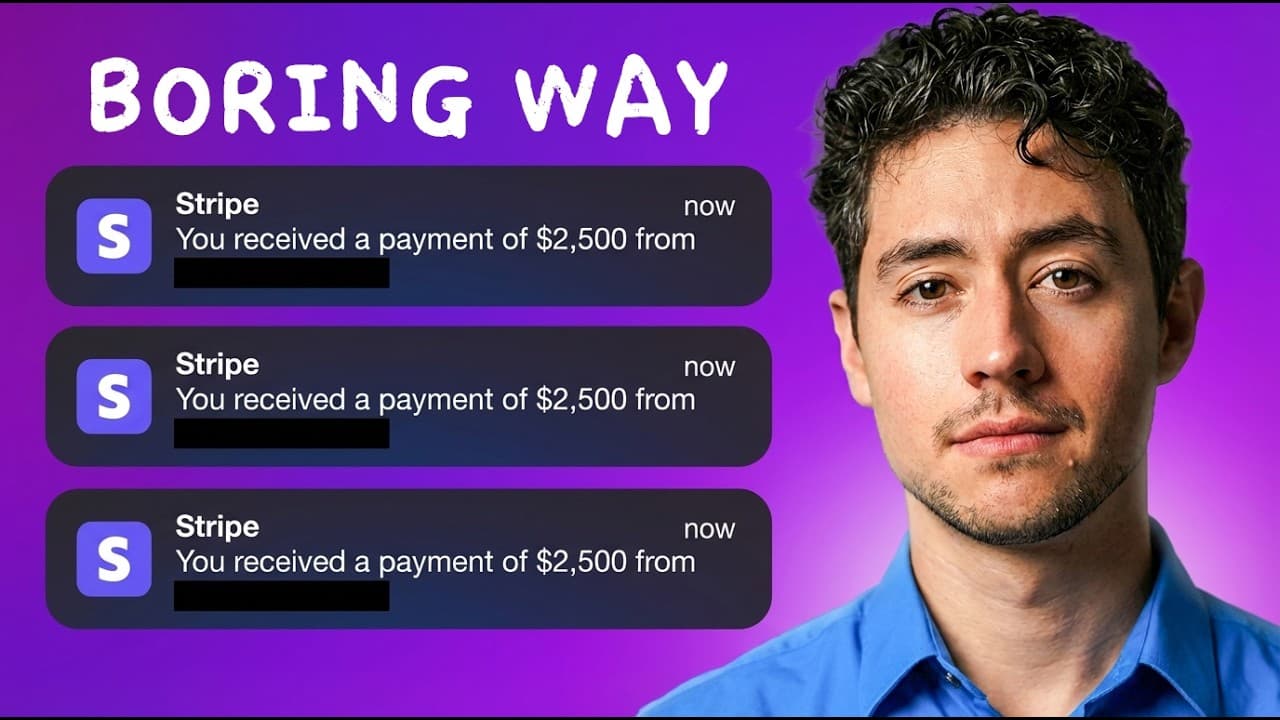
Hey, here are three agentic workflows I built in under 15 minutes that can make you more than $5,000 this month. I'll show you how they work, give you the results, and then at the very end of the video, I'll actually build them live alongside you. So whether you guys want to use this in your own business, copy paste some of the hot templates that y... Read More
Key Insights
- The Upwork workflow is designed to find 10 automation-related jobs posted within the previous 24 hours, then organize opportunities and application links in Google Sheets. It also drafts customized cover letters and can create a one-page proposal document for each application.
- Client prioritization is based on available Upwork information such as project budgets, client spending, and client profiles. These signals help distinguish serious prospects from weaker opportunities before time is invested in reviewing the job and submitting an application.
- The Instantly workflow creates draft cold email campaigns from a company description and offer. It reads stored directives, scripts, and campaign examples, performs the necessary HTTP requests and API calls, and then provides campaign pages where the generated sequences can be reviewed.
- Cold email optimization is performed through split testing rather than reliance on a single message. Multiple versions of copy and offers are generated, run at scale, and evaluated so unsuccessful variants can be removed while promising combinations are isolated for continued use.
- The Google Maps workflow can scrape 100 HVAC companies in Texas, enrich them with company and contact details, and append the results to a continuing Google Sheet. Narrower location prompts can focus collection on places such as Fort Worth, Arlington, Irving, or Dallas.
- Website enrichment works by crawling pages beyond a company's homepage, including about, team, founder, and owner pages. The collected content is assembled into a large text block and sent to a streamlined Claude process that extracts details into a structured schema.
- Contact discovery can produce addresses and phone numbers for businesses, while email retrieval is described as reaching roughly 40% to 50%, depending on scale. Optional services such as Anymailfinder can provide further cold email enrichment after the initial website crawl.
- Parallel development is possible by running multiple Claude Code instances in the same folder when each instance works on different directives and executions. The demonstrated setup uses a directives folder, an executions folder, and an AGENTS.md file containing general instructions for building systems.
Install to Summarize YouTube Videos and Get Transcripts
Explore YouTube Video Summarizer or Get YouTube Transcript Extractor
Questions & Answers
Q: How do you build an agentic Upwork job scraper?
Set up an AI agent inside an IDE such as Visual Studio Code, then instruct it to find recent Upwork projects matching a chosen keyword. The demonstrated request searches for 10 automation jobs from the previous 24 hours. The agent uses stored directives and executions, runs an Apify scraper, evaluates client information, drafts proposals, and saves jobs and application links to Google Sheets.
Q: How does the workflow prioritize promising Upwork clients?
The workflow compares information available in the job and client records, including the proposed budget, client spending, and client profile. It uses those signals to identify top picks and separate serious buyers from weaker prospects. The resulting Google Sheet keeps the opportunities together with one-click application links, making it easier to review prioritized jobs before applying.
Q: How can AI create customized Upwork proposals quickly?
The agent combines each scraped job with proposal-generation instructions and established Upwork application practices. It drafts a cover letter tailored to the opportunity and can also produce a customized one-page Google Doc describing the planned approach. Other possible supporting materials mentioned include a workflow diagram, a walkthrough, or a customized Loom recording, depending on the application strategy.
Q: How does an agent create Instantly cold email campaigns?
The operator supplies the company, target market, and offer, then asks the agent to create draft campaigns in Instantly. The agent reads stored directives, gathers scripts and campaign examples, consults a repository of high-performing campaign copy, and performs HTTP requests and API calls. After receiving a successful status, the operator can open the generated campaigns and review their sequences.
Q: Why generate multiple cold email campaign variants?
Multiple variants make it possible to split-test different messages and offers instead of depending on one draft. The campaigns can be run at scale, after which weak versions are filtered out and stronger combinations are retained. The transcript notes that generating more examples raises the probability of finding a winning combination, even when no individual draft is assumed to be perfect.
Q: How does the Google Maps lead scraping workflow work?
The agent first runs a Google Maps search for a specified business type and location, such as 100 HVAC companies in Texas. It collects business information, enriches each lead through website crawling, and saves the structured results to a continuing Google Sheet. The process runs incrementally in batches to reduce API calls while adding newly discovered records and email addresses.
Q: How are owner names and email addresses extracted from company websites?
The workflow searches multiple pages on each company website rather than relying only on the homepage. It examines likely sources such as about, team, founder, and owner pages, compiles the collected material into a large text block, and sends it to a streamlined Claude process. Claude then extracts owner names, team contacts, email addresses, and other details into a defined schema.
Q: What setup is needed to build these agentic workflows?
The demonstrated setup begins with an agent-capable IDE, such as Visual Studio Code or Anti-gravity, plus an installed AI coding agent such as the Claude Code extension. The project folder contains a directives folder, an executions folder, and an AGENTS.md file with system-building instructions. Multiple agent instances can run simultaneously when they work on separate directives and execution files.
Summary & Key Takeaways
-
The Upwork workflow searches for recent automation projects, evaluates clients using information such as budgets, profiles, and prior spending, and generates customized application materials. It saves the selected jobs, application links, and proposals in a Google Sheet, while an optional one-page Google Doc provides each prospect with a more detailed project plan.
-
The Instantly workflow turns an offer into several draft cold email campaigns by consulting stored directives, scripts, campaign examples, and a repository of previously effective copy. It produces multiple messages and offers for split testing, allowing the operator to run variants at scale, discard weak performers, and retain the combinations that generate results.
-
The Google Maps workflow collects local businesses, crawls relevant pages on their websites, and uses Claude to convert the gathered text into structured contact records. Business details, addresses, phone numbers, email addresses, owners, team contacts, enrichment status, and map locations can then be added incrementally to a reusable Google Sheet for outbound campaigns.
Read in Other Languages (beta)
Share This Summary 📚
Summarize YouTube Videos and Get Video Transcripts with 1-Click
Try YouTube Summary with ChatGPT & Claude or YouTube Transcript Generator
Explore More Summaries from Nick Saraev 📚




Summarize YouTube Videos and Get Video Transcripts with 1-Click
Try YouTube Summary with ChatGPT & Claude or YouTube Transcript Generator