How to Build an AI Employee for Lead Reactivation
TL;DR
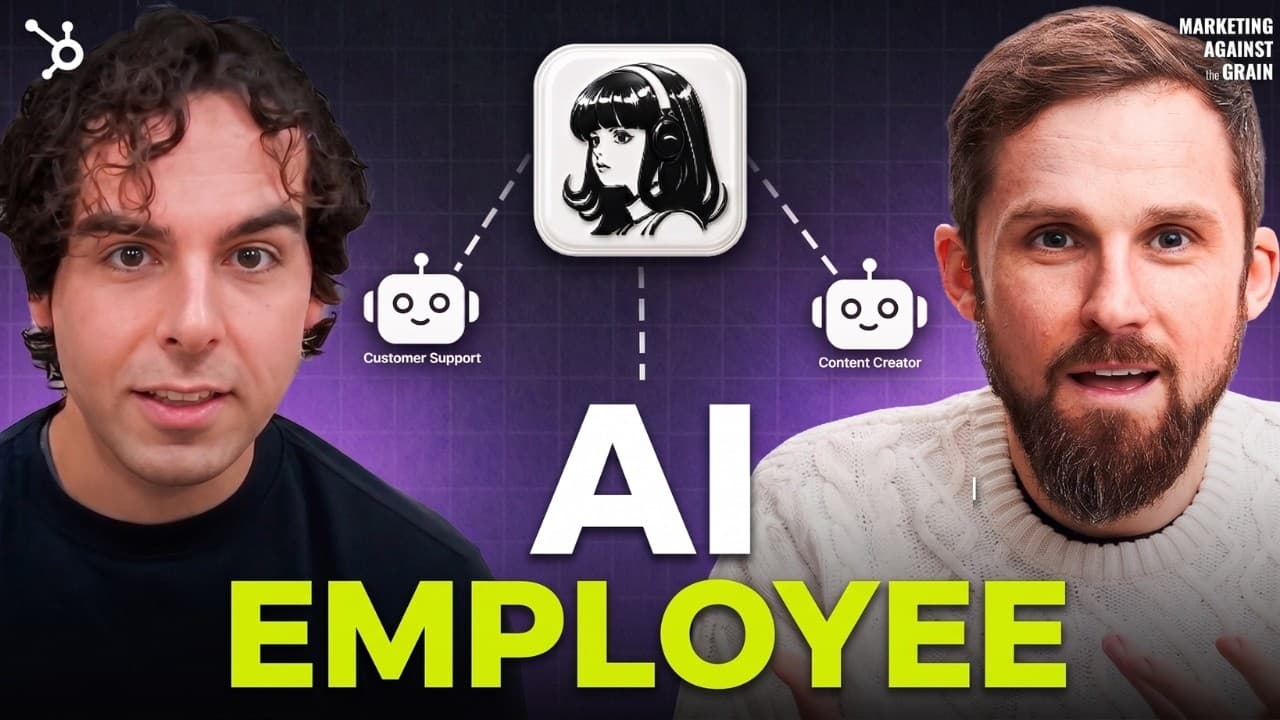
Start with one clearly defined workflow, such as re-engaging dormant customers and leads, before expanding an AI employee into adjacent responsibilities. A practical setup combines Hermes, a tool-capable model, Composio integrations, AgentMail, a persistent knowledge vault, and a cloud computer, allowing the agent to research prospects, draft outreach, manage email, retain context, and run scheduled work.
Transcript
Okay, I'm coming to you with [music] one of the best episodes we have ever done. We did this episode with Nick Gaslesco. He just blew our mind on how easy it is to create your very first AI employee. We created one that was able to do a bunch of prospecting and create pipeline for your sales team. And the best thing is it's doing it all the time. Y... Read More
Key Insights
- A narrow workflow is the best starting point for an AI employee because it creates a clear use case with fewer failure points. The suggested initial workflow is re-engaging dormant customers and leads, rather than attempting to automate an entire marketing or sales role immediately.
- Dormant customers and leads are a warm audience because they have already interacted with or purchased from the business. An AI employee can research them, craft an offer, prepare an email sequence, initiate outreach, and help turn an underused customer database into new pipeline.
- Hermes is the harness that coordinates the AI employee and its connected capabilities. The episode presents it as a more reliable, purpose-built alternative to OpenClaw for agent use cases, while templates can provide a Hermes agent with the necessary software already installed.
- GLM 5.2 is presented as an affordable open-source model for powering the agent. According to the description, the episode compares a 98-cent GLM cost with a $5 Opus cost, while the transcript says GLM can outperform Claude Opus in some use cases.
- Composio is a shared integration layer that lets the agent access connected platforms through one connector. After users authorize services such as HubSpot, they can install the Composio connector in Hermes instead of separately rebuilding every application connection for each new agent or platform.
- A dedicated cloud computer gives the AI employee a persistent place to operate, keep files, and perform browser-based work. Orgo is demonstrated as one provider, while Hostinger, Hetzner, and Digital Ocean are also mentioned as possible environments where an agent can live.
- AgentMail gives the AI employee its own email inbox, enabling it to participate in outreach through a dedicated identity. Combined with scheduled jobs and an email sequence, the inbox supports ongoing re-engagement work and lets the agent operate beyond a single interactive chat session.
- An Obsidian vault serves as the AI employee's second brain by preserving information it can use across work sessions. Together with a persistent computer, connected tools, and an inbox, this memory layer supports continuity when the agent researches prospects, prepares outreach, and responds to progress questions.
Install to Summarize YouTube Videos and Get Transcripts
Explore YouTube Video Summarizer or Get YouTube Transcript Extractor
Questions & Answers
Q: How do you build an AI employee for lead reactivation?
Begin with the single goal of re-engaging dormant customers and leads. Set up Hermes as the agent harness, select GLM 5.2 as the model, use Composio to connect business tools, give the agent an AgentMail inbox, store relevant context in an Obsidian vault, and provide a cloud computer through Orgo or another mentioned provider. Then direct the agent to research contacts, craft an offer, and prepare an email sequence.
Q: Why should an AI employee start with one workflow?
Starting with one workflow makes the desired outcome clearer, simplifies implementation, and reduces the number of potential failure points. The episode recommends mastering a concrete use case before adding broader responsibilities. Once the agent reliably re-engages dormant leads, it can expand into adjacent work, answer progress questions, review feedback from previous sequences, and behave more like an employee available through messaging channels.
Q: Why are dormant customers and leads suitable for AI outreach?
Dormant customers and leads are suitable because they already know the business, and some customers have purchased from it before. The episode characterizes them as a warm audience and an important lever for generating revenue. An AI employee can revisit records that have gone untouched for months or years, develop a relevant offer, create an email sequence, and conduct re-engagement work continuously.
Q: What tools are needed to create the AI employee?
The featured setup uses Hermes for the agent harness, GLM 5.2 for the underlying model, Composio for connections to external applications, AgentMail for a dedicated inbox, an Obsidian vault for persistent knowledge, and Orgo for a cloud computer. The description presents these components as a stack that supports reasoning, tool access, email communication, memory, file storage, browser operation, and scheduled execution.
Q: What does Composio do for a Hermes AI agent?
Composio centralizes access to platforms and applications used by the AI employee. A user authorizes services, including tools such as HubSpot, within Composio and then installs one Composio connector in Hermes. That connector gives the agent access to the authorized tools. This also makes it easier to move between agent platforms because the individual application connections do not need to be recreated separately each time.
Q: Why does an AI employee need its own cloud computer?
A cloud computer provides the environment where the AI employee can live, store files, use a browser, and perform practical work. The Orgo demonstration shows an agent receiving a computer and clicking through browser research. The transcript also names Hostinger, Hetzner, and Digital Ocean as alternatives. This persistent workspace moves the agent beyond conversation by giving it an operating environment similar to an employee's laptop.
Q: How does AgentMail support an autonomous AI employee?
AgentMail supplies a dedicated email inbox for the AI employee. That inbox gives the agent an email identity it can use when carrying out the dormant-customer re-engagement workflow. Alongside an offer, an email sequence, and scheduled jobs, the inbox enables ongoing outreach rather than a one-time draft. It also helps separate the agent's communications from a human employee's personal inbox.
Q: How can an AI employee expand beyond its initial task?
After the first workflow performs reliably, the AI employee can take on tasks adjacent to that established process and respond to direct requests through channels such as Slack, iMessage, or other messaging tools. A user might ask for progress, request an update on an email sequence, or ask whether outreach produced feedback. Its computer, integrations, inbox, and persistent knowledge provide the foundation for this broader role.
Summary & Key Takeaways
-
The recommended first AI employee re-engages dormant customers and leads because they are already familiar with the business and may represent accessible revenue. The agent researches this warm audience, develops an offer, drafts an email sequence, sends outreach, and helps monitor responses instead of handling every possible business task immediately.
-
The proposed stack gives the agent the resources associated with a working employee. Hermes provides the agent harness, GLM 5.2 powers its reasoning, Composio connects business applications, AgentMail supplies a dedicated inbox, an Obsidian vault preserves useful context, and Orgo provides a cloud computer where files and browser-based work can persist.
-
The broader implementation principle is to begin with a narrow, measurable workflow and expand only after it works reliably. Once the initial re-engagement process is established, the agent can handle related requests, report progress through messaging channels, review previous outreach, and potentially support additional workflows through the same computer, memory, inbox, and integrations.
Read in Other Languages (beta)
Share This Summary 📚
Summarize YouTube Videos and Get Video Transcripts with 1-Click
Try YouTube Summary with ChatGPT & Claude or YouTube Transcript Generator
Explore More Summaries from Marketing Against the Grain 📚



Summarize YouTube Videos and Get Video Transcripts with 1-Click
Try YouTube Summary with ChatGPT & Claude or YouTube Transcript Generator