How Does Flipper Zero Work as a Universal Remote?
TL;DR
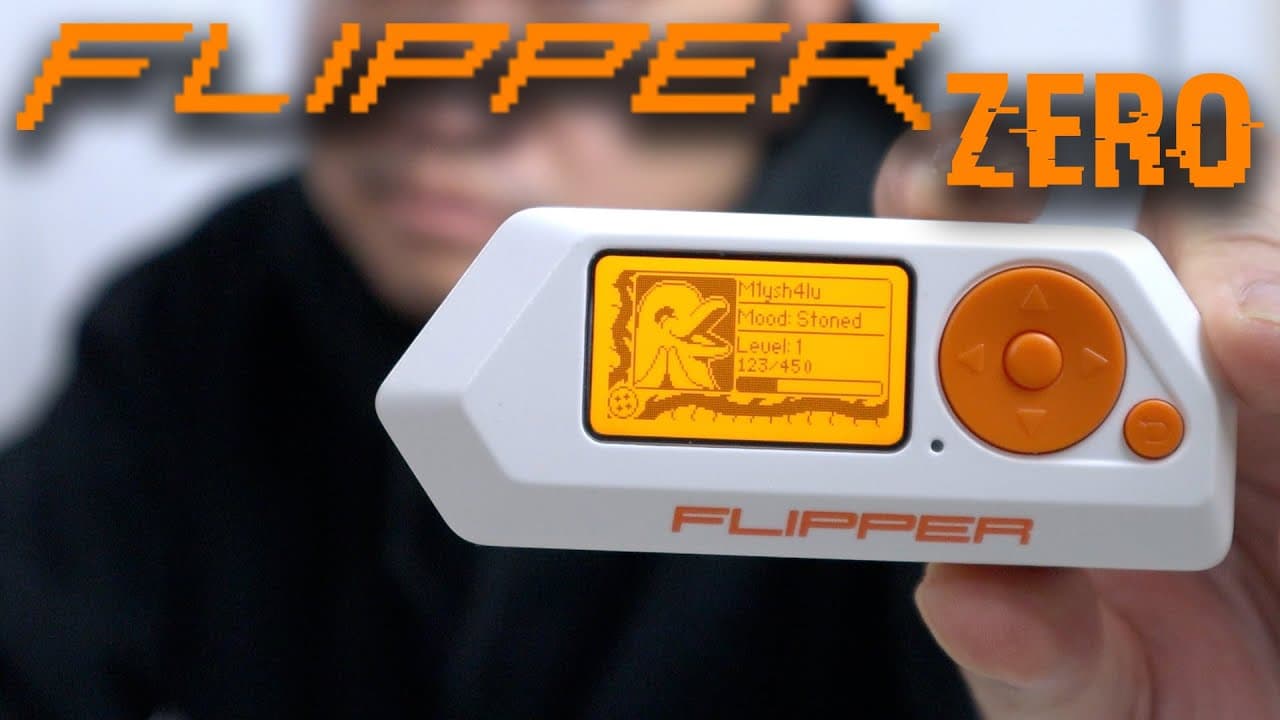
Flipper Zero functions as a universal remote for devices operating on sub-gigahertz frequencies, allowing users to manage multiple remotes and access controls from one device. It has open-source firmware that can be modified to unlock additional features, but users must be mindful of its limitations, including region locks and the inability to emulate sensitive data like credit cards.
Transcript
hey guys what's going on it's Don here from Nova Spirit Tech and welcome back to the channel and today we're going to be checking out a really cool tool called The Flipper zero so let's get started I'm extremely glad that I was actually able to buy one of these because they're constantly sold out so the way I got lucky was just following their Twit... Read More
Key Insights
- 🪡 Flipper Zero functions as a universal remote, capable of managing various devices that operate on sub-gigahertz frequencies, reducing the need for multiple remotes.
- 😴 The device incorporates advanced features, such as an infrared reader and GPIO pins, providing versatility to control a wide range of technologies including IoT devices.
- 👤 Users are advised to approach the firmware modification process cautiously to avoid creating vulnerabilities or misusing its capabilities, as the device is not inherently malicious.
- 🧑🏭 Flipper Zero supports NFC and RFID applications, enabling users to clone keycards used for secure facility access and even to connect with services requiring two-factor authentication.
- 🧑💻 The device's compact design and lightweight nature make it suitable for carrying in daily life, combining functionality with portability, ideal for tech-savvy individuals.
- 💨 A thriving community surrounds Flipper Zero, offering forums and resources for users to learn, share updates, and explore various ways to maximize the device's potential.
- 🤗 Due to its open-source nature, Flipper Zero is continually evolving, with new firmware solutions enabling enhanced features and broader compatibility with devices.
Install to Summarize YouTube Videos and Get Transcripts
Explore YouTube Video Summarizer or Get YouTube Transcript Extractor
Questions & Answers
Q: What is the primary function of Flipper Zero?
The primary function of Flipper Zero is to serve as a versatile multi-tool that can read, store, and emulate various wireless signals, primarily in sub-gigahertz frequencies. It allows users to consolidate multiple remotes and access devices into one gadget, simplifying interactions with technologies such as garage doors, RFID keycards, and IoT devices.
Q: How does the region lock feature impact the Flipper Zero?
The region lock feature restricts certain functionalities of Flipper Zero based on the geographic location when it connects to initialize. This means that users in regions with specific regulations may not be able to access all frequency ranges or emulation capabilities, thus limiting the full potential of the device compared to users in other regions.
Q: Can users modify the Flipper Zero's firmware?
Yes, Flipper Zero is open-source, which permits users to modify its firmware. Several community-developed versions exist, such as the "Unleash" and "Rogue Master" firmware, which unlocks additional features, removes region locks, and expands the device's functionality. Users should, however, proceed with caution to avoid malicious applications.
Q: What are some practical applications of Flipper Zero in daily life?
Flipper Zero can be used to manage multiple access points by storing RFID cards for office doors, garage doors, or public entries, thus allowing a user to replace several tokens or cards with a single device. Additionally, it can function as a remote control for TVs, fans, or air conditioning units, consolidating control over various devices into one handheld tool.
Q: What should users be wary of while using Flipper Zero?
Users should exercise caution when attempting to clone or save sensitive frequencies such as car key fobs, as there are risks that these may disable the original devices. Misuse of the Flipper Zero could potentially lead to malfunctioning equipment or unintended security breaches, as the device requires responsible usage to avoid ethical and legal implications.
Q: Is there any ongoing community support for Flipper Zero?
Yes, the Flipper Zero has a vibrant community that actively develops firmware updates, applications, and enhancements for the device. Users are encouraged to participate in forums to share experiences, report issues, and suggest improvements, thus contributing to a continually evolving platform that thrives on collaborative innovation.
Q: What is the significance of the Flipper Zero’s interface and design?
Flipper Zero features a user-friendly interface with a 1.4-inch backlit display and intuitive controls that simplify navigation through settings and functionalities. This thoughtful design, combined with ergonomic weight distribution, ensures that the device remains practical for daily tasks while appealing to tech enthusiasts who appreciate its playful aesthetics and interactive elements.
Q: How does Flipper Zero manage power and functionality?
Equipped with a 2000mAh battery, Flipper Zero is optimized for longevity and can last around seven days on a single charge under average usage. Its power management is designed to balance the demands of operating multiple applications, ensuring that users can rely on its performance without frequent interruptions for charging.
Summary & Key Takeaways
-
Flipper Zero is a multi-tool for users who want to manage multiple wireless access points, effectively functioning like a universal remote for a wide range of devices using sub-gigahertz frequencies.
-
The device has limitations due to region locks and cannot save or emulate certain sensitive data such as credit cards, emphasizing its intended use as a legitimate utility rather than a malicious tool.
-
Open-source firmware allows users to unlock additional features and capabilities, making it a dynamic gadget that can be customized to user needs and preferences over time.
Read in Other Languages (beta)
Share This Summary 📚
Summarize YouTube Videos and Get Video Transcripts with 1-Click
Try YouTube Summary with ChatGPT & Claude or YouTube Transcript Generator
Explore More Summaries from Novaspirit Tech 📚






Summarize YouTube Videos and Get Video Transcripts with 1-Click
Try YouTube Summary with ChatGPT & Claude or YouTube Transcript Generator