How to Create Eye-Catching YouTube Thumbnails with AI
TL;DR
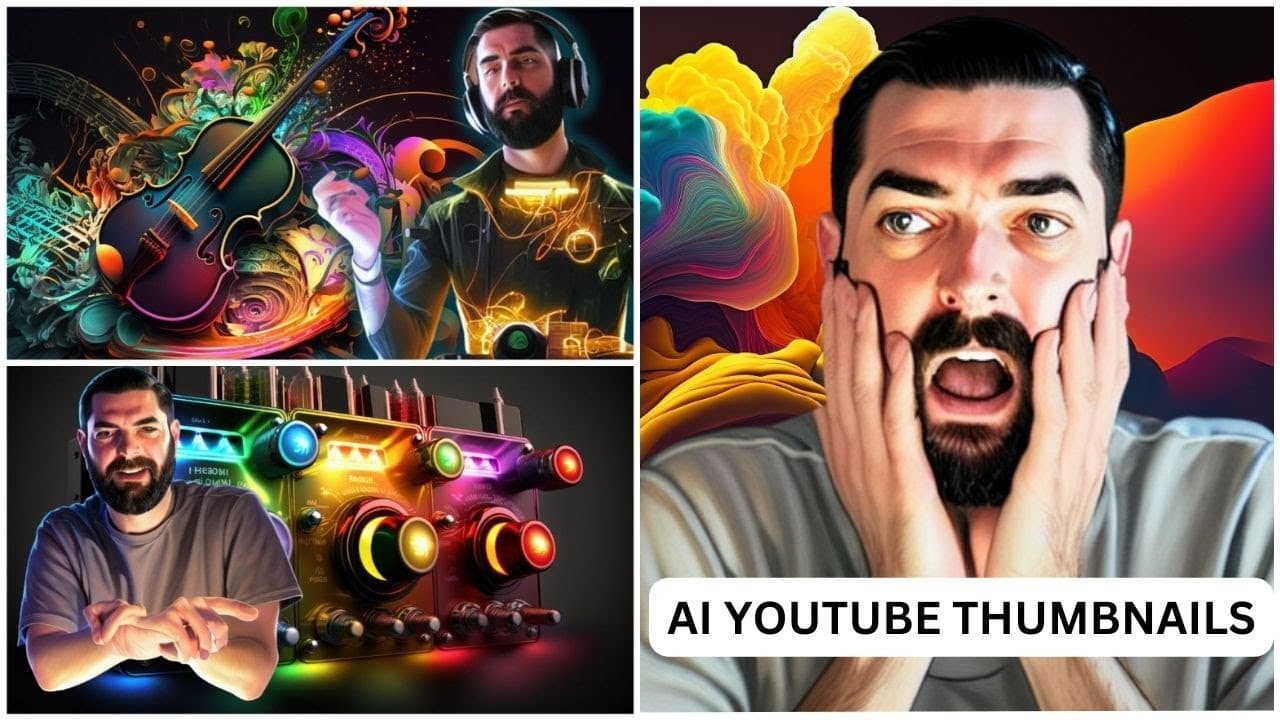
To create engaging YouTube thumbnails using AI, start by generating a vibrant background in Mid Journey, then create your desired face pose in Stable Diffusion. Finally, assemble everything in Canva, adding text and other elements to complete the thumbnail. This process allows creators to produce professional-quality images without needing advanced artistic skills.
Transcript
I'm going to show you exactly how I make my Youtube thumbnails this is probably the most requested video that I've had in the comments section of my YouTube channel and I'm gonna dive in and show you right now so this is actually for a video that I recently made about why Bing chat is actually so bad so the image that I have in mind for this thumbn... Read More
Key Insights
- 😃 AI tools like Mid Journey, Stable Diffusion, and Canva enable content creators to create eye-catching YouTube thumbnails without extensive artistic skills.
- 😀 Personalized elements, such as the creator's face in thumbnails, can be generated using AI tools.
- ❓ The process involves generating vibrant backgrounds, using prompt optimization, and incorporating brand elements like logos into the thumbnails.
- 🔨 Upscaling tools like AI Image Upscaler can be used to enhance the quality of thumbnail images.
Install to Summarize YouTube Videos and Get Transcripts
Explore YouTube Video Summarizer or Get YouTube Transcript Extractor
Questions & Answers
Q: What are some AI tools used in creating YouTube thumbnails?
The content creator uses Mid Journey for vibrant backgrounds, Stable Diffusion for generating images with their face in the desired pose, and Canva for final composition.
Q: How does Mid Journey help in creating thumbnails?
Mid Journey provides vibrant colors that make the thumbnails pop, and the creator recommends using it with less input to let the AI generate creative prompts.
Q: What is the role of Stable Diffusion in thumbnail creation?
Stable Diffusion is used to generate images with the creator's face in the desired pose, providing a personalized touch to the thumbnail.
Q: How does Canva contribute to the thumbnail creation process?
Canva is used for final composition, adding text, background removal, and other elements to create visually appealing thumbnails.
Key Insights:
- AI tools like Mid Journey, Stable Diffusion, and Canva enable content creators to create eye-catching YouTube thumbnails without extensive artistic skills.
- Personalized elements, such as the creator's face in thumbnails, can be generated using AI tools.
- The process involves generating vibrant backgrounds, using prompt optimization, and incorporating brand elements like logos into the thumbnails.
- Upscaling tools like AI Image Upscaler can be used to enhance the quality of thumbnail images.
- The creator emphasizes the power of AI in enabling individuals without strong artistic abilities to manifest their vision and creativity in their YouTube thumbnails.
Summary & Key Takeaways
-
The content creator explains the process of making YouTube thumbnails using AI tools like Mid Journey, Stable Diffusion, and Canva.
-
Mid Journey is used to create vibrant and colorful backgrounds for thumbnails, while Stable Diffusion helps generate images with the creator's face in the desired pose.
-
Canva is used for final composition, adding text, and other elements to create visually appealing thumbnails.
Read in Other Languages (beta)
Share This Summary 📚
Summarize YouTube Videos and Get Video Transcripts with 1-Click
Try YouTube Summary with ChatGPT & Claude or YouTube Transcript Generator
Explore More Summaries from Matt Wolfe 📚



Summarize YouTube Videos and Get Video Transcripts with 1-Click
Try YouTube Summary with ChatGPT & Claude or YouTube Transcript Generator