How to Create an AI Avatar With HeyGen
TL;DR
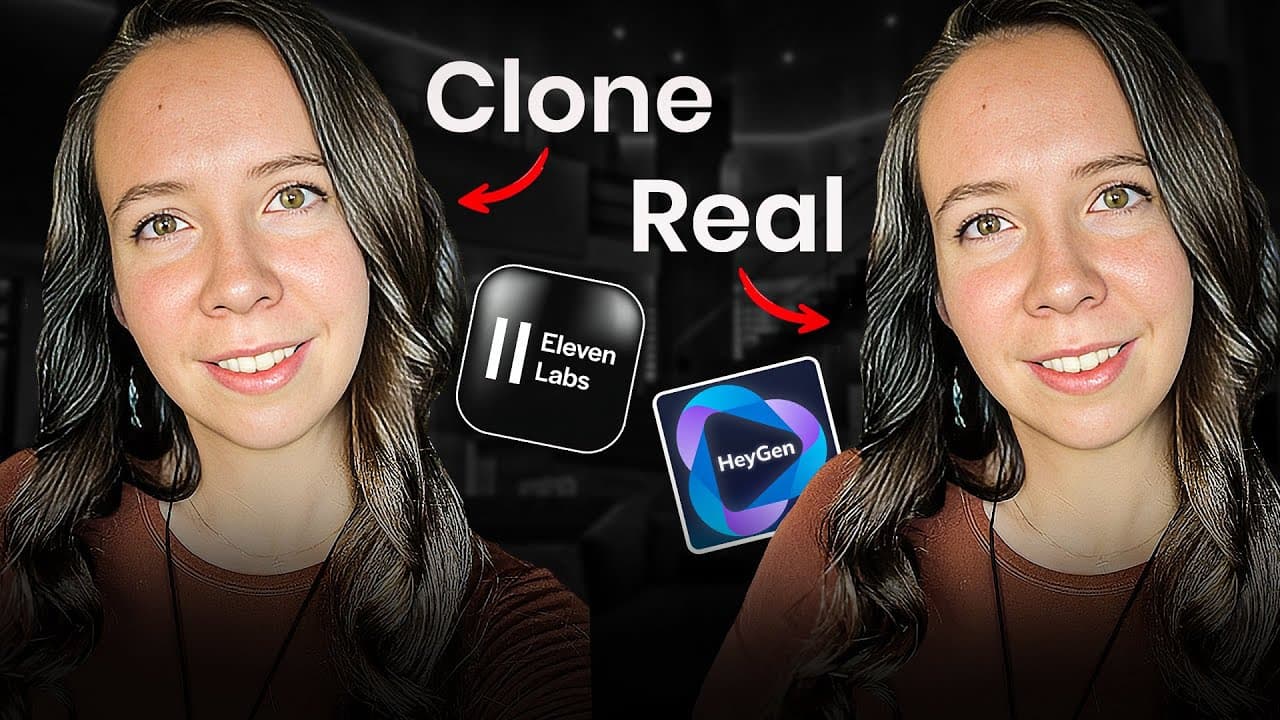
Create a professional AI clone by training a HeyGen custom avatar with five consistent video clips, cloning your voice from clean audio in ElevenLabs, and connecting both tools through an API key. Format scripts for natural speech, render at 30 FPS and 1080p, then add B-roll, music, text overlays, and transitions before publishing.
Transcript
Hey, I'm the digital avatar of the real Julia McCoy. And in this video, I'm going to show you exactly how I use Hen to clone myself and create professional YouTube videos without ever touching a camera. No fluff, no theory, just the exact stepbystep system I use to produce three to four videos per week while spending less than two hours on filming.... Read More
Key Insights
- HeyGen custom avatars require the Team plan in the tutorial’s recommended setup. The plan is described as costing $89 per month, providing 30 minutes of video each month, and allowing custom video avatars instead of limiting the creator to instant avatars.
- ElevenLabs professional voice cloning requires clean source audio. The tutorial recommends 1–1.5 hours recorded with the same microphone, without music, additional speakers, background noise, or other distractions that could reduce the voice clone’s consistency and realism.
- HeyGen training footage should include five clips lasting 3–5 minutes each. Every clip should use at least 1080p resolution, good lighting, a quiet environment, direct camera engagement, and natural speech, while keeping hand movements mostly below chest level.
- Different outfits create multiple reusable avatar looks. The tutorial recommends wearing a different outfit in each of the five training clips, naming each look descriptively, and uploading the remaining clips through the add-new-look feature after the first custom avatar has processed.
- Consistent recording conditions improve the training dataset. All five avatar clips should be filmed in one session with the same camera, microphone, and lighting setup, while the person is energized because the recorded emotional state can influence how the finished avatar appears.
- Consent verification is required by both cloning services. ElevenLabs asks the person being cloned to read a custom script during real-time verification, while HeyGen asks for a recorded statement granting permission to use the submitted footage to build an avatar.
- AI narration works better with specially prepared scripts. Numbers should be written out, paragraph breaks should create natural pauses, and unnecessary filler, jargon, emojis, and special characters should be removed so every spoken word serves a clear purpose.
- Raw avatar footage benefits from post-production. The recommended workflow adds B-roll, music, text overlays, and smooth transitions, using a document with timestamps and creative notes to guide an editor and turn the generated footage into polished YouTube content.
Install to Summarize YouTube Videos and Get Transcripts
Explore YouTube Video Summarizer or Get YouTube Transcript Extractor
Questions & Answers
Q: How do you create an AI avatar with HeyGen?
Record five high-quality clips of yourself, each lasting 3–5 minutes, with consistent equipment, lighting, and sound but a different outfit in every clip. In HeyGen, choose the custom-avatar option, upload the first clip, complete the consent statement, and wait for processing. After the first look is ready, add the other four clips as additional looks.
Q: What HeyGen and ElevenLabs plans does the tutorial recommend?
The tutorial recommends HeyGen’s Team plan at $89 per month because it includes 30 minutes of monthly video and access to custom video avatars. It also recommends the ElevenLabs Creator plan at $22 per month for professional voice cloning. Together, the stated investment is about $111 per month for the complete avatar and voice setup.
Q: How should HeyGen avatar training footage be recorded?
Record at least 1080p footage, although the tutorial says 4K is better. Use good lighting, avoid echo and background noise, look directly into the camera, and speak naturally as if talking to a friend. Keep your hands mostly below chest level. Use the same camera, microphone, and lighting across all five clips for consistency.
Q: Why should each HeyGen training clip use a different outfit?
Different outfits allow the finished avatar to appear in multiple looks across future videos. The tutorial recommends five clips with five outfits so creators can rotate their avatar’s appearance instead of repeatedly publishing videos with the same shirt. Each uploaded look can be given a descriptive name, such as one based on the shirt color and setting.
Q: How do you create a professional voice clone in ElevenLabs?
Open ElevenLabs, add a new voice, and select the professional voice-clone option. Upload 1–1.5 hours of clean audio recorded with one microphone and without music, other speakers, or background noise. Describe the speaker’s age, accent, and tone, name the voice, and complete real-time verification by reading the custom script requested by ElevenLabs.
Q: How do you connect an ElevenLabs voice to HeyGen?
Open the ElevenLabs profile area and copy the account’s API key. Then enter HeyGen’s voice settings, select the option to integrate a third-party voice, and paste that API key. After the connection is established, the professional ElevenLabs clone should appear in HeyGen’s voice selection menu and can be assigned to a custom avatar video.
Q: How should scripts be formatted for an AI avatar?
Prepare scripts for spoken delivery by writing numbers out in words, dividing text into paragraphs to produce natural pauses, and removing filler and jargon. The tutorial also recommends excluding emojis and special characters. After pasting the formatted script into HeyGen, confirm that the connected ElevenLabs voice is selected before submitting the project for rendering.
Q: How do you improve HeyGen footage before publishing it?
Do not publish the raw generated footage as the final YouTube video. Add B-roll, music, text overlays, and smooth transitions during post-production. The tutorial’s workflow sends the HeyGen file to an editor with a separate document containing timestamps, preferred music, B-roll directions, and text-overlay notes, allowing the editor to create a more polished final presentation.
Summary & Key Takeaways
-
The recommended setup combines a HeyGen Team plan for custom video avatars with an ElevenLabs Creator plan for professional voice cloning. The stated total is about $111 per month. HeyGen supplies the avatar’s appearance and movement, while ElevenLabs produces the voice used when generating scripted videos inside HeyGen.
-
Avatar quality depends heavily on the training material. Record five video clips lasting 3–5 minutes each, with at least 1080p resolution, good lighting, clean sound, direct eye contact, natural speech, and different outfits. Keep the camera, microphone, and lighting consistent, and record while feeling energetic and happy.
-
After creating and verifying both clones, connect ElevenLabs to HeyGen using an API key. Prepare scripts for AI narration by spelling out numbers, separating paragraphs to create pauses, and removing filler, emojis, jargon, and special characters. Render the avatar footage, then improve it with editing before publishing it on YouTube.
Read in Other Languages (beta)
Share This Summary 📚
Summarize YouTube Videos and Get Video Transcripts with 1-Click
Try YouTube Summary with ChatGPT & Claude or YouTube Transcript Generator
Explore More Summaries from Julia McCoy 📚
Summarize YouTube Videos and Get Video Transcripts with 1-Click
Try YouTube Summary with ChatGPT & Claude or YouTube Transcript Generator