How to Create Infographics with AI in 5 Minutes
TL;DR
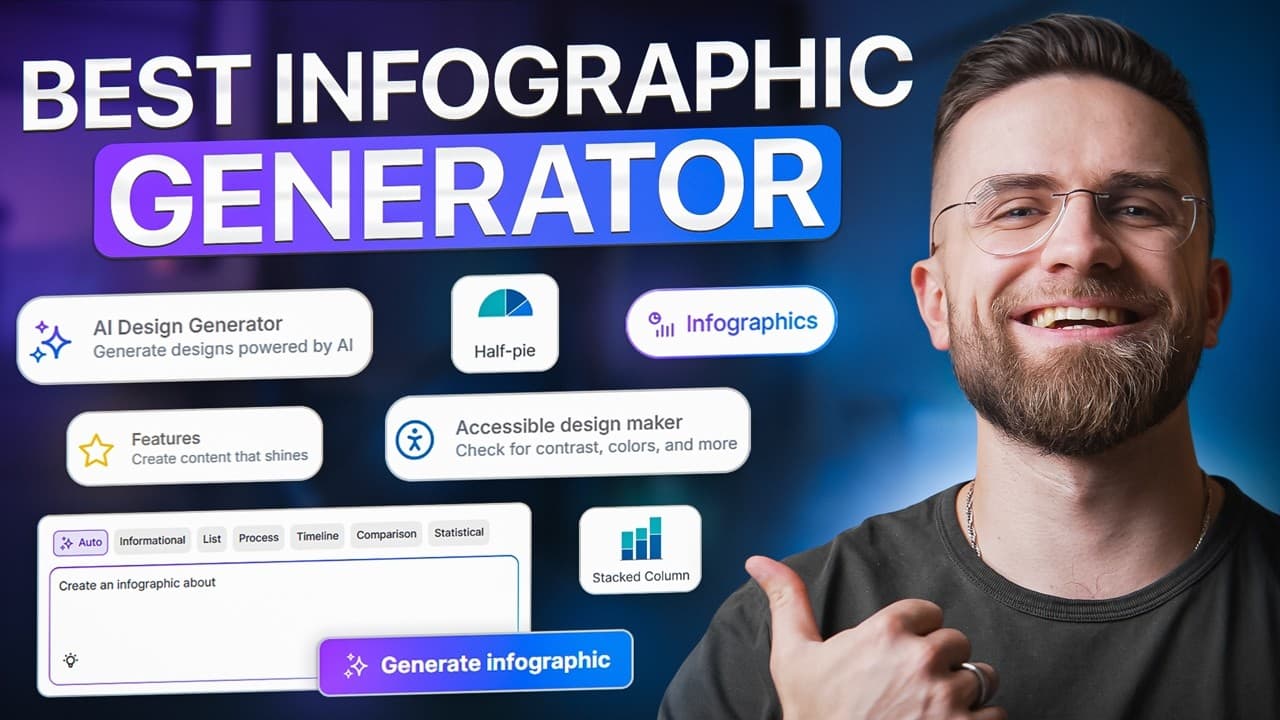
Venngage's AI Infographic Generator allows users to create professional infographics quickly by using simple prompts. The platform offers features like brand kit customization, AI-powered text improvement, icon generation, and accessibility checks, making it a valuable tool for marketers and content creators. It eliminates the need for extensive design skills or software, streamlining the infographic creation process.
Transcript
I just turned this single sentence into this professional infographic in under five minutes. No Canva, no Photoshop, no design skills, just AI prompts, and a platform called Vengage. Let me show you exactly how it works. Here's the problem. You've got great ideas, solid data, and you know that if you package them into a clean, sharable visual, peop... Read More
Key Insights
- Venngage's AI Infographic Generator transforms prompts into designed infographics in minutes.
- The platform offers over 100 free AI design tools, focusing on infographics, presentations, and documents.
- Brand kit customization allows users to apply logos, colors, and fonts automatically across designs.
- AI-powered features include text improvement, icon generation, and design feedback for clarity and impact.
- Accessibility checks ensure designs meet WCAG standards, enhancing reach and SEO.
- Export options include high-resolution PNGs for social media and PDFs for print, maintaining accessibility features.
- Venngage's free plan provides unlimited access to AI tools without watermarks or download limits.
- The platform is ideal for repetitive, time-sensitive visual tasks, ensuring brand consistency and professional quality.
Install to Summarize YouTube Videos and Get Transcripts
Explore YouTube Video Summarizer or Get YouTube Transcript Extractor
Questions & Answers
Q: How to create an infographic using AI?
To create an infographic using AI, use a tool like Venngage's AI Infographic Generator. Start by selecting the infographic generator from the platform's homepage. Enter a simple prompt detailing your infographic's content, such as headlines, stats, and layout preferences. The AI will generate several layout options, which you can customize further with your brand's colors, fonts, and logos using the brand kit feature.
Q: What features does Venngage offer for infographic creation?
Venngage offers features such as AI-powered design generation, brand kit customization, and accessibility checks. Users can improve text clarity, generate custom icons, and receive design feedback. The platform also allows for exporting high-resolution PNGs for social media and PDFs for print, maintaining accessibility features like alt text and screen reader compatibility.
Q: Why are accessibility checks important in infographic design?
Accessibility checks ensure that infographics meet WCAG standards, making them usable by a wider audience, including those with disabilities. This enhances the reach and search engine optimization (SEO) of the content. Venngage's accessibility check feature identifies issues like poor color contrast and missing alt text, allowing users to make necessary adjustments for compliance.
Q: How does Venngage's brand kit feature work?
Venngage's brand kit feature allows users to apply their brand's logos, colors, and fonts across all designs automatically. Users upload their logo, input color hex codes, and select font stacks, which are saved for future use. When creating a new infographic, applying the brand kit ensures consistency and saves time by automatically updating design elements to match the brand's identity.
Q: What export options are available in Venngage?
Venngage offers export options for both PNG and PDF formats. PNG exports are high-resolution (300 dpi) and ideal for social media platforms like LinkedIn, Instagram, and Twitter. PDFs are print-ready and maintain accessibility features, such as alt text and screen reader compatibility, ensuring that the content remains accessible and professional when shared or printed.
Q: How does Venngage compare to Canva for infographic creation?
Venngage streamlines infographic creation by using AI to generate layouts from prompts, whereas Canva requires manual design efforts. Venngage offers features like brand kit customization, AI text improvement, and accessibility checks, which enhance workflow efficiency and ensure professional quality. While Canva is versatile, Venngage focuses on speed and accessibility, making it ideal for repetitive, time-sensitive tasks.
Q: What are the benefits of using Venngage's free plan?
Venngage's free plan provides unlimited access to over 40 AI design tools without watermarks or download limits. Users can create professional infographics, presentations, and documents without incurring costs. The free plan includes features like brand kit customization, AI design feedback, and accessibility checks, making it a valuable resource for marketers and content creators seeking to produce high-quality visuals efficiently.
Q: How does Venngage ensure brand consistency in designs?
Venngage ensures brand consistency by allowing users to set up a brand kit that includes their logos, colors, and fonts. Once configured, these elements are automatically applied to all designs, maintaining a cohesive brand identity across different visuals. This feature saves time and reduces the risk of inconsistencies, ensuring that all outputs align with the brand's guidelines and aesthetic.
Summary & Key Takeaways
-
Venngage's AI Infographic Generator allows users to create infographics from simple prompts. The platform offers brand kit customization, AI-powered text improvement, and accessibility checks, making it a valuable tool for marketers and content creators. It streamlines the infographic creation process, eliminating the need for extensive design skills.
-
The platform provides over 100 free AI design tools, focusing on infographics, presentations, and documents. Users can apply logos, colors, and fonts automatically across designs, ensuring brand consistency. Export options include high-resolution PNGs for social media and PDFs for print, maintaining accessibility features.
-
Venngage's free plan offers unlimited access to AI tools without watermarks or download limits. The platform is ideal for repetitive, time-sensitive visual tasks, ensuring professional quality. Its AI features include text improvement, icon generation, and design feedback for clarity and impact.
Read in Other Languages (beta)
Share This Summary 📚
Summarize YouTube Videos and Get Video Transcripts with 1-Click
Try YouTube Summary with ChatGPT & Claude or YouTube Transcript Generator
Explore More Summaries from AI Master 📚


Summarize YouTube Videos and Get Video Transcripts with 1-Click
Try YouTube Summary with ChatGPT & Claude or YouTube Transcript Generator