Which YouTube Camera Should You Buy in 2026?
TL;DR
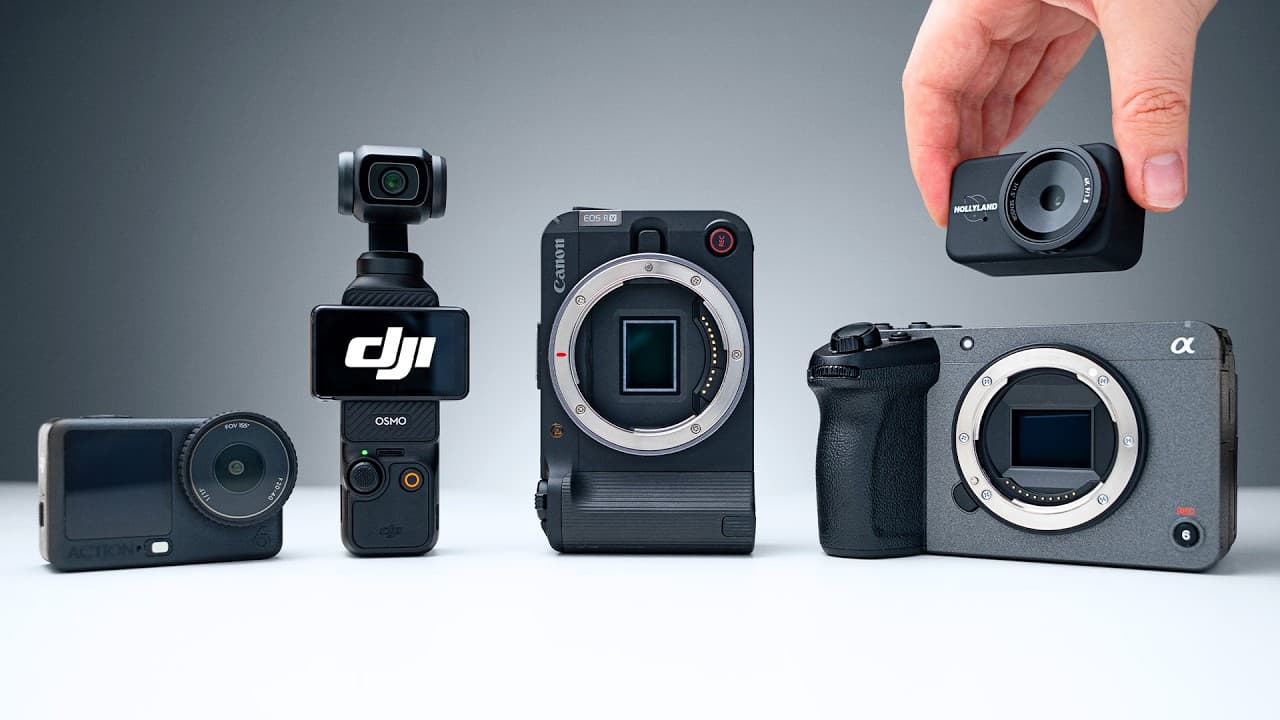
Choose a camera based on how and where you film: the Hollyland Lyra suits desk recording, the DJI Osmo Action 6 handles durable outdoor work, and the Osmo Pocket 3 provides smooth handheld footage. Mirrorless cameras offer larger sensors, blurrier backgrounds, and interchangeable lenses for creators seeking more control and a polished look.
Transcript
This video is sponsored by Storyblocks. So, you're looking to buy a camera to start making content this year, but with so many options, it's tough to know which ones are actually worth your money. Well, in this video, I'm going to highlight some of our favorite cameras that we've actually used, so you can choose the one that fits your needs and bud... Read More
Key Insights
- The best camera choice is determined by the filming environment and workflow. A webcam fits stationary desk production, an action camera suits movement and outdoor use, a gimbal camera supports smooth handheld filming, and a mirrorless camera provides greater optical control.
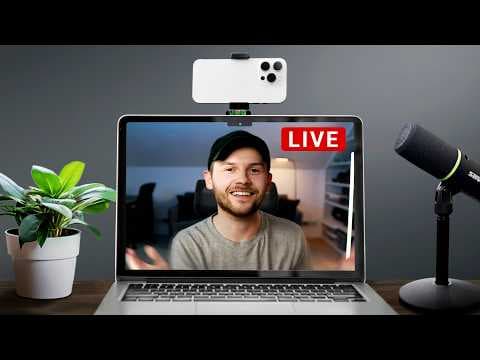
- The Hollyland Lyra records 4K video at up to 30 frames per second and connects directly to a computer with USB-C. It works with QuickTime, OBS, and the Holly Studio app, creating a straightforward setup for teaching, streaming, or YouTube recording.
- The Hollyland Lyra combines reliable autofocus with adjustable shutter speed, ISO, white balance, and sharpness. Its smart tracking mode can follow a face and recompose the shot, while its autofocus can shift to an object held near the camera and then return to the presenter.
- The Hollyland Lyra supports simplified wireless audio through a built-in receiver. An optional transmitter costs 10 dollars more, clips onto clothing, and maintains clear audio as the presenter moves farther away, while built-in noise cancellation helps reduce distracting background sound.
- The DJI Osmo Action 6 is built for straightforward mobile recording. Horizon Steady keeps the horizon level when the camera tilts, stabilization produces smoother walking footage, and 50 GB of built-in storage allows recording even when an SD card has been forgotten.
- The DJI Osmo Action 6 can connect two wireless microphones directly and uses a newer square sensor for reframing one recording into YouTube Shorts or TikTok formats. Its film tones provide a more polished image without requiring the creator to know color grading.
- The DJI Osmo Pocket 3 uses a built-in gimbal to produce smooth handheld footage without a separate stabilizer. Its 20 mm equivalent field of view shows the surrounding environment without appearing excessively distorted, and its compact body can fit inside a pocket.
- Mirrorless cameras provide larger sensors and interchangeable lenses. The larger sensor admits more light and can create a blurrier background, while lens changes let creators move between ultra-wide and other visual styles without replacing the camera body.
Install to Summarize YouTube Videos and Get Transcripts
Explore YouTube Video Summarizer or Get YouTube Transcript Extractor
Questions & Answers
Q: How do I choose a camera for making YouTube videos?
Choose according to your filming location and style. The Hollyland Lyra is suited to teaching, streaming, and recording at a desk. The DJI Osmo Action 6 is a better fit for durable outdoor shooting and movement. The Osmo Pocket 3 supports smooth walk-and-talk footage, while a mirrorless camera offers larger sensors, interchangeable lenses, and stronger background separation.
Q: What camera is best for recording YouTube videos at a desk?
The Hollyland Lyra is recommended for desk-based teaching, streaming, and beginner YouTube production. It records 4K video at up to 30 frames per second and connects to a computer through one USB-C cable. It can record through QuickTime, OBS, or Holly Studio, and it includes reliable autofocus, a built-in microphone, wireless audio support, and noise cancellation.
Q: What controls are available in the Holly Studio app?
The Holly Studio app provides simple access to the Hollyland Lyra while retaining useful manual controls. Creators can adjust shutter speed, ISO, white balance, and sharpness, including reducing sharpness for a more natural look. The app can record video directly and also offers smart tracking that follows a face and recomposes the frame when the presenter moves.
Q: Why is the DJI Osmo Action 6 suitable for beginners?
The DJI Osmo Action 6 reduces setup complexity because a creator can turn it on, press record, and begin filming. Horizon Steady keeps the horizon level during camera movement, and stabilization smooths footage while walking. Its 50 GB of internal storage provides a recording fallback, while direct wireless microphone support simplifies capturing synchronized audio at a distance.
Q: What are the limitations of the DJI Osmo Action 6?
The DJI Osmo Action 6 uses a fixed-focus design, so most of the scene remains in focus but objects held too close may not appear sharp. Its low-light performance has improved, yet the footage can still look grainy, so it is not recommended for creators who mainly film in darker conditions. These tradeoffs accompany its durable, simplified action-camera design.
Q: Can the DJI Osmo Action 6 create vertical social videos?
The DJI Osmo Action 6 has a newer square sensor that allows a creator to record once and reframe the footage later for YouTube Shorts or TikTok without losing image quality. This makes it useful when the same scene must serve multiple formats. New film tones also provide a polished result directly from the camera and reduce the need for color grading.
Q: Why is the DJI Osmo Pocket 3 useful for vlogging?
The DJI Osmo Pocket 3 combines a small body with a built-in gimbal, producing smooth handheld footage without requiring a separate stabilizer. Its 20 mm equivalent field of view is wide enough to show the environment without excessive distortion. A 1-inch sensor supports improved low-light results and some background blur, while strong internal microphones simplify audio capture.
Q: What comes with the DJI Osmo Pocket 3 Creator Combo?
The DJI Osmo Pocket 3 Creator Combo includes an extension battery grip that adds about one hour of recording time beyond the camera's roughly two hours of 4K recording. It also includes a DJI microphone transmitter, a wide-angle adapter, and a small tripod stand. Together, these accessories create a more complete travel-oriented recording kit.
Summary & Key Takeaways
-
The Hollyland Lyra is a simple desk-recording option that captures 4K video at up to 30 frames per second through a USB-C connection. Reliable autofocus, manual image controls, smart tracking, a built-in microphone, optional wireless audio, and noise cancellation make it suitable for teaching, streaming, and beginner YouTube production.
-
The DJI Osmo Action 6 is designed for creators who film outdoors or while moving. Horizon Steady keeps shots level, stabilization smooths walking footage, and 50 GB of internal storage provides a backup when an SD card is unavailable. Its square sensor also supports reframing footage for vertical social videos.
-
The DJI Osmo Pocket 3 combines a compact body with a built-in gimbal, a 20 mm equivalent field of view, a 1-inch sensor, and strong internal microphones. It records for around two hours in 4K, while the Creator Combo adds an extra hour, a wireless microphone transmitter, and travel accessories.
Read in Other Languages (beta)
Share This Summary 📚
Summarize YouTube Videos and Get Video Transcripts with 1-Click
Try YouTube Summary with ChatGPT & Claude or YouTube Transcript Generator
Explore More Summaries from Think Media 📚

Summarize YouTube Videos and Get Video Transcripts with 1-Click
Try YouTube Summary with ChatGPT & Claude or YouTube Transcript Generator