How to Use Gemini 3 Image AI: Ultimate Nano Banana Pro Guide 2026
TL;DR
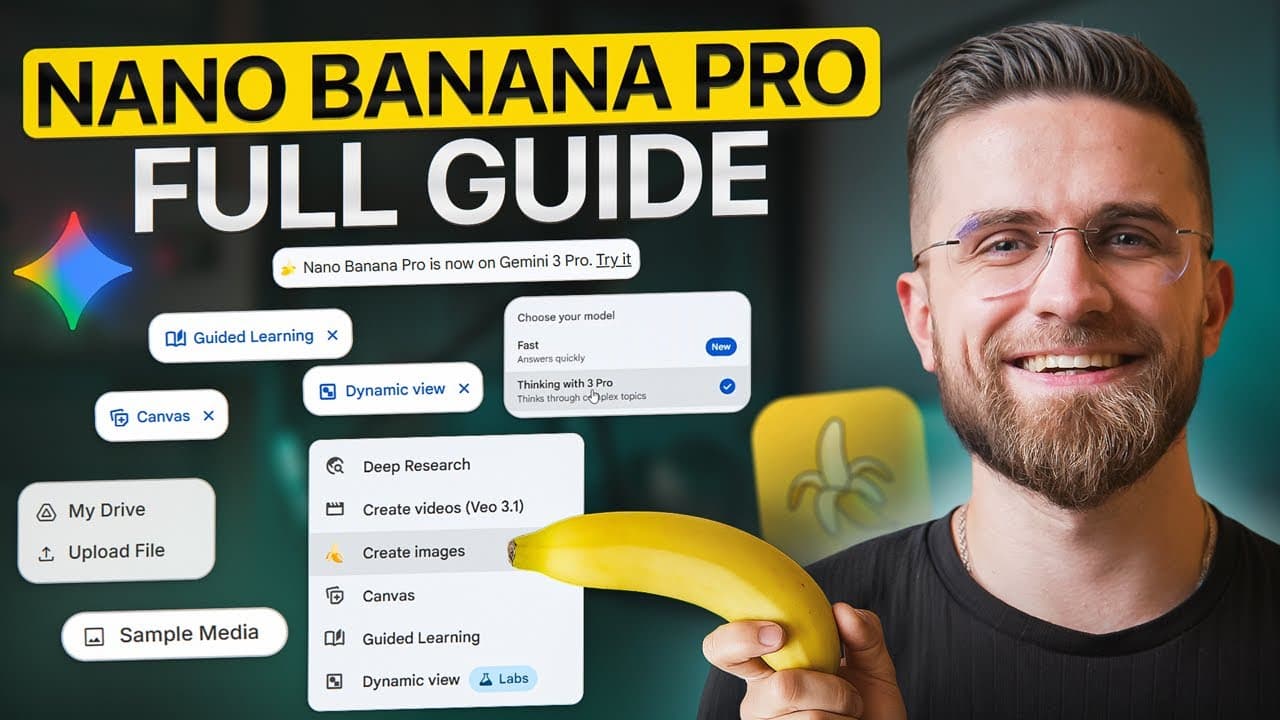
Create professional images with Nano Banana Pro by structuring prompts around six components: subject, action, environment, art style, lighting, and details. For repeatable results, add up to eight reference images, use 2K for most work, reserve 4K for print, and make targeted revisions in edit mode. Read on for the complete prompting formula, resolution guidance, and practical production workflow.
Transcript
Most people use Nano Banana Pro completely wrong and I can prove it. Look at these two images. Same tool, same basic concept, but one looks like an amateur through a prompt at AI and hoped for the best. The other production ready professional, like it came straight out of a design agency. What's the difference? A systematic approach that 90% of use... Read More
Key Insights
- The six-component prompting formula is subject, action, environment, art style, lighting, and details. Keeping these elements structured and specific reduces ambiguity and makes image results more repeatable than loosely written prompts that leave important creative decisions unspecified.
- The subject description is the primary source of visual constraints. Specifying age, hairstyle, clothing, accessories, held objects, and accompanying characters gives the model clearer instructions than using a broad label such as a woman, person, product, or animal.
- The action component creates narrative and intention within an image. Describing posture, facial expression, gaze direction, movement, and interaction with objects helps transform a static subject into a purposeful scene rather than an isolated visual element.
- The environment establishes where the image occurs and what surrounds the subject. Details such as architecture, landscaping, weather, sky, and background objects define the world, reinforce the intended mood, and help the generated composition feel contextually coherent.
- The art style controls the overall aesthetic direction. The guide recommends naming photographic genres, publications, art movements, photographers, design trends, color treatment, focus, and depth of field so the model has a recognizable visual target.
- Lighting is a major distinction between amateur-looking and professional-looking output. Useful instructions identify light quality, direction, shadow placement, mood, and secondary effects such as rim light, giving the model enough information to create dimension and visual focus.
- Up to eight reference images can provide brand and character context simultaneously. Logos, color palettes, typography samples, product photographs from several angles, and character turnarounds help generated assets maintain a consistent visual identity across many outputs.
- The recommended resolution for most work is 2K because it balances generation speed, sharpness, and professional quality. The guide reserves 4K for print-oriented applications because the platform generates at 2K and then upscales, which requires additional processing time.
Install to Summarize YouTube Videos and Get Transcripts
Explore YouTube Video Summarizer or Get YouTube Transcript Extractor
Questions & Answers
Q: How do you create professional images with Nano Banana Pro?
Use a systematic prompt built from six components: subject, action, environment, art style, lighting, and details. Keep every component specific, add relevant reference images when consistency matters, and use edit mode to refine successful results instead of regenerating the entire image.
Q: What is the six-component Nano Banana Pro prompt formula?
The formula consists of subject, action, environment, art style, lighting, and details. Together, these components define what appears, what happens, where the scene takes place, how it should look, how it is illuminated, and which finishing requirements must be included.
Q: How many reference images can Nano Banana Pro use at once?
Nano Banana Pro can analyze up to eight reference images simultaneously. These can include logos in different formats, brand colors, product shots from multiple angles, character turnarounds, and typography samples.
Q: How can reference images improve brand consistency?
Reference images provide visual context from multiple sources, helping generated assets feel native to an existing brand. Uploading logos, color palettes, typography samples, product photographs, and character designs supports consistency across hundreds of outputs.
Q: Should you generate Nano Banana Pro images at 1K, 2K, or 4K?
The guide recommends 2K for the primary workflow because it is fast, sharp, and delivers professional quality. Use 4K mainly for print work; it takes longer because the model generates at 2K and then upscales.
Q: How long does a 2K Nano Banana Pro image take to generate?
The demonstrated 2K generation takes about 20 to 30 seconds. The result is described as clean, professional, sharply focused, naturally lit, and detailed even with a basic structured prompt.
Q: What can Nano Banana Pro edit mode change?
Edit mode can make precise changes to an image that is already close to the desired result. It can swap fonts, adjust colors, or modify specific elements without regenerating the entire composition from scratch.
Q: How does Nano Banana Pro handle text and multilingual designs?
Nano Banana Pro can render legible text with typography control, including named fonts and weights such as Helvetica bold and Poppins regular. It can also translate every text element into languages including Korean, Japanese, Spanish, and Arabic while preserving the original layout, colors, and design.
Summary & Key Takeaways
-
Nano Banana Pro supports detailed typography, multilingual design translation, multiple visual references, high-resolution generation, and targeted editing. The guide presents these features as tools for producing professional marketing assets, packaging, posters, infographics, branded campaigns, product photographs, character imagery, storyboards, and other visuals that require accuracy and consistency.
-
The recommended prompt structure contains six ordered components: subject, action, environment, art style, lighting, and details. Specific descriptions reduce ambiguity, actions create narrative, environments establish context, style references define the aesthetic, lighting adds dimension, and finishing details control elements such as lenses, depth of field, logos, shadows, and texture.
-
A practical workflow begins with relevant reference images, a structured prompt, an appropriate aspect ratio, and 2K resolution for most production tasks. The guide recommends 4K primarily for print work because it takes longer, while edit mode enables focused changes to fonts, colors, or individual elements without rebuilding an otherwise successful image.
Read in Other Languages (beta)
Share This Summary 📚
Summarize YouTube Videos and Get Video Transcripts with 1-Click
Try YouTube Summary with ChatGPT & Claude or YouTube Transcript Generator
Explore More Summaries from AI Master 📚


Summarize YouTube Videos and Get Video Transcripts with 1-Click
Try YouTube Summary with ChatGPT & Claude or YouTube Transcript Generator