How to Customize thinkorswim for Futures Trading
TL;DR
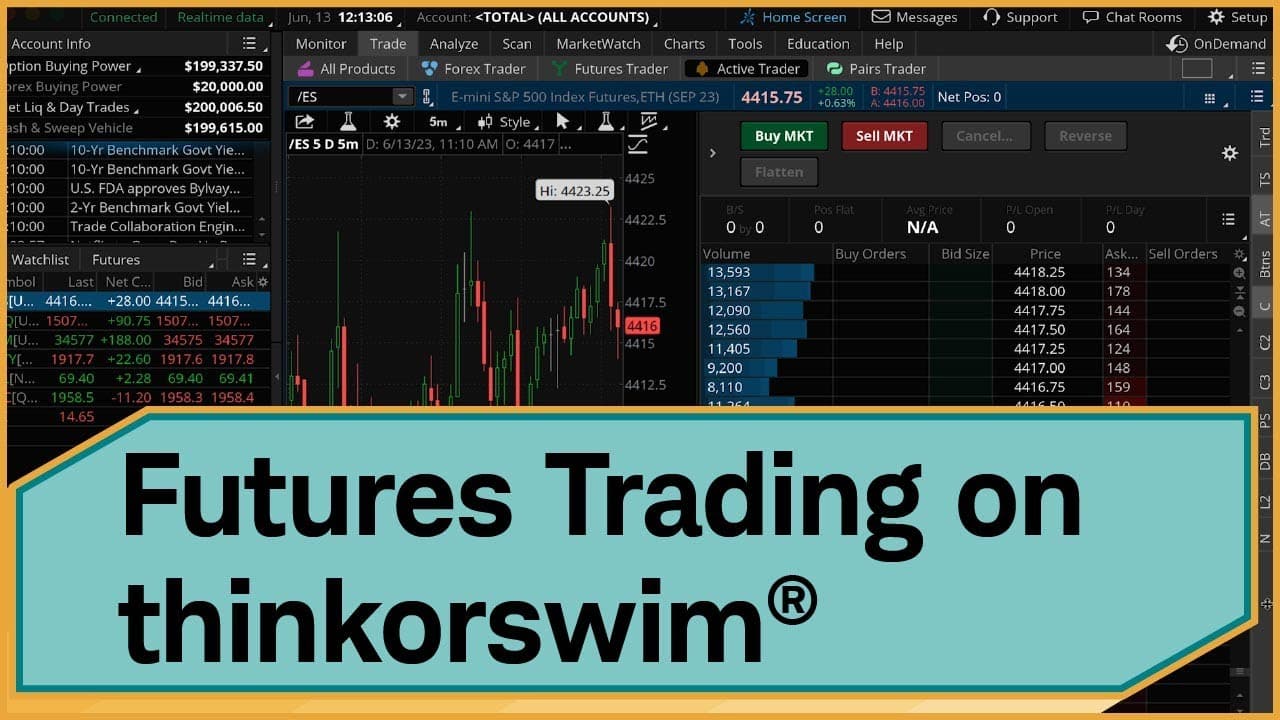
To customize thinkorswim for futures trading, start by setting up a watchlist for relevant symbols and adding gadgets like Trade Flash for real-time data. Use the Analyze tab to access contract specifications and design layouts in the Trade tab to fit your trading style. Save your custom layout for quick access in the future.
Transcript
Hi, traders. The thinkorswim® platform is a powerful tool for futures traders. But if you're just using the default, you're probably missing out. Today, in this video, I'm going to show you how to customize the thinkorswim desktop platform, so that you have all the tools and information at your fingertips. Let's jump in. OK, the first thing I'm goi... Read More
Key Insights
- ❓ The thinkorswim platform offers powerful customization options for futures traders.
- 😫 Watchlists can be set up to monitor specific futures symbols.
- 💁 Gadgets like Trade Flash and Live News provide real-time market information.
- 👻 The Analyze tab allows for easy access to futures contract specifications.
- 📑 The Trade tab can be highly customized with different layouts and gadgets.
- 😷 The active trader ladder gadget provides a detailed view of bid, ask, and volume data.
- 🪈 Columns, buttons, and order templates can be customized for individual trading preferences.
Install to Summarize YouTube Videos and Get Transcripts
Explore YouTube Video Summarizer or Get YouTube Transcript Extractor
Questions & Answers
Q: How can I set up a watchlist specifically for futures symbols in thinkorswim?
To set up a watchlist for futures symbols, click on the existing watchlist in the sidebar, select "Create watchlist," name it, and add the futures symbols you want to monitor.
Q: How can I see orders placed by other investors in real time on thinkorswim?
You can add the Trade Flash gadget to your sidebar, which allows you to see orders placed by other investors. It can be filtered to show Large Futures Trades that may impact the markets.
Q: How can I view futures contract specifications on thinkorswim?
Go to the Analyze tab, select the Fundamental subtab, link your watchlist to it, and you will be able to see the contract specifications for the products in your watchlist.
Q: How can I customize the Active Trader subtab in the thinkorswim Trade tab?
In the Active Trader subtab, you can add or remove grids and gadgets, choose default layouts, and link your watchlist for easy access.
Summary & Key Takeaways
-
The video explains how to set up gadgets in the left sidebar to view relevant information for futures traders.
-
It demonstrates how to customize the Trade tab to create different layouts for charts and placing orders.
-
The video also shows how to use the active trader ladder gadget, customize columns and buttons, and save layouts for future use.
Read in Other Languages (beta)
Share This Summary 📚
Summarize YouTube Videos and Get Video Transcripts with 1-Click
Try YouTube Summary with ChatGPT & Claude or YouTube Transcript Generator
Explore More Summaries from Charles Schwab 📚





Summarize YouTube Videos and Get Video Transcripts with 1-Click
Try YouTube Summary with ChatGPT & Claude or YouTube Transcript Generator