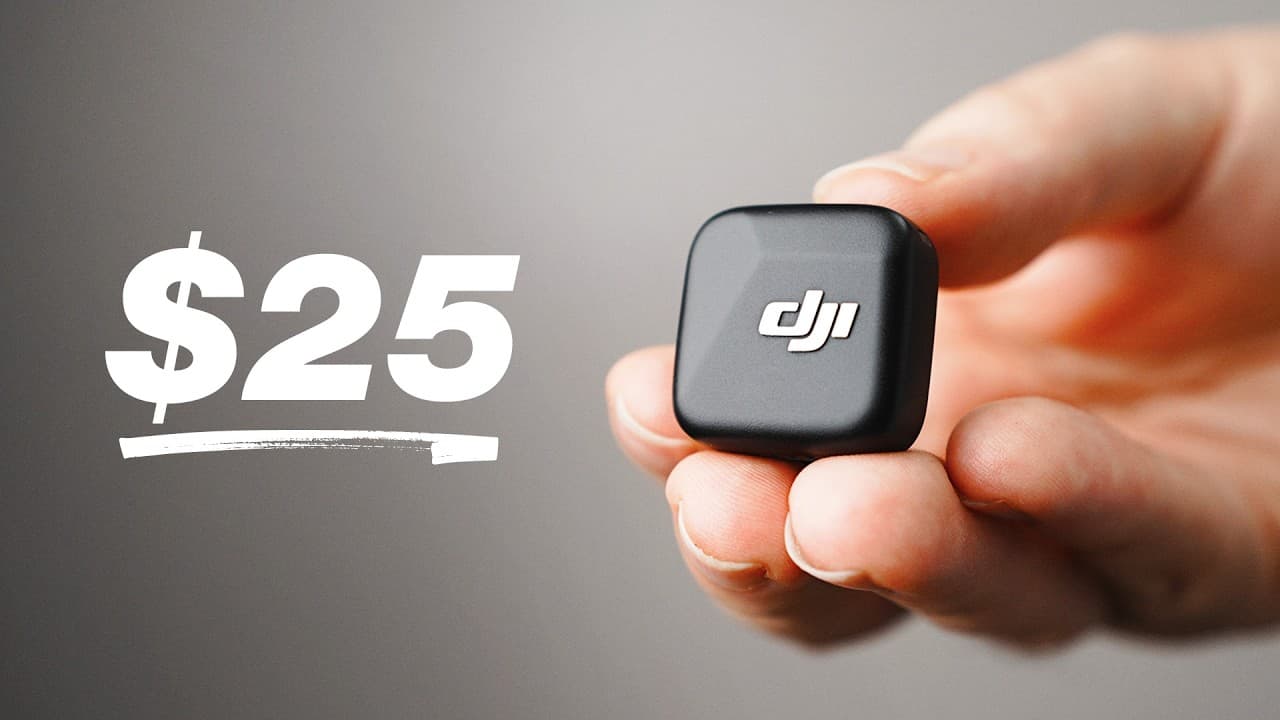
Is the DJI Mic Mini the Best Budget Wireless Mic?
TL;DR
The DJI Mic Mini is a strong value for creators who prioritize simple operation, clear and consistent audio, long battery life, and compatibility with phones, cameras, computers, and DJI Osmo devices. Its limiter, safety-track mode, charging case, physical gain control, and optional mobile receiver make it versatile, although demanding productions may require a system with built-in backup recording.
Transcript
I own a lot of wireless mics. I got cheap ones, expensive ones, and ones that are still in the box. But out of all of them, I keep grabbing this one. This is the DJI Mic Mini. I've been using it since it first came out, and honestly, I still think it's the best wireless microphone you can buy for the money. It's small, easy to use, and it works wit... Read More
Key Insights
- The DJI Mic Mini is designed for quick operation because its components turn on and connect automatically when removed from the charging case. After camera audio levels are configured, a creator can clip on the transmitter, start recording, and adjust gain directly with the receiver's physical dial.
- The full DJI Mic Mini kit was priced at $79 at the time of recording and includes two transmitters, a receiver, a charging case, phone and camera connection accessories, two types of wind protection, and charging equipment. The case lid can also store the wind muffs and 3.5 mm cable.
- The DJI Mic Mini provides 11 hours of battery life per transmitter and 10 hours for the receiver. Returning the components to the charging case quickly recharges them, making the system practical for a full day of recording without frequent manual charging.
- The DJI Mic Mini produces clean, clear, and consistent sound that is sufficient for normal YouTube situations. The reviewer considers it comparable in sound to some more expensive wireless systems, although other microphones can technically deliver better audio.
- The wireless connection can operate at distances up to 1,000 feet when the transmitter remains within line of sight of the receiver. Turning away can increase the risk of dropouts, but the extended range provides useful connection headroom for movement between indoor and outdoor locations.
- Microphone placement affects the recorded tone because clipping the transmitter to clothing can sometimes produce a muffled sound. A small equalization adjustment can brighten the recording, while holding the microphone in front of the mouth can produce better sound through more favorable positioning.
- The three recording modes serve different production needs: mono combines the microphones into one simple track, stereo assigns two transmitters to separate left and right channels, and mono with a safety track creates a lower-volume backup that can replace clipped audio during editing.
- The DJI Mic Mini works with smartphones, mirrorless cameras, computers, DJI Osmo cameras, Zoom calls, and live streams. Optional accessories include a smaller phone receiver with noise-cancellation controls and pass-through charging, plus a Sony hot shoe adapter that eliminates the external 3.5 mm cable.
Install to Summarize YouTube Videos and Get Transcripts
Explore YouTube Video Summarizer or Get YouTube Transcript Extractor
Questions & Answers
Q: Why is the DJI Mic Mini easy for creators to use?
The DJI Mic Mini minimizes setup because the transmitters and receiver turn on and connect automatically when removed from the charging case. Once the camera's audio levels have been configured, the creator can attach the microphone and begin recording. A physical gain dial on the receiver also allows fast volume adjustments without searching through software menus during production.
Q: What comes with the DJI Mic Mini full kit?
The full kit includes two transmitters, a receiver, and a charging case that keeps the components charged. It also provides a USB-C phone or computer adapter, black and gray wind muffs for the transmitters, a 3.5 mm camera cable, and a USB-C charging cable. The wind muffs and camera cable can be stored inside the charging case lid.
Q: How long does the DJI Mic Mini battery last?
Each DJI Mic Mini transmitter provides 11 hours of battery life, while the receiver provides 10 hours. According to the review, that capacity is sufficient to get through a day of typical recording. After use, the transmitters and receiver can be placed back into the included charging case, where they quickly recharge for the next recording session.
Q: How good is the DJI Mic Mini audio quality?
The DJI Mic Mini delivers clean, clear, and consistent audio that is more than adequate for normal YouTube recording situations. The reviewer used the microphone with a reporter handle throughout the presentation and considered its sound comparable to some more expensive wireless systems. Better-sounding technical options exist, but the Mic Mini performs strongly for its size and price.
Q: How can you improve DJI Mic Mini sound quality?
If a transmitter clipped to clothing sounds muffled, a small equalization adjustment in editing software can brighten the voice. Positioning can also improve the original recording. Holding the transmitter in front of the mouth produced better results for the reviewer, and a magnetic reporter handle makes that position easier to maintain during voiceovers, interviews, or mobile podcast recordings.
Q: Which DJI Mic Mini recording mode should you use?
Mono is best for a simple talking-head recording with one microphone because it places everything on one track. Stereo is recommended for two-person recordings because each transmitter goes to a separate left or right channel, providing more editing control. Mono with a safety track records a second, quieter version that can replace audio if the main track clips.
Q: How far can the DJI Mic Mini transmit audio?
The DJI Mic Mini can maintain a wireless connection at distances up to 1,000 feet under line-of-sight conditions. The transmitter should remain visible to the receiver for the strongest connection, since turning around can create a risk of interruption. Although most creators will not need the full distance, the range supports reliable movement around larger recording locations.
Q: What devices and accessories work with the DJI Mic Mini?
The DJI Mic Mini works with smartphones, mirrorless cameras, computers, DJI Osmo cameras, Zoom calls, and live streams. A smaller mobile receiver plugs directly into a phone and offers selectable noise cancellation, microphone connection controls, and USB-C pass-through charging. Sony camera users can add a hot shoe adapter to avoid using a hanging 3.5 mm cable.
Summary & Key Takeaways
-
The DJI Mic Mini stands out primarily because it is simple to operate. Removing the components from the charging case powers and connects them automatically, while the receiver's physical gain dial provides quick level control. A built-in limiter and selectable safety track help protect recordings from sudden volume increases and clipping.
-
Its audio is clean, clear, consistent, and sufficient for common YouTube production. The system can maintain a connection at distances up to 1,000 feet under favorable line-of-sight conditions. Clothing placement may make voices sound muffled, but repositioning the transmitter or applying a little equalization can improve the result.
-
Broad compatibility allows one DJI Mic Mini kit to serve smartphones, mirrorless cameras, computers, live streams, Zoom calls, and DJI Osmo cameras. Optional accessories expand its usefulness, including a reporter handle, a streamlined mobile receiver for phones, and a Sony hot shoe adapter that removes the need for a hanging 3.5 mm cable.
Read in Other Languages (beta)
Share This Summary 📚
Summarize YouTube Videos and Get Video Transcripts with 1-Click
Try YouTube Summary with ChatGPT & Claude or YouTube Transcript Generator
Explore More Summaries from Think Media 📚



Summarize YouTube Videos and Get Video Transcripts with 1-Click
Try YouTube Summary with ChatGPT & Claude or YouTube Transcript Generator