Which AI Automations Deliver the Most Value?
TL;DR
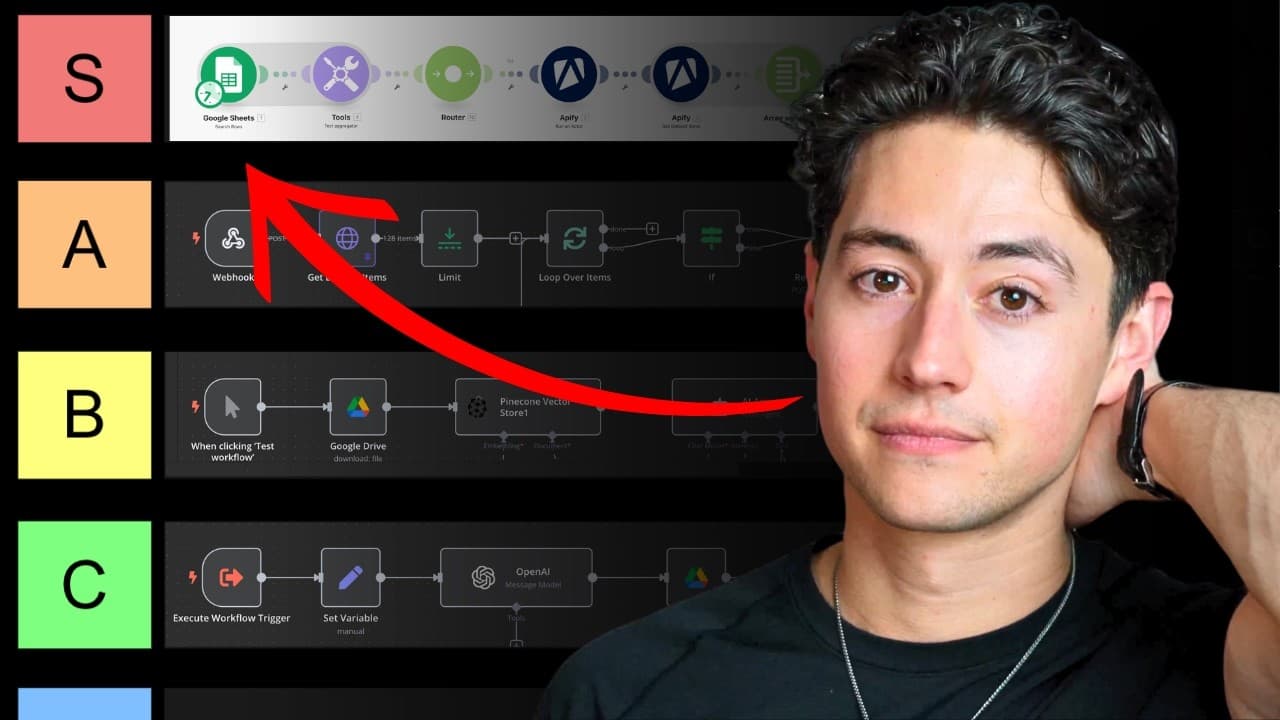
The highest-value automations connect routine triggers to complete business workflows, reducing manual fulfillment, organization, and content planning. Among the systems rated, automated content production earned S tier after contributing to a content company that made over $1 million, while email categorization and audience-driven idea generation earned A tier for saving time and creating revenue opportunities.
Transcript
hey I'm an AI agency owner who h 72k a month and today I'm going to rate every AI automation I've ever made I've done this primarily in make.com and nen some of these systems are going to be for my clients other ones are going to be ones that I built for myself and my own company either way there's going to be tons of value in it let's get started ... Read More
Key Insights
- The email categorization system is an A-tier automation that uses artificial intelligence to classify incoming Gmail messages as sponsorship requests, sales outreach, invoices and receipts, or worthwhile correspondence, reducing the need to manually sort an active inbox.
- The email workflow operates automatically after each new message is forwarded to a Make.com webhook, so it does not require the owner to issue commands. Messages outside the worthwhile category can be labeled, marked as read, and removed from the main inbox.
- The invoices and receipts label is an operational bridge between email and accounting. Attachments collected under that label can be placed in a Google Drive folder accessible to the accountant, making financial-document collection easier and more consistent.
- The audience-driven content generator is an A-tier system that has directly produced tens of thousands of dollars in recent months. It uses YouTube comments to identify audience questions and suggestions, then turns relevant feedback into possible video titles and outlines.
- The content ideation workflow uses Apify to scrape comments before artificial intelligence evaluates whether each comment is interesting and suitable as a question or suggestion. Examples in the prompt teach the system how to translate raw audience feedback into usable content concepts.
- The generated content outlines eliminate an estimated 90% of the initial work, but they are not treated as final drafts. Human review remains necessary to improve hooks, verify claims, correct errors, and add personal case studies that the automation cannot supply.
- The content research method can analyze comments from the owner's channel or other creators' videos. This expands the available pool of audience questions and enables topic discovery beyond feedback collected solely from an existing subscriber community.
- The content production and onboarding workflow is an S-tier automation credited with directly making the content writing company over $1 million. It coordinates ClickUp templates, webhooks, status changes, execution logs, Google Drive folders, and Google Docs for high-volume fulfillment.
Install to Summarize YouTube Videos and Get Transcripts
Explore YouTube Video Summarizer or Get YouTube Transcript Extractor
Questions & Answers
Q: How can AI automatically categorize incoming emails?
An incoming Gmail message can be forwarded to a Make.com webhook, formatted, and sent to artificial intelligence with a prompt defining the permitted categories. In the demonstrated workflow, those categories are sponsorship requests, people selling products or services, invoices and receipts, and worthwhile messages. The resulting classification controls which label is attached and whether processing continues.
Q: What email categories are useful for a busy AI consultant?
The demonstrated inbox uses four categories: sponsorship requests, people selling products or services, invoices and receipts, and worthwhile messages. Sponsorship and sales outreach are separated from correspondence requiring attention, while financial documents receive their own label. Any message that does not fit the first three categories is classified as worthwhile and kept for review.
Q: How does email automation simplify accounting?
The automation assigns receipts and similar financial messages to an invoices and receipts label. The owner can then visit that label, gather the relevant attachments, and place them in a Google Drive folder that the accountant can access. This creates an organized path from incoming email to shared accounting documentation without manually searching the entire inbox.
Q: How can YouTube comments generate content ideas?
Apify can scrape comments from YouTube videos, after which artificial intelligence evaluates whether each comment contains an interesting question or suggestion. Relevant comments are transformed into possible titles and content concepts. The workflow can then create an outline for each idea, giving the creator a substantial starting point instead of requiring every topic and draft to begin manually.
Q: Why was the YouTube content generator rated A tier?
The content generator received an A-tier rating because it kept the creator focused on what the YouTube audience and community wanted while directly producing tens of thousands of dollars in recent months. It also created a large inventory of ideas and outlines, removing an estimated 90% of the initial work required to place a usable draft on the page.
Q: Does AI-generated content still require human editing?
AI-generated outlines still require quality assurance and human judgment. The creator reviews the material, makes minor edits, corrects anything inaccurate, improves weak hooks, and adds personal case studies. The automation is valuable because it produces a structured starting point and removes an estimated 90% of the work, not because its first output is ready for publication without review.
Q: How does the automated content production workflow operate?
A team member creates a ClickUp task from a client template, supplies details such as a due date and target word count, assigns the task, and changes its status to ready. That status triggers a webhook. The workflow retrieves task data, updates visible statuses, logs an execution link for debugging, finds the client project folder, creates a task folder, and generates a Google Doc from stored information.
Q: Why was the content production system rated S tier?
The production and onboarding system earned an S-tier rating because it directly made the content writing company over $1 million by streamlining templated asset onboarding and fulfillment. It supports a high-volume business with many daily line items by organizing client context, creating project folders and documents, updating task states, and preserving execution links that help the team diagnose failures.
Summary & Key Takeaways
-
An automated Gmail workflow sends incoming messages to a Make.com webhook, formats their contents, and uses artificial intelligence to classify them. Sponsorship requests, sales messages, invoices, and receipts receive labels and leave the main inbox, while worthwhile messages remain available for review. This also simplifies collecting documents for accounting.
-
A content ideation system uses Apify to scrape YouTube comments, identifies useful questions and suggestions, and generates possible titles and outlines. The resulting drafts still require quality assurance, factual corrections, personal case studies, and editing, but they remove an estimated 90% of the initial work and keep planning aligned with audience interests.
-
A high-volume production workflow connects ClickUp, Hookdeck, Google Drive, Google Docs, and automation logic. Changing a templated task to ready triggers folder creation, status updates, execution logging, and document generation from stored client information. The system received an S-tier rating and directly contributed over $1 million to the content company.
Read in Other Languages (beta)
Share This Summary 📚
Summarize YouTube Videos and Get Video Transcripts with 1-Click
Try YouTube Summary with ChatGPT & Claude or YouTube Transcript Generator
Explore More Summaries from Nick Saraev 📚




Summarize YouTube Videos and Get Video Transcripts with 1-Click
Try YouTube Summary with ChatGPT & Claude or YouTube Transcript Generator