How to Build a $10,000 App Using AI Tools
TL;DR
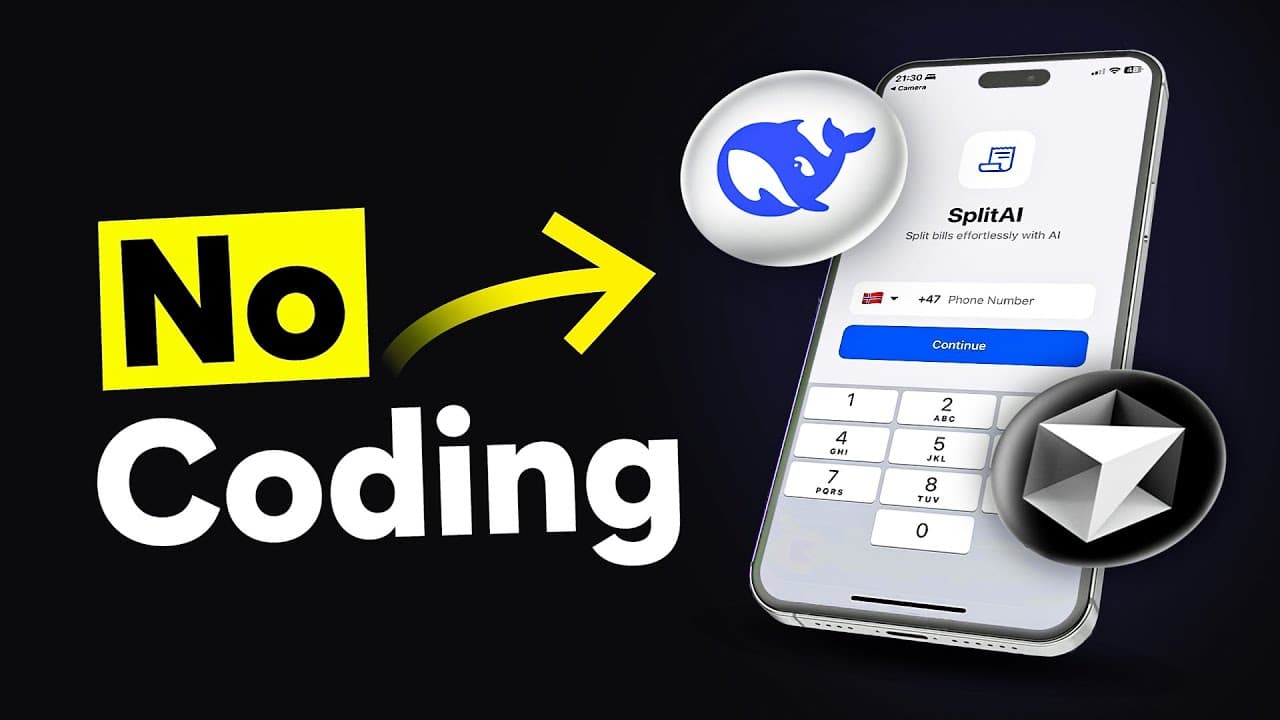
Build a $10,000 app without coding by leveraging AI tools like Cursor, Supabase, and DeepSeek. Start by identifying a viral app idea that solves a common problem. Use Mobbin to find design inspiration and Cursor AI to convert designs into code. Set up the backend with Supabase, integrate the DeepSeek API for AI features, and deploy the app to app stores.
Transcript
This app, this app, and this app were all built without writing a single line of code themselves. But what if I told you that you could build your own $10,000 app in just a few hours using AI? And to prove it I’m going to build an app together with you specifically for this video. I’ll show you exactly how you can use Cursor to build the app, h... Read More
Key Insights
- AI tools like Cursor and DeepSeek enable non-coders to build apps efficiently.
- Identifying a viral app idea involves solving a common, frustrating problem simply.
- Mobbin provides access to proven app design templates from top companies.
- Cursor AI can convert design templates into functional app code.
- The app's backend and database can be set up using Supabase for seamless integration.
- DeepSeek API allows for advanced AI features like task management via chat.
- Publishing apps requires developer accounts on Apple and Google platforms.
- Expo Application Services (EAS) facilitates app deployment to app stores.
Install to Summarize YouTube Videos and Get Transcripts
Explore YouTube Video Summarizer or Get YouTube Transcript Extractor
Questions & Answers
Q: How to find a viral app idea?
Finding a viral app idea involves identifying a common, frustrating problem and solving it simply. The idea should meet three criteria: it addresses a common pain point, has a simple core functionality explainable in three words or less, and is shareable. This ensures the app is both useful and easy to promote.
Q: What is the role of Cursor AI in app development?
Cursor AI assists in app development by converting design templates into functional code. It uses clear instructions from context files to understand the app's flow and features, allowing it to generate code efficiently. This tool is particularly useful for non-coders looking to build apps without writing code manually.
Q: How does Mobbin aid in app design?
Mobbin aids in app design by providing a vast collection of app design templates from successful apps like Duolingo and Spotify. Users can select and adapt these proven designs for their own apps, ensuring a user-friendly interface and experience. This approach saves time and leverages existing successful design strategies.
Q: Why is Supabase used in this app development process?
Supabase is used for setting up the app's backend and database, providing a robust infrastructure for data management and user authentication. It simplifies the process of integrating database functionalities and ensures secure data handling, making it an ideal choice for developers seeking a reliable backend solution.
Q: What features does the DeepSeek API provide?
The DeepSeek API enhances the app with AI capabilities, such as managing tasks through chat. It allows users to interact with the app using natural language, making task management more intuitive. This API is essential for adding advanced AI features that improve user engagement and functionality.
Q: How to deploy an app to the AppStore and PlayStore?
Deploying an app to the AppStore and PlayStore involves using Expo Application Services (EAS). After building the app, use EAS to configure the app for both iOS and Android platforms. Developer accounts are required for both Apple and Google, with associated fees. Follow Expo's tutorials for detailed deployment instructions.
Q: What are the costs associated with publishing an app?
Publishing an app involves costs such as the Apple Developer account fee, which is $99 annually, and the Google Play Developer account fee, which is a one-time payment of $25. These accounts are necessary to publish apps on the AppStore and PlayStore, respectively, and provide access to essential developer tools and resources.
Q: How does the app's focus mode work?
The app's focus mode helps users concentrate on one task at a time by blocking notifications and starting a timer. This feature is designed to enhance productivity by minimizing distractions and allowing users to track their progress during focused work sessions. It is an integral part of the app's task management capabilities.
Summary & Key Takeaways
-
AI tools make it possible to create a $10,000 app without coding. Start by finding a viral app idea that addresses a common problem. Use Cursor AI to build the app, Supabase for the backend, and DeepSeek API for AI features. Finally, deploy your app to the AppStore and PlayStore using Expo Application Services.
-
The key to a successful app is identifying a viral idea, which involves solving a common problem in a simple way. Utilize Mobbin for design inspiration and Cursor AI to convert these designs into code. This approach eliminates the need to reinvent the wheel.
-
Setting up the app's backend and database with Supabase is crucial for functionality. DeepSeek API adds AI capabilities, allowing users to manage tasks via chat. With developer accounts, you can publish your app on both the AppStore and Google PlayStore.
Read in Other Languages (beta)
Share This Summary 📚
Summarize YouTube Videos and Get Video Transcripts with 1-Click
Try YouTube Summary with ChatGPT & Claude or YouTube Transcript Generator
Explore More Summaries from BuildWithAI 📚
Summarize YouTube Videos and Get Video Transcripts with 1-Click
Try YouTube Summary with ChatGPT & Claude or YouTube Transcript Generator