How to use Qwen ImageEdit for AI image edits
TL;DR
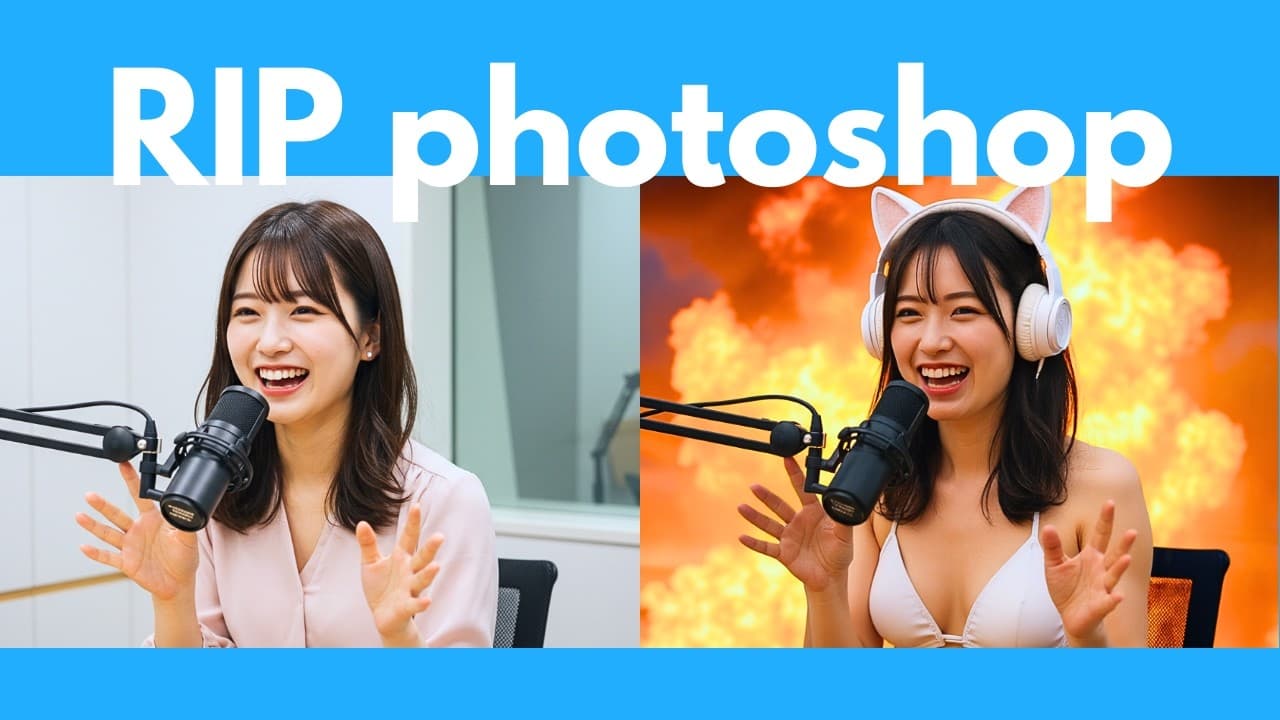
Qwen ImageEdit is free and open source and can run offline for unlimited uses. It excels at accurate reference matching, multi view generation, and micro editing like color correction, background swaps, text edits, and model sheets. The video walks through installation, compares it with Flux Kontext dev, and shows practical demos and results.
Transcript
correct the colors of this photo. And it nailed it. Let's get it to zoom in on the bird and make it ultra detailed. Holy smokes, this is good. All right, let's get it to create a model sheet of this character, including a front, back, and side view. And this is also correct. Let's get it to turn the text into Chinese. And it also got this correct w... Read More
Key Insights
- Qwen ImageEdit is free and open source and can run offline, enabling unlimited experimentation without cloud dependencies.
- The editor preserves key visual features across generations, such as facial features, clothing, and logos, ensuring consistency with the reference image.
- Micro editing is a core strength, allowing precise changes like text replacement, color correction, and background swapping while maintaining original lighting and style.
- Model sheet generation is effective, producing front, back, and side views of characters with accurate details.
- Text editing preserves original fonts and poster design, making translations like Chinese seamless and visually consistent.
- Compared to Flux Kontext dev, Qwen ImageEdit shows less censorship and more flexibility on prompts involving attire and scene changes.
- Color restoration and deblurring demos indicate strong performance when input images are degraded or mismatched in exposure.
- Zoom and ultra-detailed editing of subjects such as birds demonstrate high internal rendering quality and detail fidelity.
Install to Summarize YouTube Videos and Get Transcripts
Explore YouTube Video Summarizer or Get YouTube Transcript Extractor
Questions & Answers
Q: How to install Qwen Image Edit in ComfyUI
To install Qwen Image Edit in ComfyUI you follow the official tutorial steps shown in the video. The process includes downloading the GGUF files, placing them in the appropriate ComfyUI plugins directory, and launching ComfyUI to access Qwen Image Edit. The setup is designed to work with low VRAM configurations and offline operation, enabling local use without cloud services.
Q: What makes Qwen ImageEdit stand out against Flux Kontext dev
Qwen ImageEdit is described as more capable in multi view generation including front back and side views of characters and in preserving the original design across edits. It also shows stronger performance in background swaps, text edits, and font preservation, while Flux Kontext dev may be more restricted on sensitive prompts and certain attire edits.
Q: Can Qwen ImageEdit color correct and deblur images effectively
Yes, the video demonstrates effective color correction and deblurring with Qwen ImageEdit. It restores colors even when the original color data is damaged or washed out, achieving results that in some cases are preferable to the original, while maintaining pose and other details. The tool handles deblurring challenging images where data is missing.
Q: Is it possible to create a character model sheet with Qwen ImageEdit
Yes, the video shows creating a model sheet with front back and side views using a reference character. The output preserves character features such as the cat in the example and includes the ability to render consistent details across multiple views, which can be useful for 3D modeling or animation pipelines.
Q: Can Qwen ImageEdit translate text within an image while preserving style
The video demonstrates text editing where the tool changes text within an image and preserves the font and style of the original. It also shows translating text to Chinese while keeping the same typography, making it useful for localization tasks without creating design inconsistencies.
Q: What are the limitations compared to Flux Kontext dev
The comparison notes that Flux Kontext dev can be more censored in some prompts, particularly for attire or explicit scenes. Qwen ImageEdit provides more freedom in prompts and often delivers better results on color restoration, details, and font preservation, though results may vary depending on the prompt and image.
Q: How does Qwen ImageEdit handle background changes
Qwen ImageEdit handles background changes by swapping backgrounds while keeping the subject and lighting consistent. The shadows and lighting align with the new background, demonstrating a cohesive integration that preserves the original pose and shading, which is important for realistic composite images.
Q: Is there a recommended workflow for using Qwen ImageEdit with low VRAM
The video provides a workflow for running Qwen ImageEdit with low VRAM via ComfyUI by using GGUF models and configuring prompts to minimize memory usage. The approach emphasizes offline operation and local processing, reducing reliance on cloud resources while enabling practical image editing tasks on modest hardware.
Summary & Key Takeaways
-
Qwen ImageEdit is praised for accurate reference matching, enabling consistent facial features and attire across generated images, including front back and side views. It is highlighted as free and open source with offline capability and model downloads for local use. The video also benchmarks against Flux Kontext dev, noting fewer censorship constraints in certain prompts.
-
The review demonstrates strong micro editing abilities such as replacing text while preserving fonts and styles, color restoration, deblurring, and manipulating backgrounds. It also shows the tool’s capacity to generate scale model sheets and text to different languages while maintaining original design elements.
-
The installation and usage guide covers ComfyUI integration and low VRAM setups, emphasizing step by step instructions and practical demos. It concludes with a balanced assessment that Qwen ImageEdit often outperforms Flux Kontext dev in detailed tasks like model sheets and text edits while offering robust offline capabilities.
Read in Other Languages (beta)
Share This Summary 📚
Summarize YouTube Videos and Get Video Transcripts with 1-Click
Try YouTube Summary with ChatGPT & Claude or YouTube Transcript Generator
Explore More Summaries from AI Search 📚






Summarize YouTube Videos and Get Video Transcripts with 1-Click
Try YouTube Summary with ChatGPT & Claude or YouTube Transcript Generator