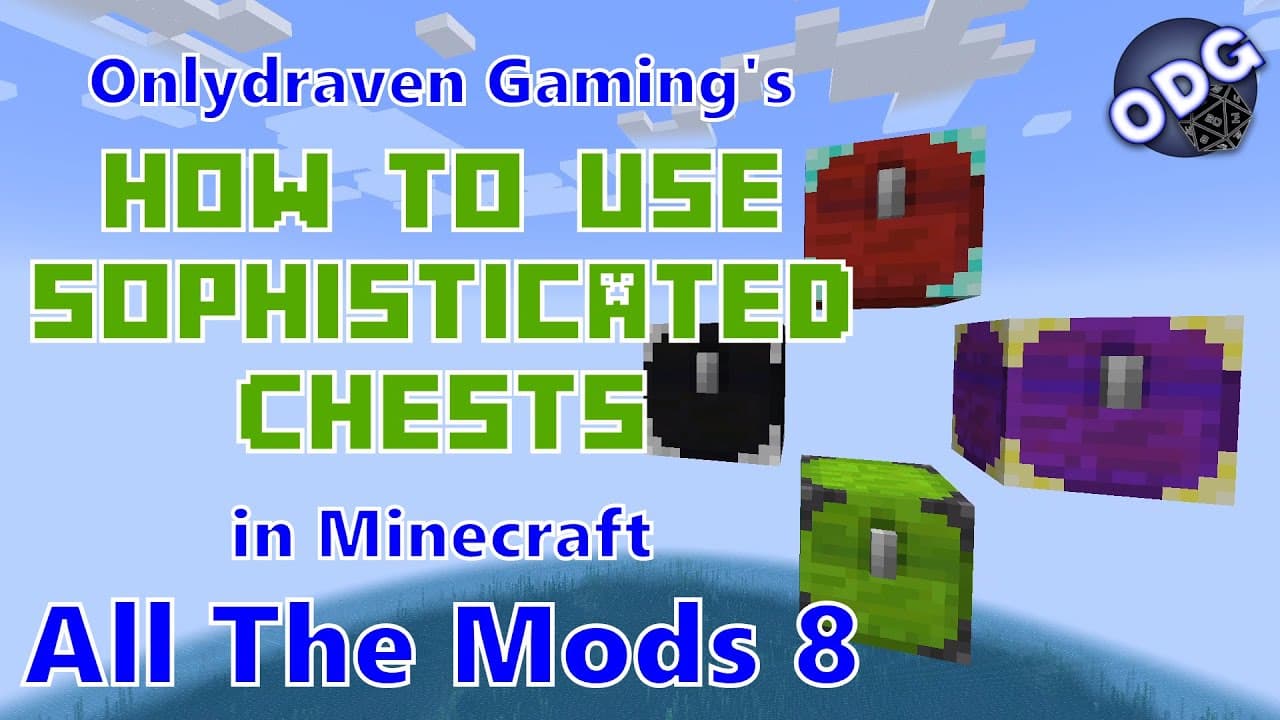
How to Make and Upgrade Sophisticated Chests in Minecraft
TL;DR
To create and upgrade sophisticated chests in Minecraft, start with a regular chest and a redstone torch to craft your first oak chest. Use various materials like iron, gold, and diamond to upgrade your chests, enhancing storage capacity significantly. You can also customize colors using dyes and apply these upgrades to barrels and shulker boxes for versatile storage solutions.
Transcript
foreign only Draven here again and today we're doing another tutorial in Minecraft all the mods eight today I'm going to be showing you how to make and use the different chests that are included in the sophisticated storage mod that's included in this pack this mod gives you multiple different chest sizes so that way you have a chest that still tak... Read More
Key Insights
- 👾 The Sophisticated Storage mod offers various chest types that occupy only one block of space while providing increased storage capacity.
- 🌰 Upgrading chests involves using different materials, with potential for significant enhancements in storage abilities, particularly through stack upgrades.
- 🌰 Players have the option to change chest colors using dyes, enhancing organization and customization of their storage interfaces.
- 👾 Crafting iron, gold, diamond, and netherrite chests follows a structured progression, encouraging resource gathering and exploration in the game.
- 👻 Stack upgrades come in multiple tiers, allowing for greater flexibility in managing resource stacks and optimizing inventory management.
- 🍱 Players can also apply the same storage enhancements to barrels and shulker boxes, maintaining consistent gameplay features across different storage types.
- 🌰 The tutorial emphasizes the importance of these chests in establishing effective storage strategies early in gameplay before moving on to more advanced systems.
Install to Summarize YouTube Videos and Get Transcripts
Explore YouTube Video Summarizer or Get YouTube Transcript Extractor
Questions & Answers
Q: What is the main advantage of using the Sophisticated Storage mod in Minecraft?
The main advantage of using the Sophisticated Storage mod is that it allows players to create chests that occupy only one block of space while providing significantly increased storage capacity compared to traditional Minecraft chests. This is particularly useful for players aiming to optimize their storage solutions without expanding their storage footprint in the game.
Q: How do you upgrade a regular chest to an iron chest in the mod?
To upgrade a regular chest to an iron chest in the Sophisticated Storage mod, first, create the regular oak chest by surrounding a redstone torch with eight wooden planks. Next, surround this regular chest with iron ingots in the crafting table, and this will yield an iron chest that offers double the storage capacity of the regular chest.
Q: What types of upgrades are available, and how do they work?
The mod provides several upgrades, notably stack upgrades that increase the amount of items each stack can hold within a chest. For example, the first stack upgrade allows stacks to hold up to twice the normal amount, with subsequent tiers allowing for even greater capacities. These configurable upgrades can be placed into chests to enhance their functionality and utility.
Q: Can you customize the colors of the chests? If so, how?
Yes, players can customize the colors of their chests in the Sophisticated Storage mod. To change the color, place any chest in a crafting table along with the dye of your choice, regardless of the chest's material type. This feature allows players to color-code their storage solutions for better organization and visual appeal.
Q: What materials are needed to create the various chest upgrades?
To create the upgrade bases for the different chest upgrades, players need five wooden planks and four iron ingots. Players can use any type of wood plank, allowing for flexibility in appearance and aesthetics. Once the upgrade base is created, it can be used in conjunction with stack upgrades and other enhancements.
Q: What is involved in creating a netherrite chest?
To create a netherrite chest, players first need to craft a diamond chest by surrounding a diamond chest with diamond materials. However, for the netherrite chest, a smithing table is required, where players will combine the diamond chest with one netherrite ingot. This chest represents the highest storage capacity available within the mod.
Q: How can players use barrels with the Sophisticated Storage mod?
Players can use barrels in the same manner as chests within the Sophisticated Storage mod. This means that barrels can also be upgraded and customized similarly to chests, allowing for a consistent storage solution across different container types. Players benefit from the same increased storage capabilities with barrels as they do with chests.
Q: What are some applications of these chests in gameplay?
The sophisticated storage chests are ideal for various gameplay applications, including organizing resources efficiently, facilitating automation processes, and optimizing storage layouts in players' bases. By using these advanced storage solutions, players can greatly reduce clutter and improve their overall gameplay experience in Minecraft.
Summary & Key Takeaways
-
The tutorial outlines how to create various chests using the Sophisticated Storage mod in Minecraft, emphasizing the advantages of larger storage capacity compared to traditional chests.
-
Players can upgrade their chests using various materials and upgrades, including stack upgrades, to significantly enhance storage abilities without occupying more space.
-
The content also discusses color customization options for chests and explains the tutorial's application to barrels and shulker boxes, emphasizing the mod's versatility in storage solutions.
Read in Other Languages (beta)
Share This Summary 📚
Summarize YouTube Videos and Get Video Transcripts with 1-Click
Try YouTube Summary with ChatGPT & Claude or YouTube Transcript Generator
Explore More Summaries from Onlydraven Gaming 📚





Summarize YouTube Videos and Get Video Transcripts with 1-Click
Try YouTube Summary with ChatGPT & Claude or YouTube Transcript Generator