How to Import Custom Keywords in Long Tail Pro
TL;DR
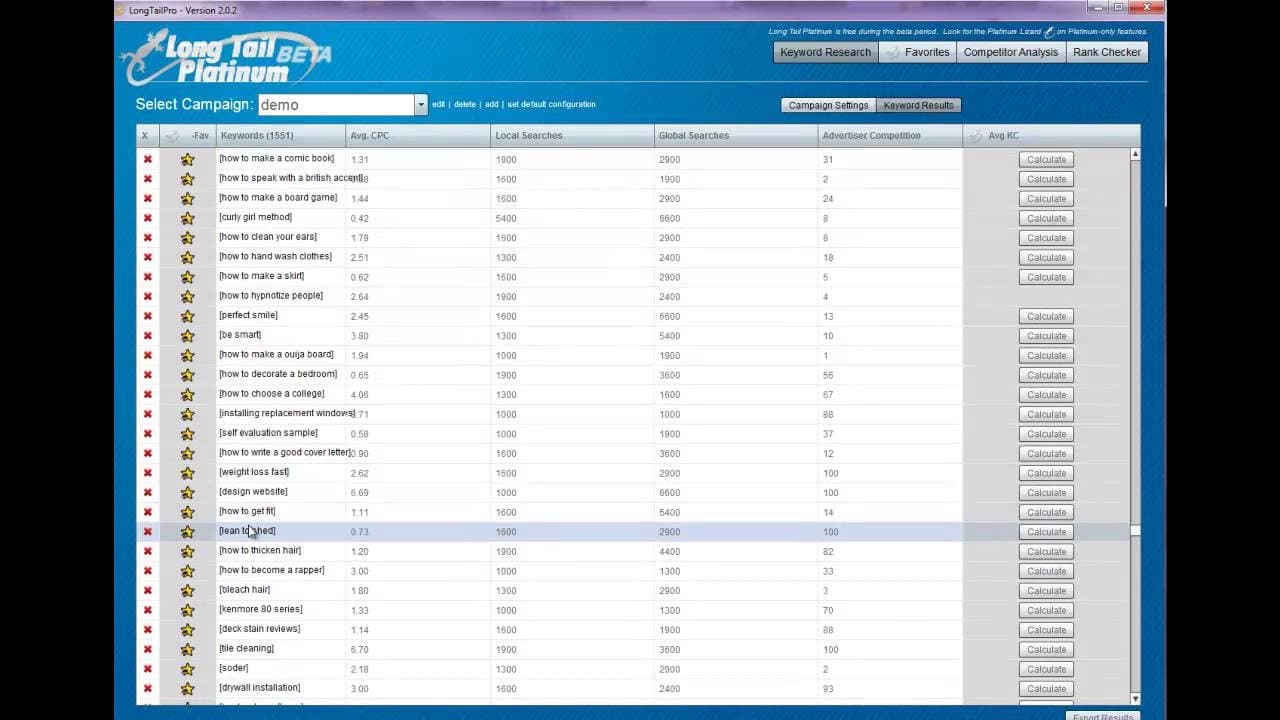
To import custom keywords in Long Tail Pro, copy your list of up to 10,000 keywords into the designated box and hit 'generate keywords.' This feature merges your keywords with additional suggestions, providing data such as search volume, cost per click, and competitiveness to enhance your content strategy. It's currently free during the beta period.
Transcript
hi everyone Spencer here with long tail Pro and I wanted to show you today another platinum feature that we've just rolled out today that you can begin using right away the ability to import your own keywords is the feature that we've added and what this does is you'll see there's a checkbox here for enter your own keywords this gives you the abili... Read More
Key Insights
- 👻 Long Tail Pro now allows the importation of up to 10,000 custom keywords, which is crucial for users with large datasets.
- 👨🔬 The feature is designed to streamline keyword research processes by merging user-inputted keywords with additional suggestions from the software.
- 👨🔬 Detailed metrics such as search volume, CPC, and advertiser competition help users prioritize which keywords to target in their content strategies.
- 👶 This new feature can significantly boost the efficiency of content creators, helping them leverage existing analytics for better SEO outcomes.
- 😄 The ease of generated data retrieval enables marketers and bloggers to quickly assess keyword value and competitiveness.
- 👤 Long Tail Pro's beta period offers the opportunity for users to test this feature without any cost, showcasing its potential value before a final rollout.
- 👻 Users can save their preferred keywords for future reference, allowing for organized planning and execution of content strategies.
Install to Summarize YouTube Videos and Get Transcripts
Explore YouTube Video Summarizer or Get YouTube Transcript Extractor
Questions & Answers
Q: What is the purpose of the new keyword import feature in Long Tail Pro?
The new keyword import feature allows users to paste in a list of up to 10,000 keywords, enabling them to generate specific data such as search volume, cost per click, and competition for those keywords. This personalized approach enhances the keyword analysis process, particularly for users with pre-existing lists from tools like Google Analytics.
Q: How does the keyword import function complement the existing features of Long Tail Pro?
This function complements existing features by allowing users to input a custom list of keywords alongside seed keywords. The software generates data for both the inputted custom keywords and additional suggestions based on the seed keywords, ensuring comprehensive keyword research in one place.
Q: Can users filter the data generated for their imported keywords?
Yes, users can apply filters to the generated data for their imported keywords. For instance, they can set minimum search volumes or cost per click thresholds to focus on more competitive or valuable keywords, enhancing their strategic content planning when creating blog posts or niche sites.
Q: How does the competitor analysis tool integrate with the new keyword import feature?
The competitor analysis tool within Long Tail Pro works seamlessly with the new keyword import feature. After generating keyword data, users can click on specific keywords to access in-depth competitor analysis, which provides metrics like the number of backlinks, domain age, and overall competitiveness scores.
Summary & Key Takeaways
-
Long Tail Pro has introduced a platinum feature that allows users to import their own keywords, supporting lists of up to 10,000 keywords for in-depth analysis.
-
Users can analyze both uploaded keywords and additional seed keywords together, generating valuable data such as search volume, cost per click, and keyword competitiveness.
-
This feature is available for free during the beta period and is designed to enhance keyword research and content strategy efficiency for users.
Read in Other Languages (beta)
Share This Summary 📚
Summarize YouTube Videos and Get Video Transcripts with 1-Click
Try YouTube Summary with ChatGPT & Claude or YouTube Transcript Generator
Explore More Summaries from Niche Pursuits 📚


Summarize YouTube Videos and Get Video Transcripts with 1-Click
Try YouTube Summary with ChatGPT & Claude or YouTube Transcript Generator