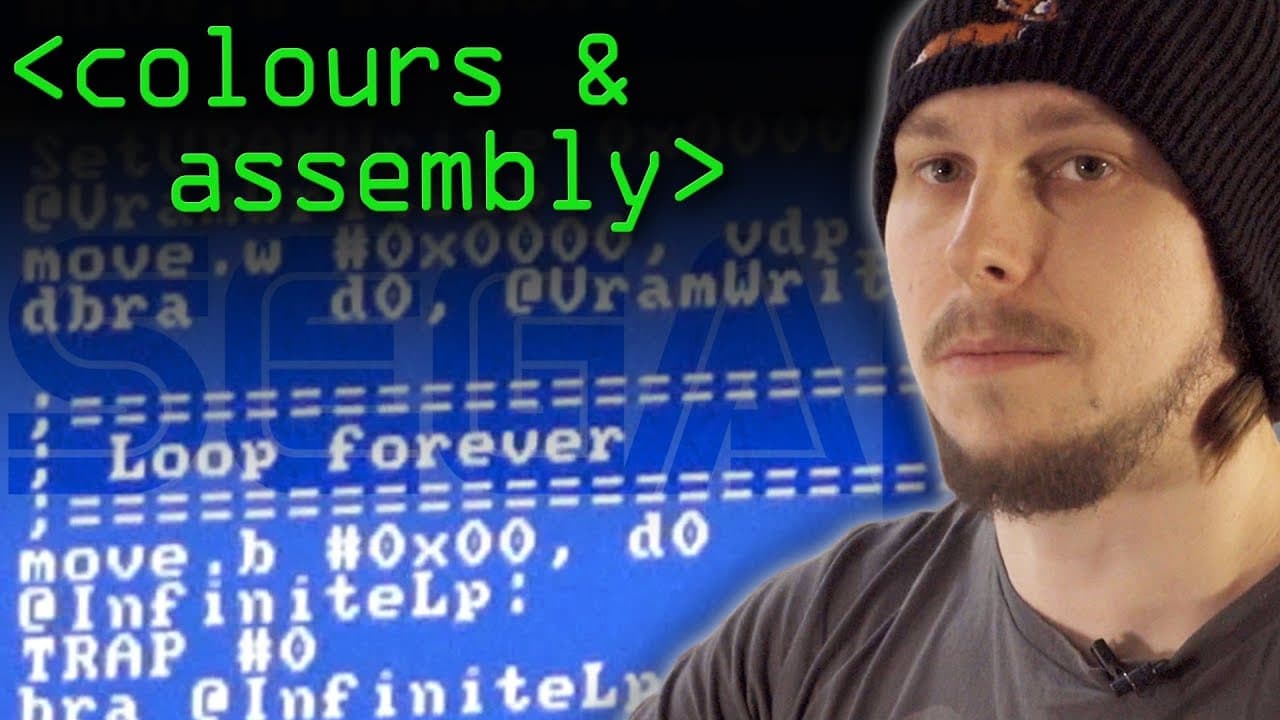
How to Program Graphics on Sega Mega Drive
TL;DR
To display graphics on the Sega Mega Drive, you must manually initialize the GPU and its registers. This involves clearing the video memory, setting up the color palette, and directly communicating with the GPU. Mastering these steps enables you to create your own games for the console.
Transcript
so i've been creating a brand new game for the sega mega drive um using original development hardware from the 90s i'm also running a small set of tutorials onto how i got it running in the first place today we're going to turn the screen red but that's easier said than done so bear with me there's a lot to explain okay so last time we showed a 68 ... Read More
Key Insights
- 🎮 Developing a game for the Sega Mega Drive console requires direct communication with the GPU and manual initialization of its registers.
- 😥 Clearing the video memory is essential to ensure a clean starting point for displaying graphics.
- 👻 The color palette of the GPU allows developers to define and customize the colors used in their games.
- 👾 Writing custom routines and macros can simplify the development process and make it easier to create complex games.
- 🎮 Understanding the structure and functionality of the GPU is crucial for successfully programming games for the Sega Mega Drive console.
- 🎮 The lack of graphics libraries or operating systems on the Sega Mega Drive console necessitates manual control over graphics rendering.
- ®️ Proper initialization of the GPU registers is necessary to ensure correct and desired behavior of the graphics display.
Install to Summarize YouTube Videos and Get Transcripts
Explore YouTube Video Summarizer or Get YouTube Transcript Extractor
Questions & Answers
Q: Why is it necessary to initialize the GPU of the Sega Mega Drive console?
The Sega Mega Drive console does not have an operating system or built-in drivers, so the GPU and its registers are in an uninitialized state when the console is turned on. Initializing the GPU is necessary to ensure proper functionality and control over graphics rendering.
Q: How does the GPU of the Sega Mega Drive console communicate with the CPU?
The GPU is connected to the bus, which is a collection of physical wires that the CPU uses to communicate with other hardware components. The CPU can access the GPU's registers and video memory through specific ports on the bus, known as the control port and data port.
Q: Why is it necessary to clear the video memory before displaying graphics?
The video memory of the GPU may contain garbage data or remnants of previous screen content. Clearing the video memory ensures a clean starting point and prevents artifacts or interference from affecting the displayed graphics.
Q: How can developers set the background color using the GPU of the Sega Mega Drive console?
Developers can set the background color by writing to the register 7 of the GPU, which controls the background color. By specifying the desired color through the control port, developers can manipulate the background color displayed on the screen.
Summary & Key Takeaways
-
The video tutorial explains the process of initializing the GPU of the Sega Mega Drive console to display graphics on the screen.
-
The tutorial covers topics such as the structure of the GPU, accessing its registers through the bus, initializing the GPU registers, clearing the video memory, and setting up the color palette.
-
The goal is to provide viewers with the knowledge and tools necessary to develop their own games for the Sega Mega Drive console.
Read in Other Languages (beta)
Share This Summary 📚
Summarize YouTube Videos and Get Video Transcripts with 1-Click
Try YouTube Summary with ChatGPT & Claude or YouTube Transcript Generator
Explore More Summaries from Computerphile 📚




Summarize YouTube Videos and Get Video Transcripts with 1-Click
Try YouTube Summary with ChatGPT & Claude or YouTube Transcript Generator