How to Raise Your Minecraft Pocket Edition Hotbar
TL;DR
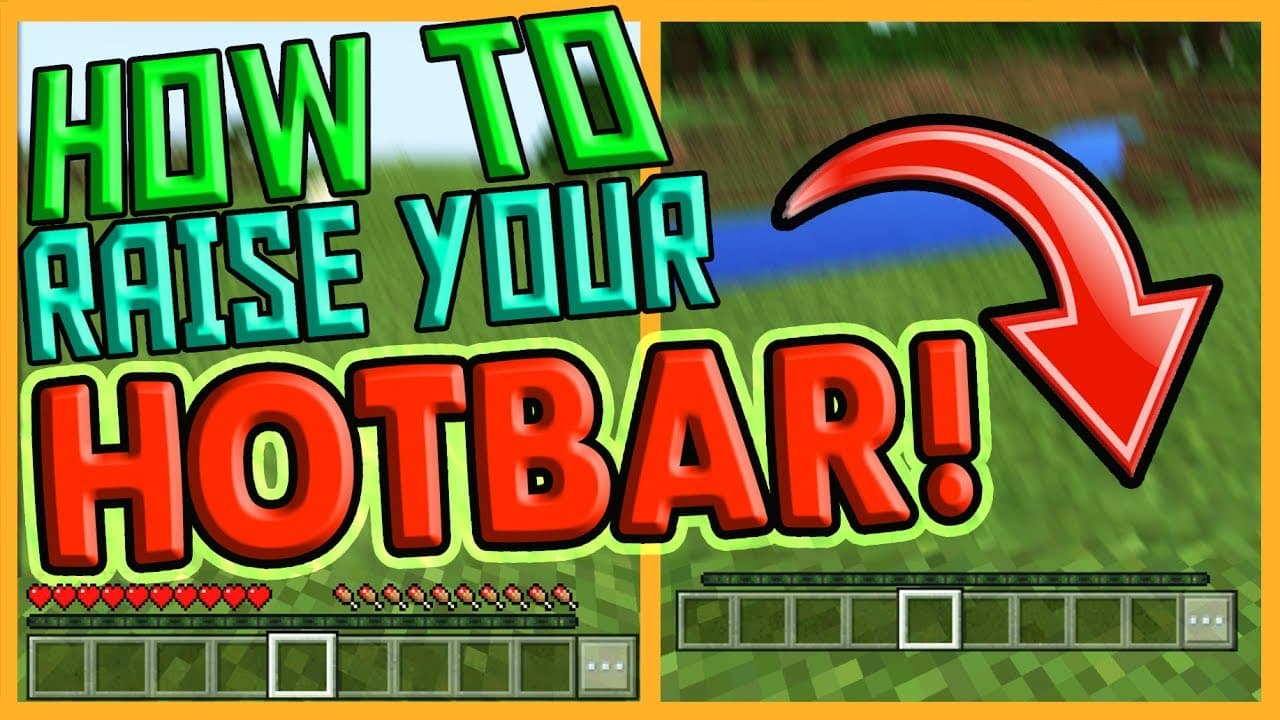
To raise the hotbar and GUI in Minecraft Pocket Edition for an Xbox-like experience, go to the main settings and select 'Change Screen Safe Area' under video settings. Adjusting the safe area enhances gameplay by preventing accidental touches at the bottom of the screen, making the interface look more professional.
Transcript
hello youtube i'm at v productions and welcome back to another minecraft pocket edition video so yeah today i'm just going to kind of be replying to a comment that i got on my previous video you can see it on the screen uh here right now so they ask how can you get your hot bar uh like xbox version raised up kind of like this you can see on my scre... Read More
Key Insights
- 😅 Minecraft Pocket Edition has a built-in option to raise the hot bar and GUI.
- 🎮 The option is accessed through the settings menu on the main screen, under video settings.
- 😅 Increasing the safe area setting raises the hot bar and GUI, creating a more Xbox-like appearance.
- 😅 Raising the hot bar can make gameplay and recording easier by preventing accidental touches at the bottom of the screen.
- 😫 The change can be reversed by adjusting the safe area setting back to its original value.
- 🫵 This tutorial was created in response to a specific viewer request.
- 🎮 The raised hot bar is not available in the regular video settings menu during gameplay.
Install to Summarize YouTube Videos and Get Transcripts
Explore YouTube Video Summarizer or Get YouTube Transcript Extractor
Questions & Answers
Q: How do I raise the hot bar in Minecraft Pocket Edition?
To raise the hot bar, go to the settings tab on the main screen, then open video settings and select "Change Screen Safe Area." Increase the safe area setting to raise the GUI.
Q: What is the benefit of raising the hot bar?
Raising the hot bar and GUI makes it easier to tap without accidentally touching the bottom of the screen. It also gives a more professional and Xbox-like appearance to the game.
Q: Can I change the screen safe area while in-game?
No, the screen safe area setting can only be changed in the settings menu on the main screen. You need to save and quit the game first before accessing this option.
Q: Does raising the hot bar affect gameplay in any way?
Raising the hot bar does not affect gameplay mechanics. It is purely a visual change that can improve the user experience, especially for recording gameplay videos.
Summary & Key Takeaways
-
The video explains how to raise the hot bar and GUI in Minecraft Pocket Edition, making it look similar to the Xbox version.
-
There is an option in the settings called "Change Screen Safe Area" which allows you to adjust the GUI position.
-
Raising the hot bar and GUI can improve gameplay experience and make it easier for recording.
Read in Other Languages (beta)
Share This Summary 📚
Summarize YouTube Videos and Get Video Transcripts with 1-Click
Try YouTube Summary with ChatGPT & Claude or YouTube Transcript Generator
Explore More Summaries from MattVidPro AI 📚


Summarize YouTube Videos and Get Video Transcripts with 1-Click
Try YouTube Summary with ChatGPT & Claude or YouTube Transcript Generator