How to use Instantly CRM to close more deals
TL;DR
Instantly CRM centralizes lead management by organizing emails, calls, SMS, and tasks in one place. It enables tracking of every lead across stages, automates follow ups, and integrates calendars and team permissions to scale outreach and bookings while reducing lost leads.
Transcript
we just released our newest feature that will effectively allow you to manage your whole sales pipeline inside of instantly using our new CRM feature so in this video I'm going to go over exactly how to use instantly new CRM features so that you can get more leads get more appointments get more sales ultimately grow your business and make sure that... Read More
Key Insights
- The CRM combines emails, calls, SMS, and tasks for a unified view of all interactions with a contact.
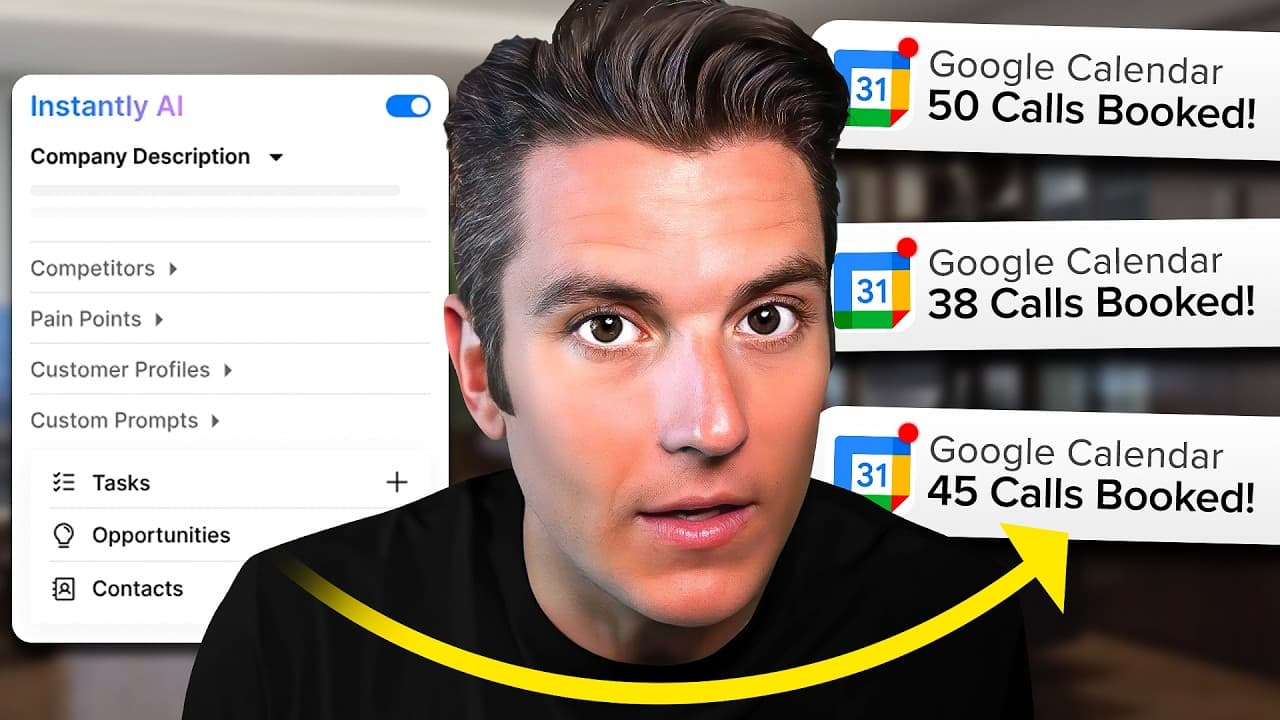
- The contact pane shows company description, competitors, pain points, and customer profiles to tailor outreach.
- Opportunities can be filtered by campaign to manage pipeline stages and measure progress like meetings booked or deals closed.
- You can log communications and notes to update a contact’s history and indicate readiness for follow up.
- A2P registration is required for calls and SMS, and is highlighted as a necessary compliance step.
- Calendar integration allows creating meetings directly from the CRM, streamlining scheduling with leads.
- Sales flows let you auto-route leads into hot lead lists based on behavior such as email opens and link clicks.
- Reporting is available by user showing metrics like revenue, opportunities, meetings, and conversion rates for team performance.
Install to Summarize YouTube Videos and Get Transcripts
Explore YouTube Video Summarizer or Get YouTube Transcript Extractor
Questions & Answers
Q: A real search query question about the video (e.g. 'How to...', 'What is...', 'Why does...', 'When should...'). Question 1
How can Instantly CRM keep track of all lead interactions in one place and why is it important for sales teams to prevent leads from falling through the cracks? Instantly CRM consolidates emails, calls, SMS, and tasks, and pairs them with contact details and history. This centralized view helps sales reps quickly assess engagement, tailor follow ups, and move leads through the pipeline without losing context, increasing the likelihood of booking meetings and closing deals.
Q: Question 2
What steps are involved to set up Instantly CRM according to the video and what are the initial setup tasks users should complete? The video suggests going to the CRM area, connecting emails, calls, and SMS, purchasing phone numbers, and registering for A2P. It also covers connecting Google Calendar, adding team members, and configuring lead labels and campaigns to start tracking and nurturing leads efficiently.
Q: Question 3
How does the CRM handle lead data and history for a contact and why is this useful for sales follow ups? The CRM enables viewing a contact's emails, calls, and notes together with company description, competitors, and pain points. This history lets agents reference past conversations, tailor messages, and decide when to follow up, improving speed and relevance of outreach.
Q: Question 4
What is the purpose of sales flows in Instantly CRM and how do you create a hot lead segment? Sales flows allow automating criteria based on engagement, such as email opens or link clicks, to categorize leads as hot or nurture. You create a flow with conditions like opened emails more than a threshold and then assign these leads to a subsequence or campaign to accelerate responses.
Q: Question 5
What role does calendar integration play in Instantly CRM and how does it affect meeting scheduling? Calendar integration lets users connect Google Calendar and schedule meetings directly from the CRM. This reduces back and forth, ensures availability is accurate, and helps convert engaged leads into booked appointments by streamlining the scheduling step.
Q: Question 6
What are the pricing or cost-related notes mentioned for using Instantly CRM features and phone services? The video notes that buying phone numbers costs around $1.5 per month and that phone credits are charged per message or call. It also mentions the need to register for A2P, which may affect timing and compliance for sending messages.
Q: Question 7
How does Instantly CRM support team collaboration and access control within a business? The system allows adding new members with different roles such as VA or editor to manage Instantly. This enables more hands on deck for following up, logging notes, and running campaigns, while maintaining appropriate permissions for each user.
Q: Question 8
What kinds of metrics does Instantly CRM report and how can that information help a sales manager? The CRM provides activity and outcome metrics like revenue generated, number of opportunities, meetings booked, and individual conversion rates. These insights help sales managers assess performance, optimize campaigns and allocate resources to higher converting strategies.
Q: Question 9
How does the video describe the process of adding a contact to a campaign and following up via multiple channels? The video shows that from a contact record you can add them to a campaign, send a quick email, perform a call or LinkedIn touch, and optionally add a note. This integrated approach ensures consistent follow ups across email, calls, and social touches.
Summary & Key Takeaways
-
Instantly CRM unifies inbox, calls, SMS, and tasks into a single view to prevent leads from slipping through the cracks. It shows contact details, company context, and communication history to streamline follow ups and improve conversion. The feature set includes sequencing, calendar integration, and reporting for teams.
-
Users can create sales flows and hot lead lists based on engagement criteria like email opens and link clicks, enabling targeted follow ups and campaigns. It supports adding team members, assigning roles, and tracking performance with revenue and meetings metrics.
-
The video explains setup steps including purchasing numbers for calls and texts, registering for A2P, and connecting Google Calendar. It emphasizes using campaigns and lead labels to manage campaigns, plus the ability to log notes and convert engagement into meetings.
Read in Other Languages (beta)
Share This Summary 📚
Summarize YouTube Videos and Get Video Transcripts with 1-Click
Try YouTube Summary with ChatGPT & Claude or YouTube Transcript Generator
Explore More Summaries from Instantly 📚

Summarize YouTube Videos and Get Video Transcripts with 1-Click
Try YouTube Summary with ChatGPT & Claude or YouTube Transcript Generator