How to Remove Echo When Recording in Any Space
TL;DR
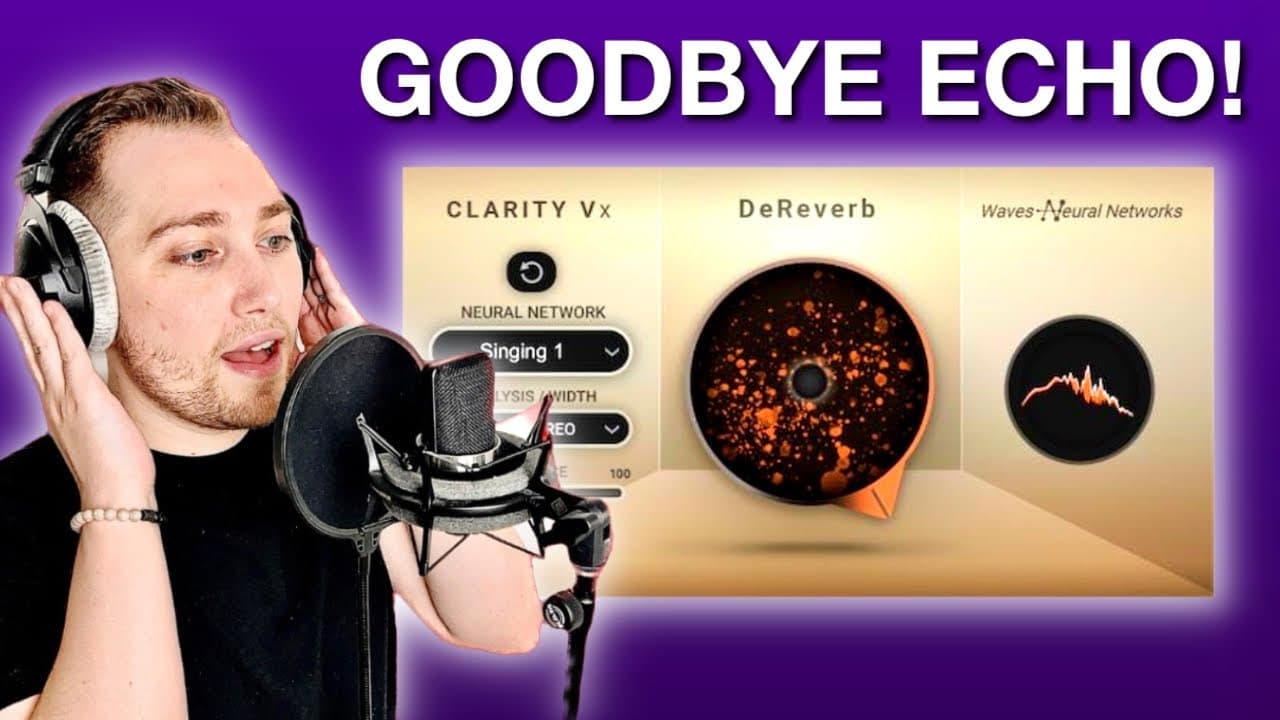
The Clarity VXD Reverb plugin effectively eliminates echo in untreated rooms, making it ideal for musicians and content creators. It features a user-friendly one-knob design and should be set between 30 to 50 percent for optimal results, allowing for natural-sounding vocals while reducing unwanted reverberation.
Transcript
if you're a musician content creator podcaster or voice over artist and you're trying to record yourself in a completely untreated room then this plugin just might be what you need to get rid of all the echo in your workspace the clarity vxd Reverb plugin has just been released by waves and it's currently on sale for 29 at the time of shooting this... Read More
Key Insights
- 😀 The Clarity VXD Reverb plugin is affordable at $29, making it accessible for many musicians facing echo issues.
- 😒 Its one-knob design simplifies use, catering to both novice and experienced audio creators.
- 👻 Users can switch between modes for dialogue or singing, allowing for versatile applications.
- ❤️🩹 The presence control feature helps fine-tune recordings, impacting high-end frequencies.
- ✋ Maintaining a balanced vocal chain is crucial for achieving high-quality recordings.
- ❓ Initial testing under varying acoustic conditions demonstrates the plugin's adaptability.
- 👾 The plugin’s effect is most pronounced in untreated rooms or challenging acoustic spaces.
Install to Summarize YouTube Videos and Get Transcripts
Explore YouTube Video Summarizer or Get YouTube Transcript Extractor
Questions & Answers
Q: What is the primary purpose of the Clarity VXD Reverb plugin?
The Clarity VXD Reverb plugin is specifically designed for musicians, content creators, podcasters, and voice-over artists who record in untreated rooms. Its main function is to reduce unwanted echo and reverb, making recordings sound cleaner and more professional, regardless of the recording environment.
Q: How does the Clarity VXD Reverb plugin differ from traditional reverb plugins?
Unlike traditional reverb plugins that add effects, the Clarity VXD is engineered to minimize or eliminate echo in recordings. It focuses on preserving vocal clarity while manipulating sound characteristics without resulting in an overly processed or robotic sound, making it ideal for vocal clarity in various settings.
Q: What are the recommended settings for the best results with the plugin?
For optimal usage, it's recommended to set the Clarity VXD Reverb plugin between 30 to 50 percent to effectively reduce reverb without compromising the vocal's natural quality. Setting it too high can result in a robotic sound, necessitating further adjustments like boosting presence and EQ tweaks.
Q: What is the importance of using the plugin at the start of the vocal chain?
Using the Clarity VXD Reverb plugin as the first element in the vocal processing chain is essential because it addresses reverb issues before any other effects like EQ or compression are applied. This order ensures that the vocal sounds clear and controlled, making it easier to achieve a polished final product.
Q: Can the Clarity VXD plugin be beneficial in extreme recording environments?
Absolutely. The plugin proves beneficial even in extreme environments, such as bathrooms, where natural acoustics are not favorable. By engaging the plugin, significant improvements in vocal clarity can be achieved, transforming less-than-ideal recordings into more professional audio statements.
Q: What audio tests does the presenter conduct with the plugin?
The presenter conducts various audio tests, including comparing recordings both with and without the plugin engaged, showcasing its effectiveness in reducing reverberation across different vocal styles and recording environments, highlighting the clarity it can bring to vocals in challenging spaces.
Summary & Key Takeaways
-
The Clarity VXD Reverb plugin by Waves is designed for musicians and content creators to eliminate echo in untreated rooms, currently available for $29.
-
It features a simple one-knob design for effect control, alongside options for dialogue versus singing applications and a presence control for frequency management.
-
Initial tests indicate that the plugin should be used at 30 to 50 percent for optimal results, preserving vocal quality while reducing unwanted reverberation.
Read in Other Languages (beta)
Share This Summary 📚
Summarize YouTube Videos and Get Video Transcripts with 1-Click
Try YouTube Summary with ChatGPT & Claude or YouTube Transcript Generator
Explore More Summaries from Home Studio Academy 📚

Summarize YouTube Videos and Get Video Transcripts with 1-Click
Try YouTube Summary with ChatGPT & Claude or YouTube Transcript Generator