How to Start Drawing Digitally as a Beginner
TL;DR
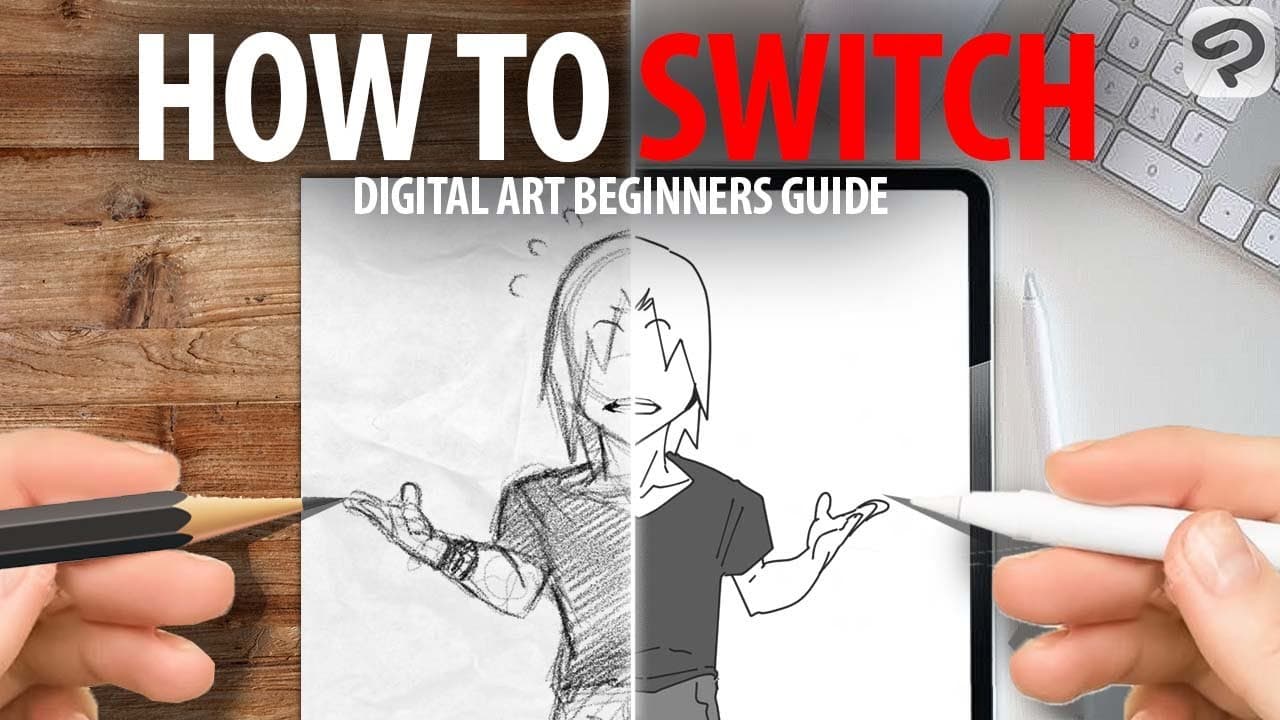
To start drawing digitally as a beginner, choose a drawing tablet and app that allows layer creation. Begin with simple projects to learn the basic tools and techniques, focusing on sketching, coloring, and adding shadows and highlights. Practice regularly to build confidence and develop your digital art skills.
Transcript
Hi Guys, Name's marcel and you - did click this video because, you're a traditional artist and you're struggeling, you tried every trick under the sun - did it work? no Did this work? No But THEN you realised that we're NOT Cavemen …. We have technology That's right, in today's video I will show you How to get into digital art, even if ... Read More
Key Insights
- 🧑🎨 Digital art serves as an accessible transition for traditional artists, leveraging technology to expand creative possibilities.
- 😀 The choice of tablet and app is flexible but should support essential features like layer creation for optimal results.
- 💪 Beginners should focus on basic drawing exercises to cultivate confidence in using digital tools and developing muscle memory.
- 🥰 Layer management is crucial in digital art, allowing for organized workflows and the capability to easily modify specific elements without starting over.
- 🪜 The process includes not just sketching and coloring, but also incorporating shadows and highlights to add depth and dimension.
- 🍄 Emphasizing the importance of practice, novices are encouraged to experiment and have fun with their creations rather than aiming for perfection immediately.
- 🤩 Shortcut keys and stylus functions can significantly streamline the digital drawing process, making it easier to navigate and enhance creativity.
Install to Summarize YouTube Videos and Get Transcripts
Explore YouTube Video Summarizer or Get YouTube Transcript Extractor
Questions & Answers
Q: What are the key supplies needed to start digital art?
Starting digital art requires a tablet, which can be a mobile tablet or a pen display monitor, and a drawing app that supports layers. Beginners often prefer mobile tablets like the iPad for convenience while more advanced users may opt for pen display monitors for a richer experience. It’s also essential to know where basic tools are located in the app, regardless of the specific software used.
Q: Why is it recommended to start with simpler styles in digital art?
Starting with simpler styles helps beginners grasp the fundamental tools and functions of digital art without becoming overwhelmed. By focusing on basic shapes and simple compositions, new artists can build confidence and muscle memory, paving the way for more complex projects later on. This approach ensures familiarity with the medium before attempting intricate works.
Q: How do layers work in digital art?
Layers in digital art act like transparent slides stacked on top of each other, allowing artists to separate different aspects of their artwork. For example, you can create a sketch layer, a color layer, and a lineart layer to manage changes without affecting the whole piece. Using layers also enables artists to hide or show details easily, which enhances flexibility throughout the creation process.
Q: What is the significance of using shortcuts in digital art?
Utilizing shortcuts in digital art greatly enhances efficiency by allowing artists to perform actions like undoing or zooming quickly without navigating through menus. Artists can program specific buttons on their stylus or tablet to map common commands, making the drawing process smoother and more intuitive. This reduces interruptions during creative flow and speeds up the entire workflow.
Summary & Key Takeaways
-
The video provides a comprehensive introduction for traditional artists looking to transition into digital art, emphasizing the use of technology and various tools available.
-
Marcel outlines the basics of digital art setup, including choosing the right tablet and drawing app, and emphasizes starting with simpler styles to build foundational skills.
-
The tutorial culminates in a draw-along session where viewers can follow Marcel as he creates a digital artwork step by step, reinforcing the importance of practice and experimentation.
Read in Other Languages (beta)
Share This Summary 📚
Summarize YouTube Videos and Get Video Transcripts with 1-Click
Try YouTube Summary with ChatGPT & Claude or YouTube Transcript Generator
Explore More Summaries from Draw like a Sir 📚
Summarize YouTube Videos and Get Video Transcripts with 1-Click
Try YouTube Summary with ChatGPT & Claude or YouTube Transcript Generator