How to Use n8n's Text-to-Workflow Agent Builder
TL;DR
n8n’s text-to-workflow agent builder turns a plain-English request into a connected workflow, checks variable flow, and provides a setup guide. In the lead-qualification demo, it generated AI analysis, a score out of 100, priority assignment, and Gmail and Slack alerts. The result is only a first pass: credentials, tools, and endpoints may still require configuration, making the detailed examples and production warning worth reading.
Transcript
All right, here we are in Nitn and we're looking at this chat GBT- like interface and I'm just going to tell it to create this workflow. And I said that I need a workflow that will receive a form submission via web hook. We need to process information like the person's company, their budget, and their project description. We're going to use that in... Read More
Key Insights
- n8n's agent builder is a native natural-language-to-workflow feature with a ChatGPT-like interface: you describe the automation, it searches n8n's nodes and documentation, presents a plan to approve or change, then builds the workflow for you.
- The builder does more than place nodes; it connects them and verifies that variables flow from one node to the next, pre-filling fields like email subjects, bodies, lead scores, and priorities without being explicitly told to.
- Every generated workflow comes with a right-hand setup guide listing what still needs configuring plus instructions on how to use, activate, and push the workflow into production.
- The tool is not officially rolled out to everyone yet, so users who open n8n and don't see the GPT-like interface should not worry that it's missing.
- The presenter warns the builder creates a false sense of security: like a downloaded template, you should never push its output to production or sell it to a client without understanding fundamentally how it works.
- Vague prompts still produce a functioning skeleton but leave far more to configure; a vague newsletter prompt left the web research tool as an unconfigured default GET request with no endpoint or description.
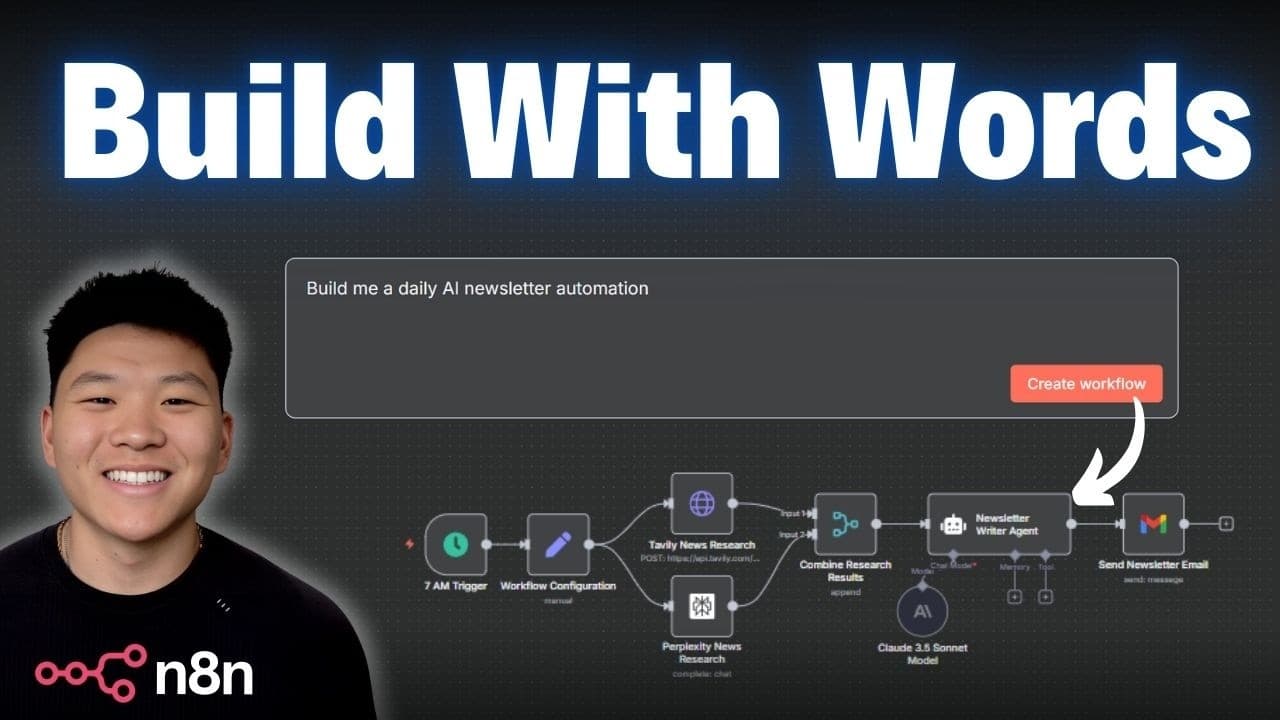
- Detailed prompts naming the exact tech stack yield better results; specifying Tavily, Perplexity, and Anthropic Claude 3.5 Sonnet made the builder wire an HTTP request that correctly passes the API key in the request body.
- The presenter notes agent behavior instructions belong in the system message rather than the user message, a placement detail the builder didn't always get right on its first pass.
Install to Summarize YouTube Videos and Get Transcripts
Explore YouTube Video Summarizer or Get YouTube Transcript Extractor
Questions & Answers
Q: What is n8n's text-to-workflow agent builder, and how does it work?
It is a native natural-language workflow builder with a ChatGPT-like interface. You describe an automation, and it searches n8n’s available nodes and documentation before presenting a plan that you can approve or change. After approval, it places and connects the nodes, checks variable flow, and provides a setup guide.
Q: How much of a workflow can n8n's agent builder configure automatically?
In the lead-qualification demo, it passed company, contact, email, phone, and other lead information through the workflow. It also generated AI analysis, a qualification level, a score out of 100, a priority, and variable-filled email content. The presenter said most nodes were configured, although the ClickUp account still needed to be connected.
Q: What does the generated setup guide include?
The guide appears on the right side after the workflow is generated. In the opening example, it identified six items that still required configuration and explained how to use, activate, and push the workflow into production.
Q: Why shouldn't a generated n8n workflow be pushed directly to production?
The presenter warns that automatic generation can create a false sense of security. Like a downloaded template, the workflow should not be pushed to production or sold to a client until you understand how it works, verify its behavior, and know how to fix and improve it.
Q: What happened when the builder received a vague newsletter prompt?
The prompt asked for an AI agent that researches news every morning and emails a newsletter. The builder created a 7 a.m. schedule, recipient and topic configuration, and a professional newsletter style, but the web research tool remained an unconfigured default GET request without an endpoint or description.
Q: How did a detailed prompt improve the generated workflow?
The detailed prompt specified a 7 a.m. run, Tavily and Perplexity research, and Anthropic Claude 3.5 Sonnet for writing the email. The resulting workflow included configuration for the email, newsletter title, Tavily API key, and research query, and it passed the API key in the HTTP request body.
Q: Where should agent behavior instructions be placed in n8n?
The presenter says instructions that define the agent’s behavior belong in the system message rather than the user message. The builder did not always place those instructions correctly on its first pass, so the generated prompts should be reviewed.
Q: Is n8n's agent builder available to everyone?
No, the presenter says it had not been officially rolled out to everyone. Users who do not see the GPT-like interface in n8n should therefore not assume that anything is wrong with their installation.
Summary & Key Takeaways
-
In the opening demo, a single prompt asks n8n to receive a form submission via webhook, process company, budget, and project description, qualify leads as hot, warm, or cold through research, then push results to a CRM and ClickUp with Gmail and Slack notifications. n8n outlines a plan, builds it, and pre-configures most nodes.
-
The generated lead workflow already passes variables like company, contact, email, and phone, produces an AI analysis with a qualification level and a score out of 100, assigns a priority, and uses a set node to build email subject and body, needing only a ClickUp account connection.
-
Three tests compare a vague prompt, a detailed prompt with a named tech stack, and an agentic sub-agent system. The detailed newsletter prompt specifying 7 a.m. runs, Tavily, Perplexity, and Claude 3.5 Sonnet produced a more correct workflow, while the vague version left tools unconfigured and required more manual setup.
Read in Other Languages (beta)
Share This Summary 📚
Summarize YouTube Videos and Get Video Transcripts with 1-Click
Try YouTube Summary with ChatGPT & Claude or YouTube Transcript Generator
Explore More Summaries from Nate Herk | AI Automation 📚






Summarize YouTube Videos and Get Video Transcripts with 1-Click
Try YouTube Summary with ChatGPT & Claude or YouTube Transcript Generator