How to Optimize Your Hotbar for Minecraft PvP
TL;DR
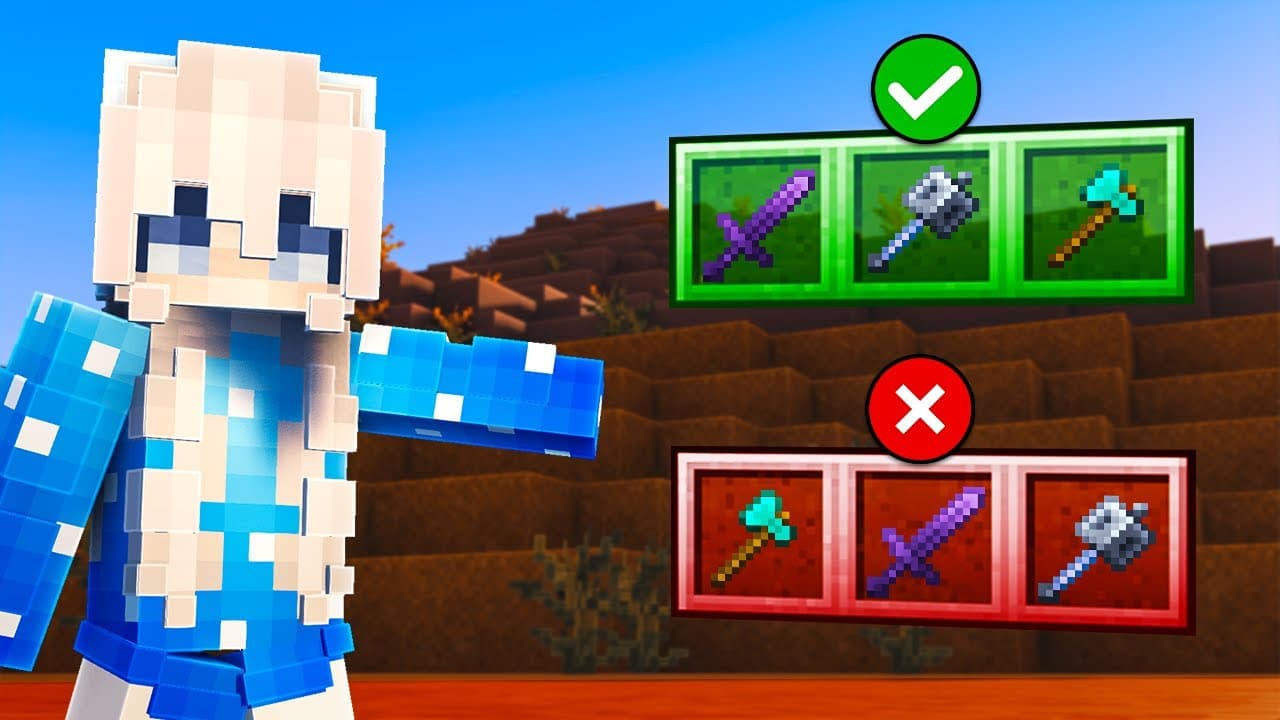
Place each critical item according to its priority relative to the other items in a combat sequence, because Minecraft accepts only one hotbar switch per tick and favors the later-numbered slot when multiple switches occur together. For reliable shield disables and stun smashes, arrange slots so the essential first action survives while a premature follow-up input is dropped.
Transcript
In this video, I'll be discussing the relatively unknown impact that your hot bar layout can have on your performance, as well as detailing optimal layouts for performing certain techniques. This video will get technical, but I can assure you that the information covered today will be valuable if you play any game mode that requires regularly switc... Read More
Key Insights
- Minecraft processes hotbar inputs at 20 ticks per second, so each tick lasts 50 milliseconds. A player can select only one hotbar slot during each tick, and additional selection inputs within that same interval can be dropped.
- Slot priority is determined by a selection loop that checks hotbar slots from slot one through slot nine. If multiple slot hotkeys are pressed during one tick, Minecraft prioritizes the later-numbered slot regardless of the precise order or timing of those inputs.
- Effective hotbar priority is relative to the items involved in a particular technique. Items that are not part of the input sequence do not substantially affect the arrangement, so the important decision is how the actively used items are ordered against one another.
- A reliable shield-disable layout gives the axe higher priority than the sword. If both selections occur during one tick, the axe remains selected and preserves the shield disable, while the less damaging outcome is that the immediate swap back to the sword gets dropped.
- Fast sword recovery after a shield disable improves damage and knockback because the sword has more time to charge before the next hit. Slot ordering lets players attempt this quick transition while protecting the more important axe action from being skipped.
- A crystal combination benefits from placing obsidian at a higher priority than crystals. When the two switching inputs occur too quickly within one tick, this ordering preserves the obsidian selection and allows the necessary block placement instead of prematurely selecting the crystal.
- Stun-smash timing varies because an action can occur anywhere within a 50-millisecond client tick. An input near the tick's end may permit the next action almost immediately, while the same sequence near its beginning may require waiting for the remaining tick interval.
- A tick lockout makes stun smashing more consistent by preventing a premature mace selection. Selecting the higher-priority axe during the shield-disable tick blocks the mace swap, after which repeated mace input can select it on the earliest possible following tick.
Install to Summarize YouTube Videos and Get Transcripts
Explore YouTube Video Summarizer or Get YouTube Transcript Extractor
Questions & Answers
Q: How does Minecraft prioritize multiple hotbar inputs?
Minecraft checks hotbar selection inputs once per tick through a loop that starts at slot one and ends at slot nine. Only one slot switch can be completed during a tick. If multiple hotkeys are pressed within that same tick, the later-numbered slot receives priority, regardless of the precise timing or order in which the player pressed those hotkeys.
Q: Why does hotbar order affect Minecraft PvP techniques?
Hotbar order affects PvP because Minecraft can process only one slot selection per tick, and competing inputs do not have equal priority. When a technique requires rapid switching between items, two selections may fall within the same tick. Their relative slot positions then determine which item is selected and whether the essential first action or the follow-up action is lost.
Q: How should an axe and sword be ordered for shield disabling?
The axe should occupy a higher-priority slot than the sword when the sequence uses an axe to disable a shield and then returns to the sword. If both hotkeys are registered during one tick, Minecraft preserves the axe selection and drops the sword swap. This protects the shield disable, which is more important than completing the immediate follow-up switch.
Q: Why should the sword have lower priority than the axe?
Giving the sword lower priority prevents an overly fast sword input from replacing the axe selection during the shield-disable tick. Without that arrangement, the player may switch back to the sword before ever selecting the axe, causing the shield disable to fail completely. With lower sword priority, only the immediate return to the sword is delayed when inputs conflict.
Q: How should crystals and obsidian be arranged in the hotbar?
Crystals should have lower priority than obsidian for a rapid obsidian-and-crystal input sequence. If both selection inputs occur within the same tick, the higher-priority obsidian remains selected, allowing the block to be placed. This ordering protects the necessary first step and prevents an early crystal selection from interfering with the intended combination.
Q: Why is stun-smash timing inconsistent in Minecraft?
Stun-smash timing is inconsistent because Minecraft runs at 20 ticks per second, making each tick 50 milliseconds long, and the player can act at any point within that interval. An action performed near a tick's end may allow another input almost immediately. The same sequence started near the tick's beginning may require waiting through nearly the entire interval.
Q: How does a tick lockout improve stun smashing?
A tick lockout prevents the player from selecting the mace before the shield-disable tick has finished. The player attacks and selects the axe in the same tick while keeping the axe at a higher priority than the mace. Repeatedly pressing the mace input can then select it on the earliest available tick without prematurely replacing the axe and ruining the disable.
Q: Do you need to start a stun smash with a sword?
A sword is not required as the starting item for the described stun-smash method. Starting from the currently selected item is recommended because it removes an unnecessary input. The technique also works when the axe is already selected, since pressing the axe hotkey again as though switching to it still creates the tick lockout needed before selecting the mace.
Summary & Key Takeaways
-
Minecraft processes gameplay at 20 ticks per second, with each tick lasting 50 milliseconds. Only one hotbar selection can occur during a tick. When several hotkeys are pressed within that interval, the game checks slots from one through nine and selects the later-numbered slot, creating predictable input priority that players can exploit.
-
Effective hotbar design depends on the relative positions of items used in a sequence. During a shield disable, the axe should have higher priority than the sword so an overly fast swap preserves the essential axe selection. The same principle supports crystal combinations by giving obsidian higher priority than crystals.
-
Stun smashing becomes more reliable when players deliberately create a tick lockout. Attacking and selecting the axe within the same tick, with the axe positioned at a higher priority than the mace, prevents an early mace selection. Repeated mace input can then select the weapon on the earliest available tick.
Read in Other Languages (beta)
Share This Summary 📚
Summarize YouTube Videos and Get Video Transcripts with 1-Click
Try YouTube Summary with ChatGPT & Claude or YouTube Transcript Generator
Explore More Summaries from Marlow 📚

Summarize YouTube Videos and Get Video Transcripts with 1-Click
Try YouTube Summary with ChatGPT & Claude or YouTube Transcript Generator