What Can Google DeepMind's Veo3 AI Video Do?
TL;DR
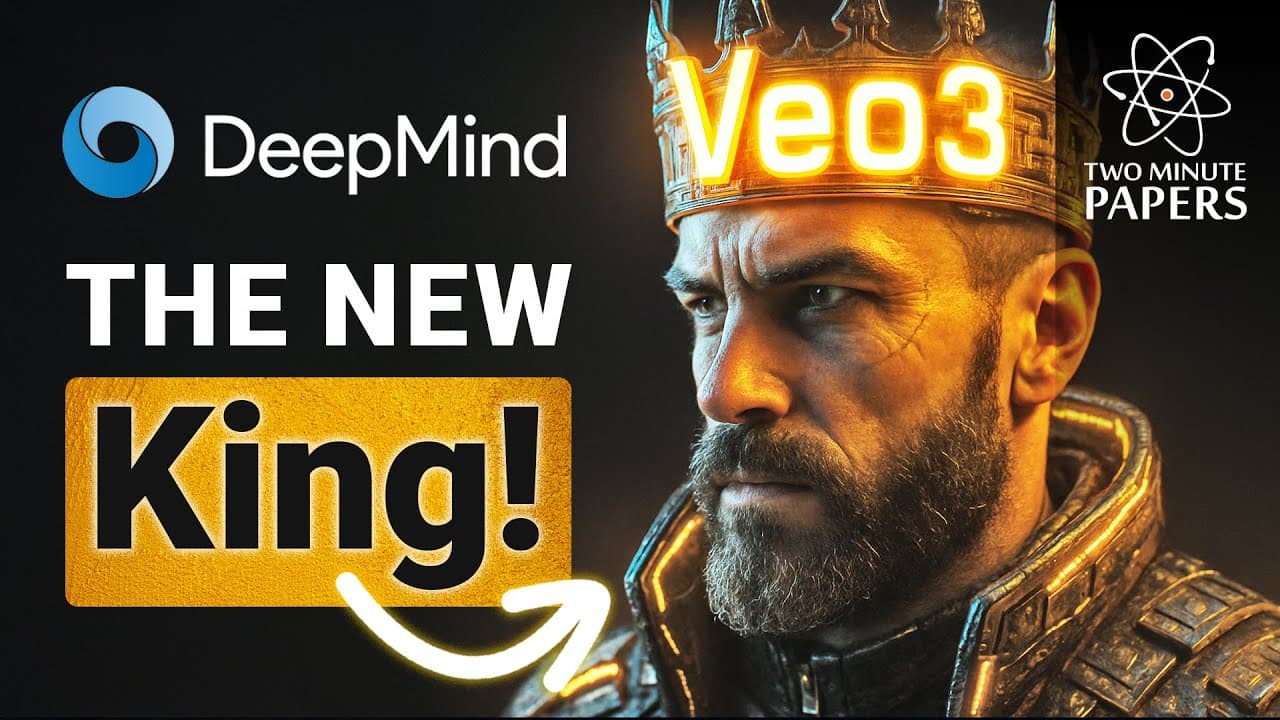
Google DeepMind's Veo3 can turn a short text prompt into video while also synthesizing sound and speech. Its demonstrated capabilities include multi-scene storytelling, reference-based generation, style matching, consistent characters, frame interpolation, zooming out, object insertion, performance-driven character control, and movement guidance, although details such as keyboard sounds can still be inaccurate.
Transcript
This was the state of the art in AI video generation 2 years ago, and now check this out, look at what just arrived, but also, listen. Oh my goodness. We have a new king. Yes, Google DeepMind just announced their new AI video generation technique, Veo3 where you write a small piece of text, and out comes video. And it synthesized the sounds as ... Read More
Key Insights
- Veo3 is a text-to-video system that generates both visual footage and accompanying audio from a short written prompt. The demonstrations include environmental sounds and speech, combining elements that many earlier examples treated separately.
- Synthesized speech is especially demanding because people closely observe faces and notice small emotional or visual inconsistencies while someone is talking. The presented Veo3 examples suggest progress in generating speech together with corresponding video.
- Multi-scene generation enables a single prompt to produce meaningful changes that form a short narrative. Examples include a feather becoming trapped in a spiderweb, a futuristic mosquito hive, and a paper boat becoming lost.
- Reference-powered generation uses supplied images of a character and a setting alongside written instructions. This allows the system to place a person into specified environments, including imagined locations that may not exist.
- Style matching uses an image as a visual reference for the generated footage. A folded object, for example, can guide Veo3 toward an origami-like world while the written prompt specifies the desired action or scene.
- Character consistency keeps the same subject recognizable across complete videos and can also produce variations of that character. The presenter highlights this as notable because consistent identity remains difficult even in still-image generation.
- First-and-last-frame control asks Veo3 to synthesize the entire transition between two supplied endpoints. One demonstration begins with a block of marble or stone and ends with a completed griffin form.
- Directed editing extends beyond basic generation through zooming out, object insertion, performance transfer, and marked movement instructions. The demonstrations show synthesized surroundings, torch-colored indirect illumination, animated virtual characters, and blocks moving as directed without colliding.
Install to Summarize YouTube Videos and Get Transcripts
Explore YouTube Video Summarizer or Get YouTube Transcript Extractor
Questions & Answers
Q: How does Google DeepMind's Veo3 generate videos?
Google DeepMind's Veo3 accepts a short piece of written text and produces a corresponding video. It can also synthesize sounds and speech for the generated footage. Beyond creating a single static scene, the shown examples contain meaningful scene changes, allowing one prompt to produce a small visual story with multiple events or stages.
Q: Can Veo3 generate sound and speech with video?
Veo3 can synthesize sound as part of its generated video, including speech. The demonstrations cited in the transcript mostly include audio, although the system is not flawless. Keyboard sounds are specifically identified as slightly inaccurate. Speech is presented as particularly challenging because viewers closely inspect faces and detect subtle emotional or visual mismatches.
Q: How does Veo3 use reference images?
Veo3 can use images to define a character, environment, or visual style. A user can provide a photo of a person and a scene, then describe the desired action in text to place that person in the generated setting. A separate style reference, such as a folded object, can guide the appearance of an origami-like world.
Q: Can Veo3 maintain consistent characters across a video?
Veo3 is shown maintaining the same recognizable character across complete video sequences. It can also generate interesting variations of that character. The transcript treats this as a significant capability because character consistency is described as only barely solved well enough for still images, while Veo3 applies the concept throughout moving footage.
Q: How does first-and-last-frame control work in Veo3?
First-and-last-frame control lets the user specify the opening and closing images while Veo3 generates the motion and transformation between them. In the demonstrated example, the initial frame contains a block of marble or stone, and the final frame contains a griffin. Veo3 synthesizes the intermediate sequence connecting those two endpoints.
Q: Can Veo3 zoom out from an existing scene?
Veo3 is shown zooming out from an existing scene by generating visual information that was not present in the original view. The transcript describes this as much harder than zooming in because expanding the frame requires synthesizing missing surroundings across video. The demonstrated result appears continuous to the presenter, without an obvious visible seam.
Q: Can Veo3 add objects or people to existing footage?
Veo3 can add an object or a human to an already existing scene. One highlighted result also preserves indirect illumination, with the colors from a burning torch affecting nearby surroundings. This indicates that the inserted content is shown interacting visually with the scene rather than appearing as a completely disconnected overlay.
Q: How can users control movement and characters in Veo3?
Users can control a character by recording a source performance and supplying a target image of the subject, allowing the target character to follow the recorded motion. They can also mark an image with movement directions. In the demonstrated directed-motion result, the blocks move as specified, avoid collisions, and remain coherent within the overall scene.
Summary & Key Takeaways
-
Veo3 generates video from short text prompts and can synthesize accompanying sounds and speech. The demonstrations emphasize meaningful scene changes that tell simple stories, addressing the common limitation of generators producing only one largely unchanged scene. The presenter considers synchronized speech particularly difficult because viewers closely notice facial and emotional inconsistencies.
-
Reference images provide several forms of creative control. A person and setting can be placed into a generated scene, while a folded object can establish the visual style of an origami world. Veo3 also maintains character identity across video, produces variants, and transfers a recorded human performance to a target character image.
-
Veo3 can generate transitions between specified first and last frames, expand a scene by zooming out, and insert objects or people into existing footage. Users can mark images with movement directions, and the demonstrated result follows those instructions without block collisions. The system remains imperfect, with keyboard sounds cited as inaccurate.
Read in Other Languages (beta)
Share This Summary 📚
Summarize YouTube Videos and Get Video Transcripts with 1-Click
Try YouTube Summary with ChatGPT & Claude or YouTube Transcript Generator
Explore More Summaries from Two Minute Papers 📚
Summarize YouTube Videos and Get Video Transcripts with 1-Click
Try YouTube Summary with ChatGPT & Claude or YouTube Transcript Generator