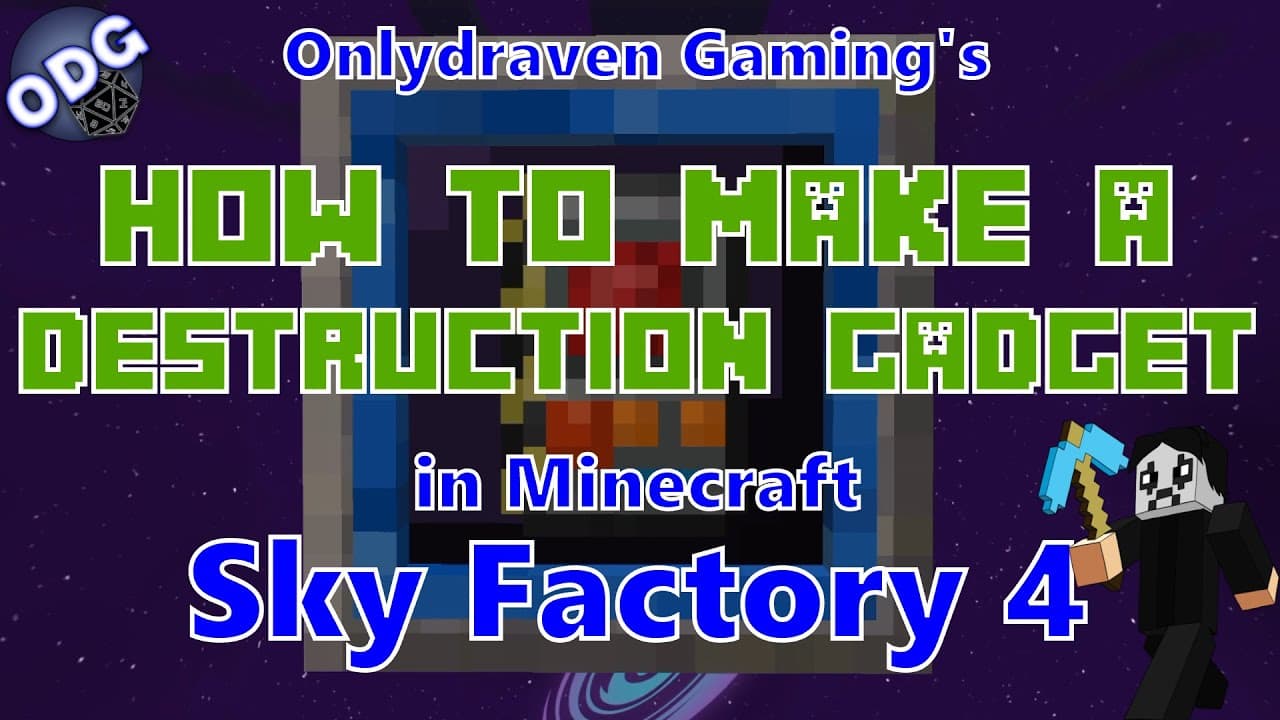
How to Use the Destruction Gadget in Minecraft Sky Factory 4
TL;DR
To use the Destruction Gadget in Minecraft Sky Factory 4, craft it with four iron ingots, two redstone, one lapis, and two ender pearls. This tool enables you to delete large areas of blocks efficiently, with customizable options for size and depth, but requires a power source to operate. Be cautious, as deleted blocks cannot be recovered.
Transcript
future hello everyone only draven here again and today we're doing another tutorial in minecraft sky factory 4. today i'm going to be showing you how to make and use the destruction gadget which is an item that comes from the building gadgets mod it is a great component for removing or destroying large areas worth of different blocks all at one tim... Read More
Key Insights
- 👻 The destruction gadget significantly enhances efficiency in building and remodeling in Minecraft Sky Factory 4 by allowing players to remove large areas of blocks at once.
- ✊ It requires a source of power, such as a solar setup or powered anvil, to operate, stressing the importance of energy management in gameplay.
- 😚 The gadget supports creative building strategies, especially in more complex maps like the "lost cities" or twilight forest where large clearances are essential.
- 👷 Customizing the dimensions and depth for deletions enables improved control over the area being affected, making it a versatile tool for various types of construction projects.
- 🚫 Players should be aware of the permanence of deletions; once blocks are removed, they cannot be recovered unless undone by the gadget's limited undo function.
- 😒 While powerful, the destruction gadget requires careful use, as it does not discriminate against all objects, and some items persist even after use, impacting player planning.
- 🥺 Engaging with the broader Minecraft community, through platforms and suggested tutorials, can enhance player experience, and insight sharing leads to improved gameplay techniques.
Install to Summarize YouTube Videos and Get Transcripts
Explore YouTube Video Summarizer or Get YouTube Transcript Extractor
Questions & Answers
Q: What materials do I need to craft the destruction gadget in Minecraft Sky Factory 4?
To craft the destruction gadget, you will need four iron ingots, two redstone pieces, one piece of lapis, and two ender pearls. Gather these materials, and you can easily create the gadget, which will be instrumental for removing large areas of blocks efficiently in your gameplay.
Q: How does the destruction gadget work, and what customization options does it offer?
The destruction gadget allows players to delete blocks in specified patterns and dimensions. You can customize its settings to specify areas such as left, right, up, down, depth, and height. By adjusting these values, up to 8 blocks in every direction, you can effectively target specific zones for removal, enabling efficient space clearing tailored to your needs.
Q: Can the destruction gadget clear liquids like water and lava?
Yes, the destruction gadget is capable of deleting liquid blocks as well, including water and lava. This feature is particularly useful when you want to clear an area quickly, especially in creative building scenarios or when removing obstacles that could impede construction.
Q: Are there any limitations to what the destruction gadget can delete?
While the destruction gadget is powerful, it does have some limitations. It will not retrieve blocks after they're deleted, and certain items like chests and spawners remain unaffected during the deletion process. Overall, while it can clear a vast number of blocks, it cannot retrieve materials or interactions with every object in the game.
Summary & Key Takeaways
-
The destruction gadget is a powerful tool in Minecraft Sky Factory 4 that allows players to efficiently clear out large blocks of space, helping to remodel or create new structures by deleting unwanted materials.
-
Players can craft the destruction gadget using four iron ingots, two redstone, a piece of lapis, and two ender pearls, and it requires a power source to function effectively.
-
The tool offers customizable settings for selecting the size and depth of the area to be deleted, making it suitable for tasks ranging from small deletions to major renovations.
Read in Other Languages (beta)
Share This Summary 📚
Summarize YouTube Videos and Get Video Transcripts with 1-Click
Try YouTube Summary with ChatGPT & Claude or YouTube Transcript Generator
Explore More Summaries from Onlydraven Gaming 📚



Summarize YouTube Videos and Get Video Transcripts with 1-Click
Try YouTube Summary with ChatGPT & Claude or YouTube Transcript Generator