What Are the Best Audio Interfaces Under $300?
TL;DR
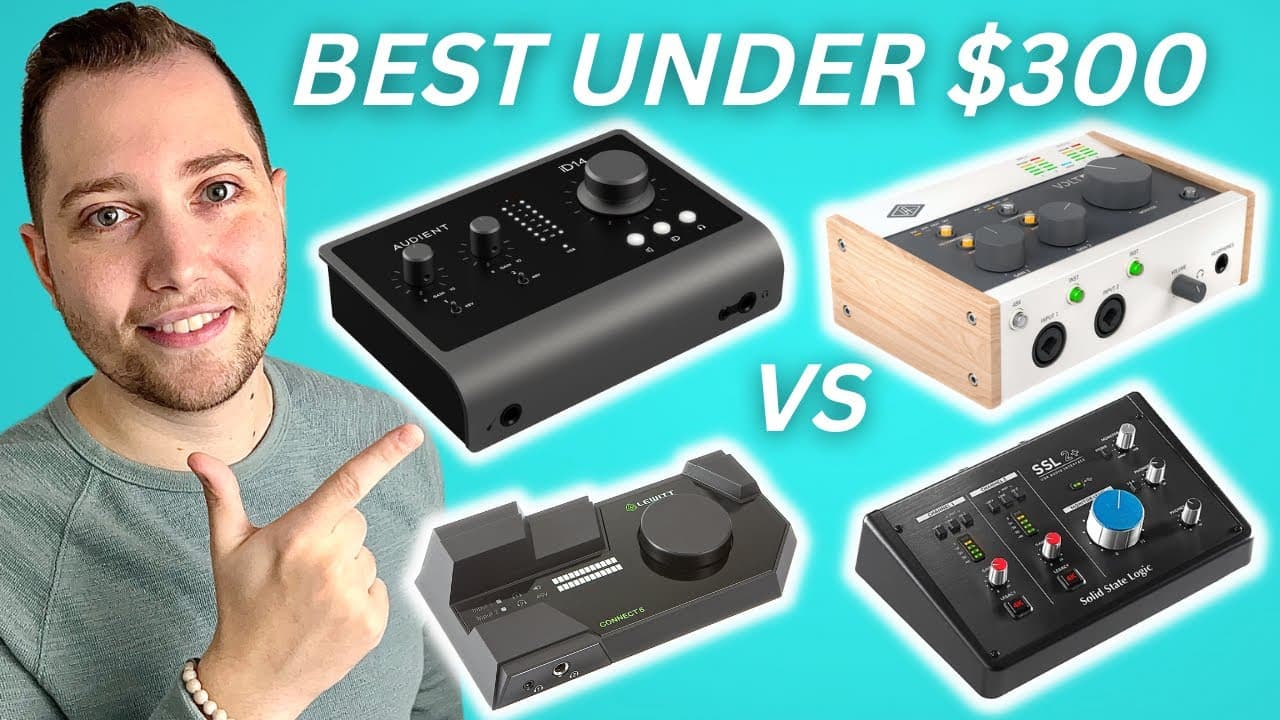
The top four audio interfaces under $300 include the Audient ID14 Mark II, Universal Audio Volt 276, Lewitt Connect 6, and SSL 2+. These interfaces provide high-quality recordings with features like clean preamps, vintage sound options, and intuitive software, making them ideal for home studio setups across various audio needs.
Transcript
in this video I'm going to be sharing with you my top four picks for best audio interfaces under 300 dollars Studio Academy my name is Nolan Freitas and my goal for today is to help you find the perfect budget interface for your home studio starting with the audience id14 Mark II this interface currently retails for 299 dollars at the time of shoot... Read More
Key Insights
- 👻 Budget audio interfaces can deliver professional quality recordings without breaking the bank, allowing home studio users to produce high-quality audio.
- ℹ️ Features like audio loopback are increasingly important for content creators, enhancing their ability to integrate multiple audio sources seamlessly.
- 🏛️ The clean preamps and built-in compressors on these interfaces provide significant improvements to recordings, especially for vocals and instruments.
- 👤 Some interfaces, like the Lewitt Connect 6, prioritize easy setup with intuitive software that minimizes technical hurdles for users.
- 👂 Each interface serves distinct user needs, from straightforward recording to advanced sound manipulation for professionals and beginners alike.
- 👤 Recommendations for specific interfaces depend largely on the user's primary usage scenario, whether it be for music production, podcasting, or live streaming.
- 👤 The inclusion of valuable software and plugins can considerably enhance the usability and versatility of an audio interface, providing added benefits to users.
Install to Summarize YouTube Videos and Get Transcripts
Explore YouTube Video Summarizer or Get YouTube Transcript Extractor
Questions & Answers
Q: What are the key features of the Audient ID14 Mark II?
The Audient ID14 Mark II features two channels with independent gain knobs, a 48-volt switch for condenser mics, an LED meter for volume monitoring, and a unique audio loopback function. It is praised for its clean preamps inspired by the ASP 8024 console, making it ideal for users focused on recording instruments and vocals.
Q: How does the Universal Audio Volt 276 enhance recordings?
The Volt 276 stands out due to its Vintage mode and built-in 1176 compressor, which add warmth and dynamic control. This interface allows users to toggle settings specifically for vocals or instruments, producing a more polished sound with less post-production hassle. It also comes bundled with valuable plugins, enhancing its value for musicians.
Q: What makes the Lewitt Connect 6 unique among these interfaces?
The Lewitt Connect 6 distinguishes itself with its DSP power, allowing users to adjust EQ, compression, and expanders directly through the interface. It includes versatile input options, such as a mobile connection and AUX input, catering to those primarily recording with microphones rather than instruments. The included software simplifies the setup process for users.
Q: Why would someone choose the SSL 2 Plus over the other options?
Users may choose the SSL 2 Plus for its 4K Legacy switch, which offers EQ boost and harmonic distortion, emulating the sound quality of professional SSL consoles. With its dual headphone outputs and MIDI connectivity, it is ideal for musicians looking for both sound fidelity and usability in various recording scenarios.
Q: Which interface is recommended for podcasters or live streamers?
For podcasters or live streamers, both the Audient ID14 Mark II and Lewitt Connect 6 are recommended due to their audio loopback features, allowing seamless integration of microphone and computer audio in recordings. These interfaces also offer user-friendly controls, making it easier for creators to manage sound inputs.
Q: What are the primary considerations when selecting an audio interface?
Primary considerations include sound quality, input options, built-in effects or processing capabilities, software compatibility, and ease of use. Users should also assess their specific recording needs, such as whether they will be using more microphones or instruments, to find the best fit for their home studio.
Summary & Key Takeaways
-
The video provides an overview of four budget audio interfaces priced under $300, highlighting their key features and selling points.
-
Each interface is suitable for various audio needs, from content creation and live streaming to music production and podcasting.
-
The presenter offers recommendations based on user preferences, such as recording quality, software usability, and sound coloration.
Read in Other Languages (beta)
Share This Summary 📚
Summarize YouTube Videos and Get Video Transcripts with 1-Click
Try YouTube Summary with ChatGPT & Claude or YouTube Transcript Generator
Explore More Summaries from Home Studio Academy 📚

Summarize YouTube Videos and Get Video Transcripts with 1-Click
Try YouTube Summary with ChatGPT & Claude or YouTube Transcript Generator