Pandas with Python 2.7 Part 5 - Column Operations (Math, moving averages)
TL;DR
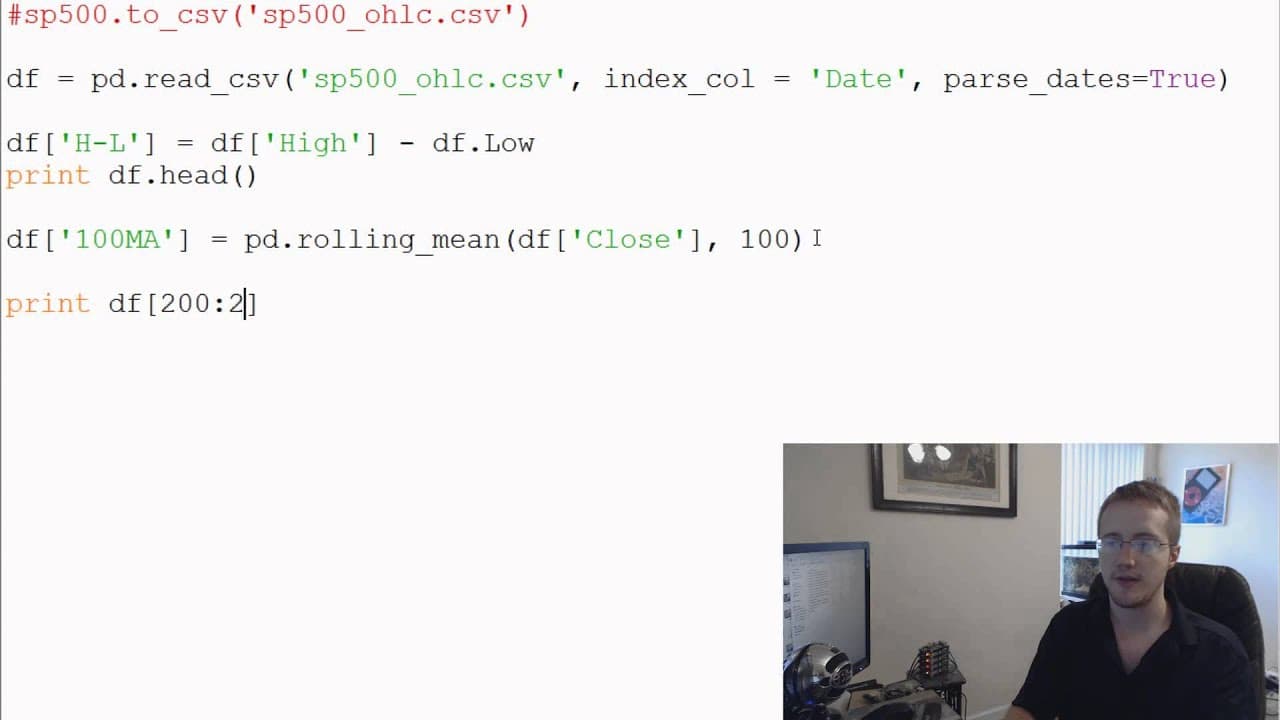
Pandas in Python 2.7 supports column operations through direct arithmetic, rolling means, and differences between consecutive values. The tutorial creates a high-minus-low column, calculates a 100-period moving average of the close column, and uses diff on close to compare each value with its predecessor. Read on for the syntax, expected NaN values, and an alternative when no suitable built-in operation is available.
Transcript
right what is going on everybody welcome to another Python and pandas tutorial video in this video we're gonna be talking about is just some quick basic column manipulation abilities with pandas so with that let's go ahead and get started make some space here and after we've created our data frame one of the most basic things that we can do is we c... Read More
Key Insights
- 🐼 Pandas offers a variety of basic column manipulation abilities, including simple math operations, moving averages, and calculating differences between columns.
- 🫥 These operations can be performed using the DataFrame syntax or by accessing columns directly using the dot notation.
- 🤣 The rolling mean function in pandas allows us to calculate moving averages, which can be useful for trend analysis.
- 🐼 The diff function in pandas helps calculate the differences between columns, providing insights into changes over time.
- 🐼 If a desired operation is not available in pandas, it is possible to map a function to the pandas data frame or series.
- 🐼 Exploring and utilizing the built-in abilities of pandas can greatly simplify data manipulation and analysis tasks.
- 😫 Pandas offers a comprehensive set of tools for working with tabular data in Python.
Install to Summarize YouTube Videos and Get Transcripts
Explore YouTube Video Summarizer or Get YouTube Transcript Extractor
Questions & Answers
Q: How can you perform math operations on columns in pandas?
Create a new DataFrame column by applying arithmetic to existing columns. For example, subtract the low column from the high column to produce a high-minus-low column.
Q: How can pandas columns be referenced for calculations?
A column can be referenced with dictionary-style syntax or dot notation. The tutorial demonstrates these approaches with the high and low columns.
Q: How do you calculate a moving average in pandas?
Use pandas' rolling mean operation on the desired column and specify the number of periods. The tutorial applies it to the close column with a window of 100 periods.
Q: Why are the first 100 moving-average values NaN?
A 100-period moving average needs 100 observations before it can produce a value. Therefore, the first 100 displayed values are NaN, meaning “not a number.”
Q: How can you inspect valid values from the 100-period moving average?
Do not rely on the DataFrame's first rows because they contain NaN values for this calculation. The tutorial prints rows 200 through 210 to inspect populated moving-average results.
Q: What does the pandas diff operation calculate?
The diff operation compares each value in a column with the preceding value. Applied to the close column, it creates a new difference column showing the change from the previous close.
Q: Why is the first value produced by diff NaN?
The first row has no previous value available for comparison. Its difference is therefore NaN, while later rows show changes such as the demonstrated minus 9.77.
Q: What can you do when pandas lacks a needed built-in column operation?
You can map a custom function to a pandas DataFrame or Series and perform the operation by column. The tutorial notes that this approach may not be as efficient as using pandas' built-in operations.
Summary & Key Takeaways
-
One of the most basic things we can do with pandas is perform simple math operations on each column, such as calculating the difference between the high and low values.
-
Another useful feature is the ability to calculate moving averages using the rolling mean function in pandas.
-
Pandas also allows us to calculate differences between columns, showing the change between the current value and the previous value.
Read in Other Languages (beta)
Share This Summary 📚
Summarize YouTube Videos and Get Video Transcripts with 1-Click
Try YouTube Summary with ChatGPT & Claude or YouTube Transcript Generator
Explore More Summaries from sentdex 📚






Summarize YouTube Videos and Get Video Transcripts with 1-Click
Try YouTube Summary with ChatGPT & Claude or YouTube Transcript Generator