How to Build No-Code AI Agents With n8n
TL;DR
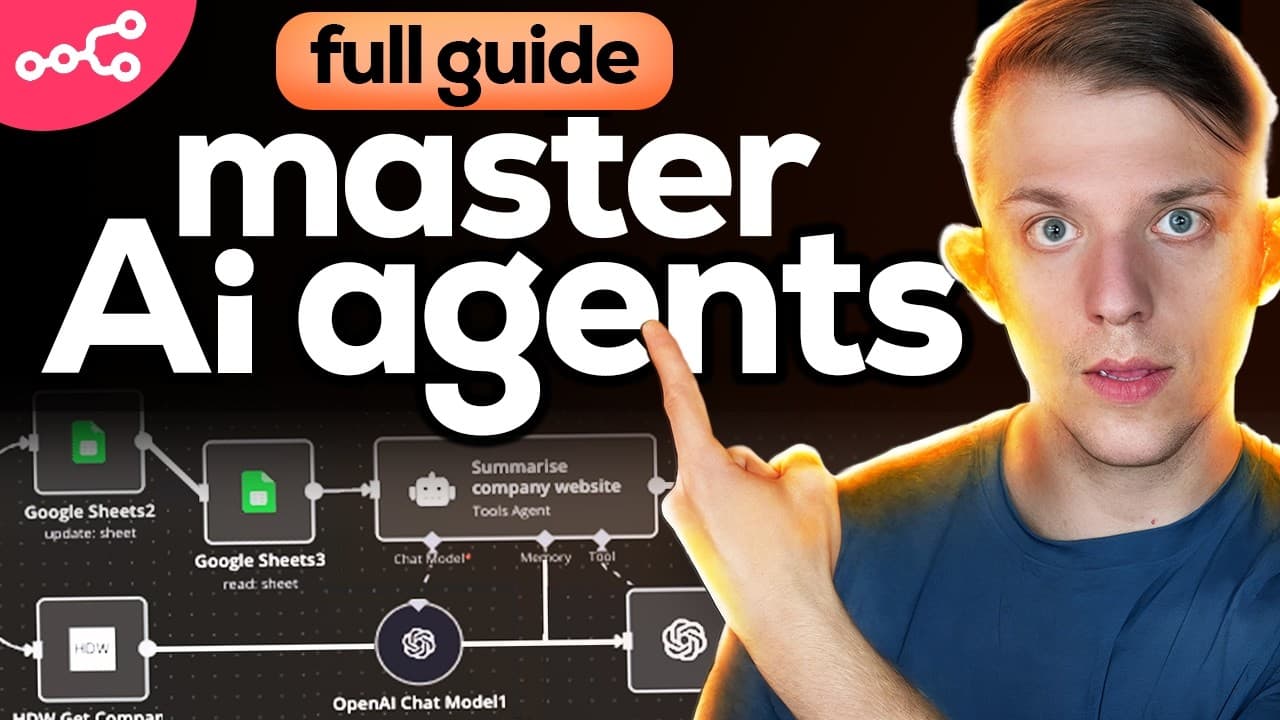
Build an n8n AI agent by choosing a trigger, connecting tools or actions, configuring credentials, and testing each step before publishing the workflow. Unlike a linear workflow that always follows the same sequence, an agentic workflow lets an AI model decide which available tools to use, while webhooks can connect the agent to a custom application interface.
Transcript
Thanks to NAN, the fastest growing AI tool, people like me with no coding experience can build AI agent workflows that can replace entire teams all without writing a single line of code. But more than that, you can also create custom interfaces for those agentic workflows and you can sell them to businesses or you can use them to grow yours. This v... Read More
Key Insights
- An n8n workflow is a visual sequence of connected nodes that begins with a trigger and continues through one or more actions. The canvas makes the automation structure visible, allowing people without coding experience to assemble workflows by configuring nodes and passing information between them.
- A trigger is the event that starts every n8n workflow. The demonstrated options include scheduled intervals, events from applications such as Notion or Telegram, and webhooks that accept requests from external interfaces and can return the workflow's response to those interfaces.
- A linear workflow is an automation that always executes its predefined actions in sequence. In the Dropbox example, a schedule starts the workflow every 15 minutes, the workflow retrieves files from a folder, adds captions, and returns the processed material to Dropbox.
- An AI agent workflow is different because the AI model chooses among its available tools according to the request. A Slack tool can remain unused when unnecessary, while another request may require Slack, a calendar, or several connected tools within the same workflow.
- A webhook is the connection between a custom application interface and an n8n workflow. It can receive a user's natural-language instruction, trigger the AI agent, and send the agent's outcome or failure information back to the application for display.
- Credentials are essential for external integrations to complete their actions. In the demonstration, the agent successfully sent a Slack message but could not schedule a calendar appointment because the selected calendar credentials produced a forbidden error, revealing that the account configuration needed correction.
- Troubleshooting is a central part of building dependable n8n agents. The workflow execution can expose which integration failed and return that information through the webhook, helping the builder locate credential, account, path, input, or node-configuration problems before relying on the automation.
- A custom agentic application is an interface placed in front of an n8n agent workflow. The described approach combines a vibe-coded interface with agents that use external tools, and it can extend to a master marketing agent that has access to additional specialized AI agents.
Install to Summarize YouTube Videos and Get Transcripts
Explore YouTube Video Summarizer or Get YouTube Transcript Extractor
Questions & Answers
Q: How do you build a no-code AI agent in n8n?
Start with a blank n8n canvas and select the trigger that will initiate the workflow, such as a schedule, an application event, or a webhook. Add an AI agent node, provide its prompt, and connect the external tools it may need. Configure every account credential and input carefully, test representative requests, inspect failures, and publish the automation only after each connected action works correctly.
Q: What is the difference between linear and agentic workflows?
A linear workflow follows a predefined sequence of actions every time its trigger fires. For example, it can always retrieve Dropbox files, process them, and return the results. An agentic workflow gives an AI model a collection of tools and lets it decide which tools are required for each request. This makes the workflow less rigid and able to respond differently to varied instructions.
Q: Why does every n8n workflow need a trigger?
A trigger defines when and why an n8n workflow begins executing. Without it, the connected actions have no initiating event. A schedule can start a workflow every 15 minutes, an application trigger can react to activity in services such as Notion or Telegram, and a webhook can start the workflow when a custom interface submits a user's request.
Q: How do webhooks connect an n8n agent to an app?
A webhook acts as the entry and response channel between an external interface and an n8n workflow. The interface sends a request to the webhook, which triggers the connected AI agent. The agent interprets the request and chooses relevant tools. After execution, the workflow sends the outcome back through the webhook, including useful failure information when an action cannot be completed.
Q: How should n8n integration errors be troubleshot?
Inspect the workflow execution to identify the exact node and message associated with the failure. The calendar demonstration returned a forbidden message and suggested checking credentials, while the Slack action succeeded. That contrast isolated the problem to the calendar connection. Verify the selected account, credentials, paths, prompts, and node inputs, then run the request again before publishing or depending on the workflow.
Q: How can Dropbox be automated with an n8n workflow?
Use a trigger, such as the demonstrated schedule that runs every 15 minutes, and connect it to a Dropbox action. The list-folder operation returns files and folders from a specified path. A top-level folder can use its folder name, while nested folders require additional path segments separated by slashes. The broader example retrieves raw files, processes them, and returns results to Dropbox.
Q: What tools can an n8n AI agent use?
An n8n AI agent can be connected to available actions from external applications and use them as tools. The examples include Slack messaging, calendar scheduling, Dropbox file operations, Notion context and content, APIs, and HTTP requests. Unlike fixed workflow actions, these agent tools are available when needed, and the AI model decides which ones to invoke for a particular instruction.
Q: How can an n8n workflow become a custom agentic app?
Place a custom vibe-coded interface in front of an n8n workflow and connect the two through a webhook. A user can enter a natural-language request in the interface, the webhook can activate an AI agent, and the agent can select connected tools to perform the work. The interface can then display the returned result or explain which requested action failed.
Summary & Key Takeaways
-
n8n represents automations as visual workflows composed of connected nodes. Every workflow begins with a trigger, such as a schedule, application event, or webhook. Subsequent nodes perform actions, including listing Dropbox files, processing content, sending Slack messages, updating Notion, or creating calendar events through configured integrations.
-
Linear and agentic workflows differ in how actions are selected. A linear workflow executes its connected actions in a predetermined sequence whenever its trigger fires. An AI agent instead receives access to multiple tools and decides which ones are necessary for a particular request, allowing one workflow to handle varied tasks.
-
Agentic applications add custom interfaces to n8n workflows through webhooks. A user can submit a natural-language request, the agent can choose connected tools, and the workflow can return its result to the interface. Reliable operation depends on accurate paths, credentials, prompts, integrations, detailed testing, and careful troubleshooting when individual tools fail.
Read in Other Languages (beta)
Share This Summary 📚
Summarize YouTube Videos and Get Video Transcripts with 1-Click
Try YouTube Summary with ChatGPT & Claude or YouTube Transcript Generator
Explore More Summaries from Riley Brown 📚

Summarize YouTube Videos and Get Video Transcripts with 1-Click
Try YouTube Summary with ChatGPT & Claude or YouTube Transcript Generator