What Is Loomly and How Does It Simplify Social Media Management?
TL;DR
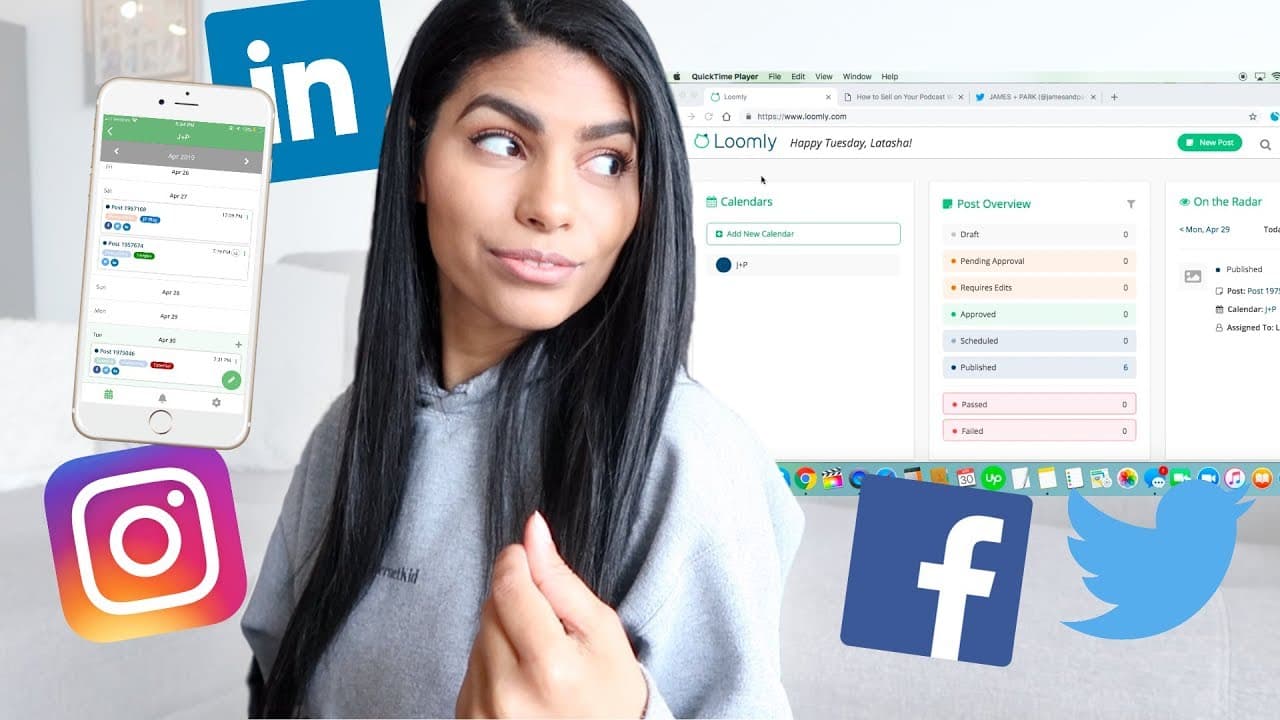
Loomly is a social media management tool that simplifies scheduling and organizing content for multiple accounts at an affordable price of $20 per month. It features a content calendar, a 'pending approval' option for collaborations, and generates post ideas based on trends and holidays, although it doesn't support direct Instagram posting. Basic analytics and PDF reporting are also available for tracking engagement.
Transcript
hey everyone what's up and welcome back to my channel or welcome to my channel at food now my name is Latasha and I'm a freelance social media manager I post videos all about that stuff every single week and today's video is going to be kind of a review / food demo of my current favorite social media scheduling tool so in my online courses and on t... Read More
Key Insights
- Loomly offers an affordable plan at $20 a month, allowing users to connect up to 10 social profiles, making it cost-effective for freelancers and small businesses.
- The tool provides a content calendar feature that enables users to create separate calendars for different accounts, facilitating better organization and management.
- A notable feature is the 'pending approval' option, allowing team members to submit posts for approval, enhancing collaborative workflows.
- Loomly offers post ideas based on holidays and trending topics, which is beneficial for users who need inspiration for content creation.
- While Loomly does not support direct posting to Instagram, it provides post reminders, which can be a limitation for some users.
- The tool allows for customization of posts for each platform, including tagging, hashtagging, and editing link metadata, offering flexibility in content presentation.
- Loomly's analytics feature, though not highly detailed, provides essential metrics like engagement rate and geographic data, useful for client reporting.
- The platform supports exporting analytics to PDF, allowing users to easily share reports with clients or stakeholders.
Install to Summarize YouTube Videos and Get Transcripts
Explore YouTube Video Summarizer or Get YouTube Transcript Extractor
Questions & Answers
Q: What is the pricing structure for Loomly?
Loomly offers an affordable pricing plan at $20 per month, which allows users to connect up to 10 social media profiles. This cost-effective pricing makes it an attractive option for freelancers and small businesses looking for a budget-friendly social media scheduling tool.
Q: How does Loomly facilitate team collaboration?
Loomly enhances team collaboration through its 'pending approval' feature, which allows team members to submit posts for approval. This is particularly useful for teams with multiple members, such as interns or junior social media managers, ensuring that content is reviewed and approved before scheduling.
Q: What are some unique features of Loomly?
Unique features of Loomly include separate content calendars for different accounts, post ideas based on holidays and trends, and customization options for each platform. Users can also edit link metadata and tag pages, providing flexibility in how content is presented across different social media channels.
Q: Does Loomly support direct posting to Instagram?
Currently, Loomly does not support direct posting to Instagram. Instead, it provides post reminders, which notify users when it's time to manually post content. While this might be a limitation for some users, others may find the reminder feature sufficient for their needs.
Q: How does Loomly's analytics feature benefit users?
Loomly's analytics feature, although not highly detailed, provides essential metrics such as engagement rate and geographic data. These insights are valuable for client reporting, and the ability to export reports to PDF makes it easy to share data with clients or stakeholders.
Q: Can users customize posts for different platforms on Loomly?
Yes, Loomly allows users to customize posts for different platforms. This includes tagging pages, adding hashtags, and editing link metadata. Such customization ensures that content is tailored to the specific requirements and audience of each social media platform.
Q: What kind of post ideas does Loomly offer?
Loomly provides users with post ideas based on holidays and trending topics. This feature is particularly beneficial for users who may need inspiration or guidance on what content to create, helping them stay relevant and engage their audience effectively.
Q: What is the benefit of Loomly's content calendar feature?
Loomly's content calendar feature allows users to create separate calendars for different accounts, which helps in organizing and managing multiple social media profiles effectively. This is especially useful for freelancers or agencies handling various clients, as it facilitates a clear and structured approach to content scheduling.
Summary & Key Takeaways
-
Loomly is a social media scheduling tool that offers an affordable plan, allowing users to connect multiple social profiles. It provides a content calendar feature, enabling better organization and management of different accounts.
-
Key features include the 'pending approval' option for collaborative workflows and post ideas based on holidays and trends. While it lacks direct Instagram posting, it offers post reminders and customization for each platform.
-
Loomly's analytics, though basic, provide essential metrics for client reporting. Users can export reports to PDF, making it easy to share insights with clients or stakeholders.
Read in Other Languages (beta)
Share This Summary 📚
Summarize YouTube Videos and Get Video Transcripts with 1-Click
Try YouTube Summary with ChatGPT & Claude or YouTube Transcript Generator
Explore More Summaries from Latasha James 📚




Summarize YouTube Videos and Get Video Transcripts with 1-Click
Try YouTube Summary with ChatGPT & Claude or YouTube Transcript Generator