How to Pull and Plot Data from the CDC API in Python
TL;DR
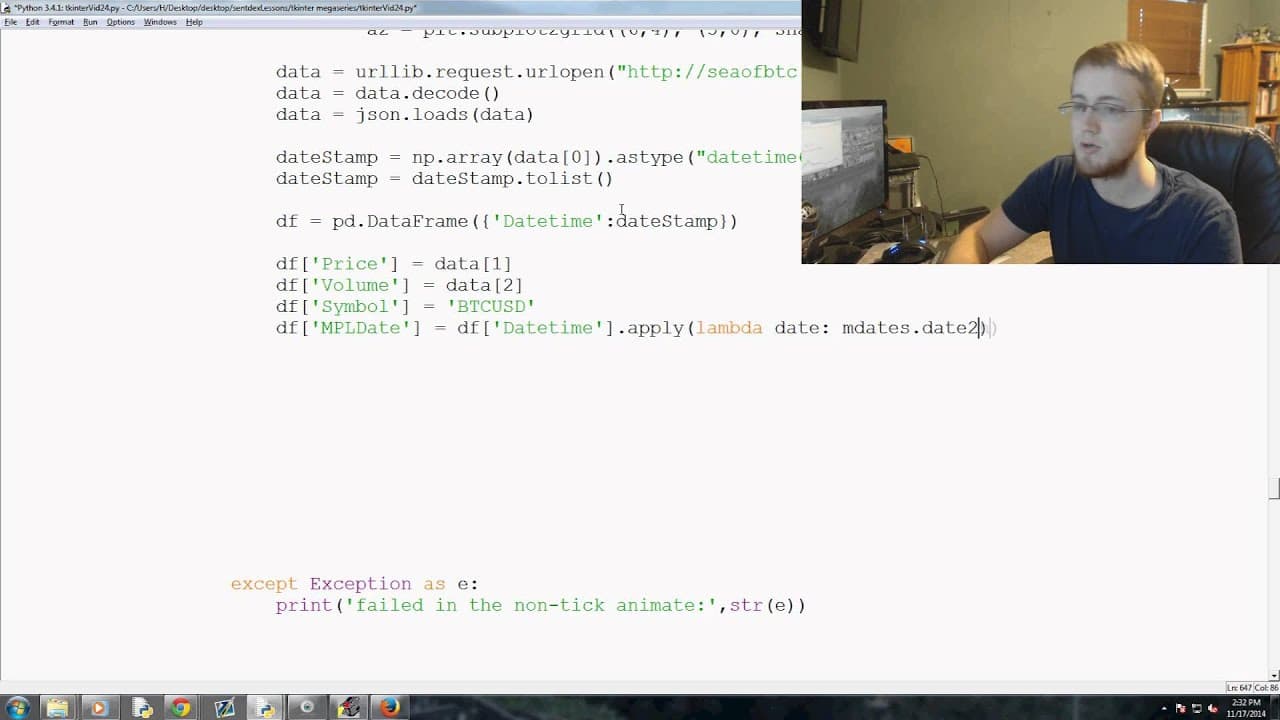
To pull and plot data from the CDC API using Python, use the URLlib and JSON libraries to fetch and decode data. Then, employ Pandas to create a DataFrame for organizing the data, which you can subsequently visualize on subplots after manipulation.
Transcript
everybody was going on welcome to yet another tkinter mega series tutorial video in this video we're gonna be talking about how we're gonna acquire the data as well as eventually start plotting up the data on these subplots that we've set up so with that let's go ahead and get started so we've got the subplots setup and then basically you're gonna ... Read More
Key Insights
- 📽️ Acquiring data from an external API is crucial for data visualization projects.
- 📚 Using libraries like URLlib and JSON simplifies the process of pulling and decoding data.
- 🐼 Pandas provides powerful tools for organizing, manipulating, and analyzing data.
Install to Summarize YouTube Videos and Get Transcripts
Explore YouTube Video Summarizer or Get YouTube Transcript Extractor
Questions & Answers
Q: How is the data acquired for plotting in Tkinter?
The data is acquired using the CDC API and the URLlib library is used to pull the data from a specific URL. The data is then decoded using the JSON library.
Q: What is the purpose of normalizing the data?
Normalizing the data makes it easier to manipulate and analyze. It ensures that the data is consistent and in a standard format for further processing.
Q: How is the data organized and manipulated using Pandas?
The data is organized in a DataFrame using the Pandas library, with columns representing date stamp, price, and volume. The DataFrame is then manipulated to set the index, convert data types, and create new columns as needed.
Q: What is the purpose of resampling the data using Pandas?
Resampling allows the data to be grouped into specified time intervals, such as 5-minute bars. This is useful for generating open, high, low, and close information for candlestick charts.
Summary & Key Takeaways
-
The video discusses the process of acquiring data using the CDC API and normalizing it for easier manipulation.
-
It explains how to use the URLlib and JSON libraries to pull and decode data from a specific URL.
-
The tutorial then introduces the use of Pandas to create a DataFrame and manipulate the data, setting it up for plotting on subplots.
Read in Other Languages (beta)
Share This Summary 📚
Summarize YouTube Videos and Get Video Transcripts with 1-Click
Try YouTube Summary with ChatGPT & Claude or YouTube Transcript Generator
Explore More Summaries from sentdex 📚






Summarize YouTube Videos and Get Video Transcripts with 1-Click
Try YouTube Summary with ChatGPT & Claude or YouTube Transcript Generator