What Are Key Pandas Terms Like Series and Data Frame?
TL;DR
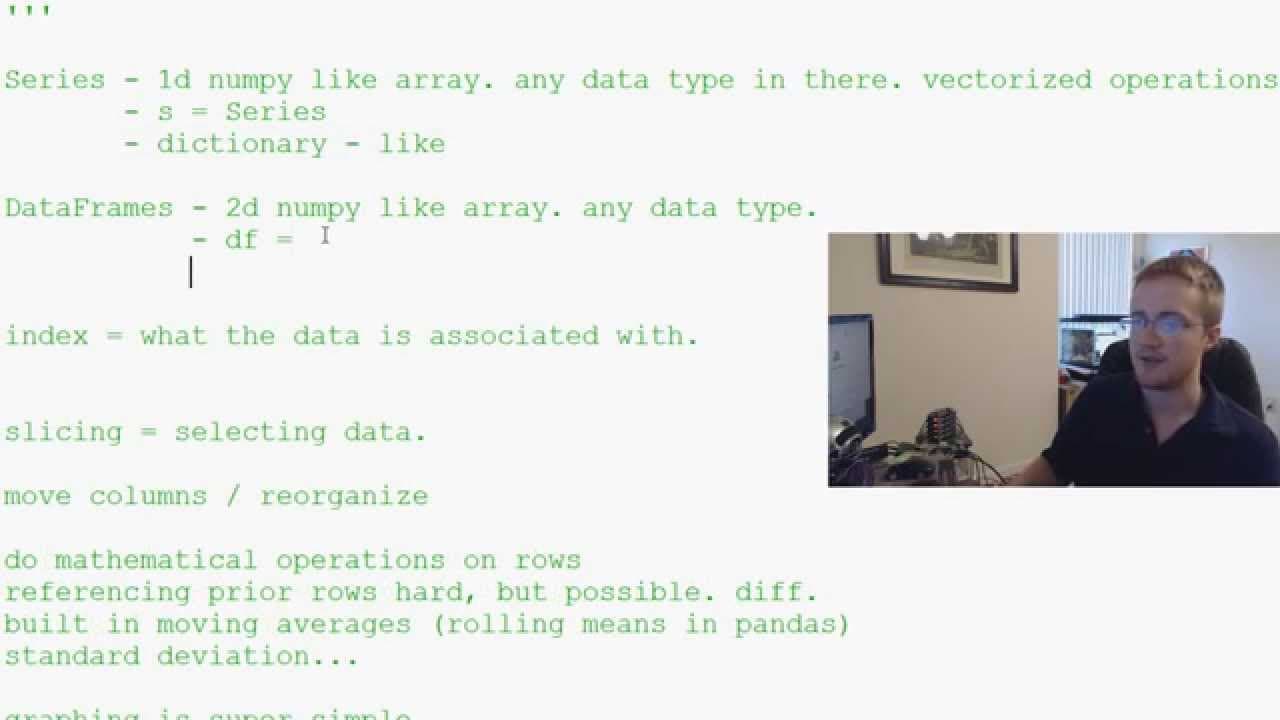
Key terms in Pandas include 'series' and 'data frame.' A series is a one-dimensional array that can hold any data type, while a data frame is a two-dimensional array that allows for column labeling and indexing. Understanding these concepts is essential for effectively manipulating and analyzing data in Pandas.
Transcript
hello everybody and welcome to the second Python and pandas tutorial video in our video series what we're talking about in this video is some of the basics of pandas as far as terminology is concerned and basically what these words actually mean what pandas is what an object in pandas is and all this so despite the fact that some people might be fr... Read More
Key Insights
- 🖼️ Understanding the basic terminology and concepts in Pandas, such as series, data frames, and indexing, is essential for utilizing the library effectively.
- 🥹 Series and data frames in Pandas can hold any data type and can be treated like numpy arrays, allowing for easy manipulation and analysis of data.
- ⌛ Indexing in Pandas helps in organizing and accessing data based on specific criteria, such as time or columns.
- 📈 Pandas provides convenient graphing capabilities using the matplotlib module, enabling users to easily visualize data frames with different types of graphs.
- 👻 The structure of Pandas, which is both array-like and dictionary-like, allows for quick and efficient operations on data frames and series.
- 🐼 Pandas offers additional features such as vectorized operations, ordering and reorganizing columns, and built-in mathematical functions like moving averages and standard deviation.
- 👨💻 The video emphasizes the importance of understanding the basics before diving into coding with Pandas.
Install to Summarize YouTube Videos and Get Transcripts
Explore YouTube Video Summarizer or Get YouTube Transcript Extractor
Questions & Answers
Q: What is a series in Pandas?
A series in Pandas is a one-dimensional array that can hold any data type and can be treated similar to a numpy array. It allows for vectorized operations and can be labeled.
Q: How are data frames different from series?
Data frames in Pandas are two-dimensional numpy-like arrays. They can hold any data type, allow for labeling of columns, and have an index associated with the rows, allowing for various operations such as slicing, reordering, and mathematical calculations.
Q: What is indexing in Pandas?
Indexing in Pandas is used to associate data and can be specified by the user. It helps in organizing and accessing the data based on certain criteria, such as time or specific columns.
Q: How does Pandas support graphing and visualization?
Pandas uses the matplotlib module for graphing and visualization. It can easily plot data frames, allowing users to create various types of graphs, such as histograms, bar charts, and line graphs, with minimal effort.
Summary & Key Takeaways
-
The video introduces the concept of a series in Pandas, which is a one-dimensional array that can hold any data type and can be treated like a numpy array.
-
The video then discusses data frames, which are two-dimensional numpy-like arrays in Pandas that also allow for labeling of columns and indexing of rows.
-
It explains that indexing in Pandas is used to associate data and can be specified by the user, and it also covers basic operations like slicing, reordering columns, performing mathematical operations, and graphing data.
Read in Other Languages (beta)
Share This Summary 📚
Summarize YouTube Videos and Get Video Transcripts with 1-Click
Try YouTube Summary with ChatGPT & Claude or YouTube Transcript Generator
Explore More Summaries from sentdex 📚






Summarize YouTube Videos and Get Video Transcripts with 1-Click
Try YouTube Summary with ChatGPT & Claude or YouTube Transcript Generator