How to Build an AI Research Dashboard in Codex
TL;DR
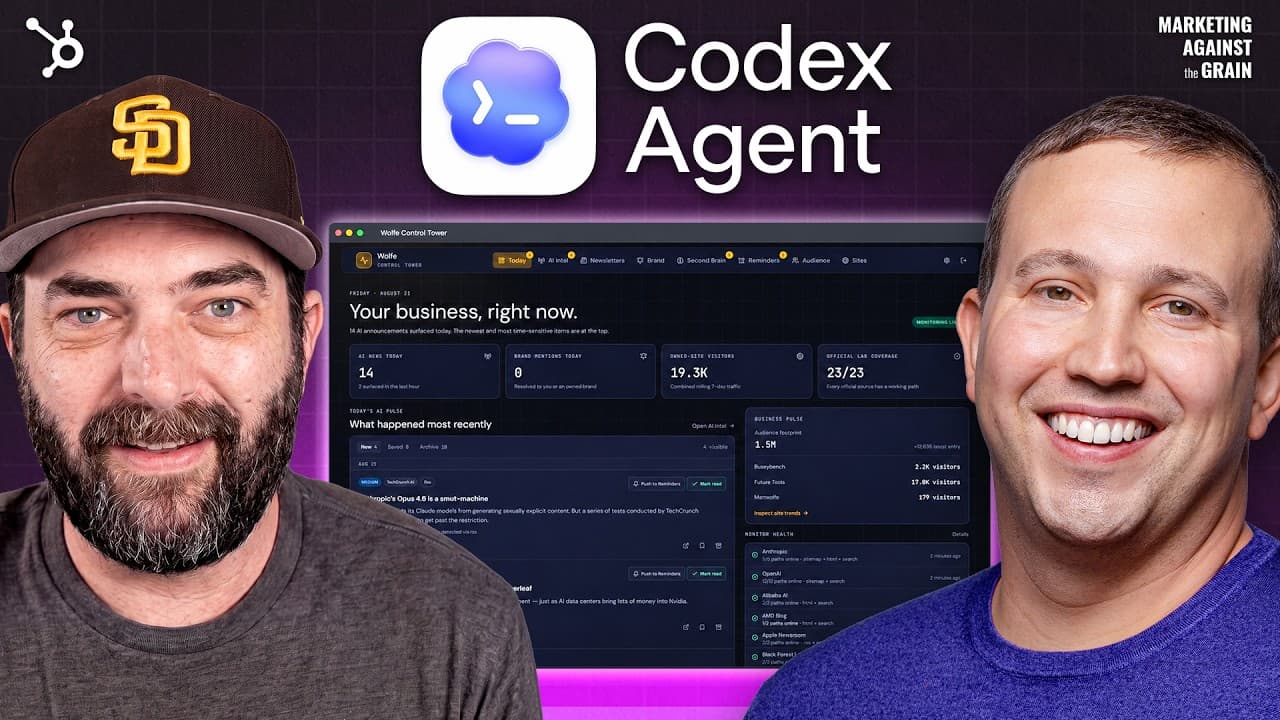
Build a personal research dashboard by using scheduled Codex automations to collect industry news from RSS feeds, detect new pages through sitemap comparisons, process dedicated newsletter emails, filter irrelevant items, and remove duplicates. The resulting system organizes unread stories, reminders, sources, and archives in one place, reducing the time spent searching across websites, inboxes, and social media.
Transcript
Matt Wolf is one of the most successful YouTubers out there. He's got over a million subscribers, and today he takes us behind the scenes. He's showing us a system that he built in Codeex for getting news, information, and insights. On this episode, you are going to get Matt's full system that helps him be an expert in all things AI. And better yet... Read More
Key Insights
- RSS feeds are the dashboard's first source for discovering updates because they provide a direct way to collect newly published material from participating websites. Although fewer sites use RSS than during the blogging era, available feeds still offer a simple foundation for automated monitoring.
- Sitemap comparison is the fallback when a website lacks an RSS feed. The system saves an initial sitemap snapshot, checks the sitemap again during later runs, and treats newly added pages as possible news that should be opened, evaluated, and added to the dashboard.
- AI filtering is used to keep general technology publications focused on the desired subject. The connected AI API reads collected items and excludes stories that are not about AI, preventing unrelated coverage from filling the research inbox and increasing the amount of manual review required.
- Scheduled automation is what keeps the intelligence dashboard current without repeated manual searches. The demonstrated news checks run on a five-minute cadence through a scheduling feature available in Codex and Claude Code, while newsletter processing runs on a separate cadence of about once per hour.
- A stored archive prevents the same discovery from repeatedly appearing as new. The dashboard maintains a database of previously collected stories, provides access to historical findings, and supports inbox-style actions such as marking items as read or moving important information into a reminders section.
- A dedicated Gmail account creates a clean input channel for newsletter research. Because the account is used only for AI newsletter subscriptions, the automation can read its contents on a schedule, extract relevant news and tools, and avoid mixing research material with ordinary personal correspondence.
- Newsletter deduplication consolidates repeated reporting without hiding its provenance. When multiple newsletters discuss the same story, the dashboard displays that story once while listing all newsletters that carried it, making broad interest visible without forcing the user to read several versions of the same update.
- Original newsletter redirects preserve engagement signals when users open collected links. Instead of replacing an email's tracked URL with the final destination, the system retains the newsletter link, allowing the email provider to register activity and reducing the chance that an inactive subscriber is removed from the list.
- More videos from this channel:
- More from this channel: Marketing Against the Grain
Install to Summarize YouTube Videos and Get Transcripts
Explore YouTube Video Summarizer or Get YouTube Transcript Extractor
Questions & Answers
Q: How do you build an AI research dashboard in Codex?
Create a dashboard that collects updates from selected company sites, technology publications, and a dedicated newsletter inbox. Configure scheduled Codex processes to check RSS feeds, compare sitemap snapshots, filter stories for relevance, remove duplicate items, and save results in an archive. Add inbox-style controls for marking stories as read and a reminders area for information worth revisiting.
Q: How can an AI system find website updates without RSS?
The system can inspect a website's sitemap.xml file, which acts as a table of contents for pages on the site. It saves a snapshot during the initial check and compares that snapshot with later versions. Any newly listed page becomes a candidate update that the system can inspect and potentially surface as news in the dashboard.
Q: How does the dashboard avoid showing duplicate news?
The dashboard keeps a database and archive of material it has already discovered, allowing later checks to identify stories that were previously collected. For newsletters, it also combines repeated coverage of the same story into one entry. The consolidated entry still lists the newsletters that mentioned it, preserving source information while reducing repetitive reading.
Q: How often does the Codex research automation run?
The demonstrated website and news monitoring process runs on a five-minute cadence using a scheduled feature available in Codex and Claude Code. The newsletter workflow follows a different schedule and checks the dedicated inbox about once per hour. These recurring checks let the dashboard find new material without requiring the user to search every source manually.
Q: Why use a separate Gmail account for AI newsletters?
A separate Gmail account creates an inbox dedicated entirely to AI newsletter subscriptions. The automation can process that account without mixing newsletters with personal or work messages, then extract news and newly mentioned tools on a schedule. If unrelated spam later appears, it can also indicate that a newsletter provider shared the address beyond its original purpose.
Q: How does the newsletter system preserve subscriber engagement?
When a user opens an article from the dashboard, the system keeps the link embedded in the original newsletter instead of substituting the raw destination URL. That redirect sends an activity signal through the newsletter's email provider. The approach helps the subscription appear active, even though the user consumes the curated information through the dashboard rather than the email inbox.
Q: Why does Matt Wolfe still open the original articles?
Matt Wolfe opens original articles because his newsletter and YouTube work depends on details and nuances that an automated summary might omit. He expects many people will be satisfied with short summaries, but his own research process requires closer reading. The dashboard therefore supports discovery and prioritization while still providing direct access to each publisher's complete article.
Q: Who can use an automated AI intelligence dashboard?
Product marketers can use the dashboard for competitive intelligence, while content marketers can use it to identify recent developments worth covering. The described system also supports newsletter research, brand alerts, industry news monitoring, and personal knowledge management. Its archive, reminders, source tracking, relevance filtering, and read status controls make collected information easier to review and reuse.
Summary & Key Takeaways
-
Matt Wolfe's dashboard monitors technology companies and publications for AI news. It checks RSS feeds first, then compares saved sitemap snapshots to discover newly added pages when feeds are unavailable. An AI API filters unrelated stories, while scheduled Codex or Claude Code processes rerun the checks regularly and keep the dashboard current.
-
The newsletter workflow uses a dedicated Gmail account subscribed only to AI newsletters. Scheduled processing extracts news and tools, combines duplicate coverage, and records every newsletter that mentioned each item. Article links preserve the newsletters' original redirects, allowing clicks to continue signaling engagement to their email providers and linked sponsors.
-
The dashboard behaves like a specialized inbox for research. Users can mark stories as read, open original articles for nuance, save selected items as reminders, and consult an archive of previously discovered news. The broader discussion presents this structure as useful for competitive intelligence, content planning, brand monitoring, and personal knowledge management.
Read in Other Languages (beta)
Share This Summary 📚
Summarize YouTube Videos and Get Video Transcripts with 1-Click
Try YouTube Summary with ChatGPT & Claude or YouTube Transcript Generator
Explore More Summaries from Marketing Against the Grain 📚




Summarize YouTube Videos and Get Video Transcripts with 1-Click
Try YouTube Summary with ChatGPT & Claude or YouTube Transcript Generator