How to Create AI Videos Using Multiple Tools
TL;DR
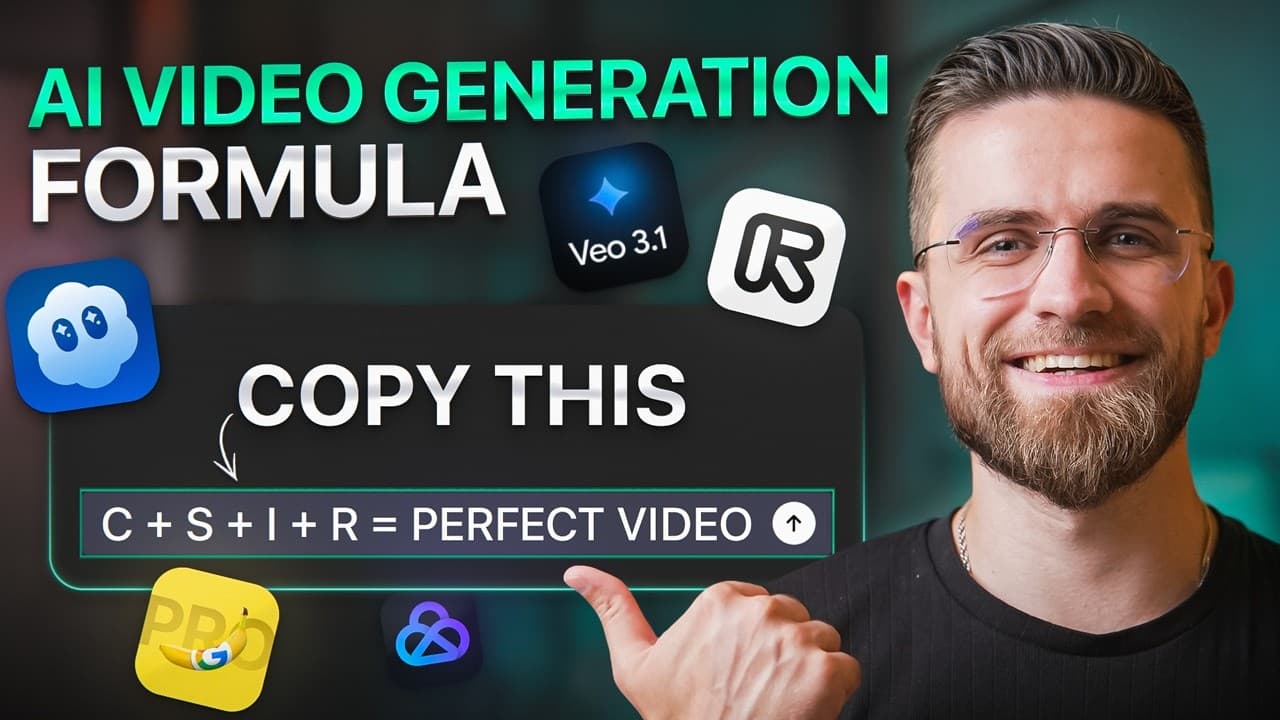
Creating AI videos involves navigating various platforms like Sora 2 Pro, VO 3.1, and Runway Gen 4.5. The key is organizing the workflow to manage multiple tools efficiently. Platforms like AKOOL can streamline this process by consolidating generation, editing, and exporting into one workspace, reducing chaos and improving productivity.
Transcript
Runway Gen 4.5, Sora 2 Pro, VO3.1. Your feed is fluted with insane AI video demos that look like Netflix quality productions. Everyone's hyped. Everyone's watching. But here's the truth. Most people still haven't made one complete AI video from scratch. Not one. And it's not because the tools are bad. It's because nobody's showing you the full pict... Read More
Key Insights
- AI video tools like Sora 2 Pro, VO 3.1, and Runway Gen 4.5 offer unique strengths in storytelling, motion detail, and commercial aesthetics.
- Managing multiple AI video tools can be chaotic, requiring a well-organized workflow to avoid confusion.
- Text-to-video tools allow users to generate entire clips from prompts, offering cinematic and detailed outputs.
- Image-to-video tools start with static images and animate them, providing control over composition and style.
- Upscaling and enhancement tools improve video quality, stabilizing motion and fixing color grading.
- Compositing and editing require integrating AI clips, adding overlays, sound, and exporting in various formats.
- AKOOL platform integrates major AI video tools, simplifying the process by providing a unified workspace.
- AKOOL's features include project organization, real-time editing, and collaborative feedback, enhancing workflow efficiency.
Install to Summarize YouTube Videos and Get Transcripts
Explore YouTube Video Summarizer or Get YouTube Transcript Extractor
Questions & Answers
Q: How to organize AI video projects effectively?
Organizing AI video projects involves using platforms like AKOOL that integrate various tools into one workspace. This prevents file scattering and simplifies the workflow by allowing generation, editing, and exporting in one place. It also supports project tagging and version history for efficient management.
Q: What are the main challenges in AI video production?
The main challenges in AI video production include managing multiple tools and platforms, which can lead to workflow chaos. Ensuring compatibility and organization across different applications is crucial. Platforms like AKOOL address these challenges by offering a unified workspace for all production stages.
Q: Why is AKOOL beneficial for AI video creators?
AKOOL is beneficial for AI video creators as it consolidates generation, editing, and exporting into one platform. This reduces the need for multiple applications, minimizes file chaos, and supports real-time collaboration and feedback, streamlining the entire video production process.
Q: How does text-to-video AI work?
Text-to-video AI works by allowing users to input a text prompt, which the AI then uses to generate a complete video clip. This process involves understanding the narrative and visual elements described in the text to create cinematic and detailed outputs, as seen with tools like Sora 2 Pro.
Q: What is the advantage of image-to-video tools?
Image-to-video tools offer the advantage of starting with a static image, allowing creators to control composition, style, and framing before animating the image. This provides a higher degree of precision and customization in the final video output, as demonstrated by Nano Banana Pro.
Q: How can AI tools enhance video quality?
AI tools enhance video quality by providing upscaling and stabilization features. These tools can improve resolution, fix shaky motion, and adjust color grading, resulting in a more polished and professional-looking video. Tools like Topaz Video AI are commonly used for such enhancements.
Q: What is the role of compositing in AI video production?
Compositing in AI video production involves combining multiple AI-generated clips, adding text overlays, sound design, and color correction to create a cohesive final product. It requires careful integration of various elements to ensure a seamless and professional video output.
Q: How does AKOOL facilitate collaboration in video projects?
AKOOL facilitates collaboration by allowing users to share projects with clients or team members through a link. It supports real-time feedback and comments directly on the timeline, enabling efficient communication and revisions without the need for exporting and re-importing files.
Summary & Key Takeaways
-
Creating AI videos involves using tools like Sora 2 Pro and VO 3.1 for cinematic and detailed video generation. Effective workflows manage multiple platforms, preventing chaos. AKOOL offers a unified workspace for generation, editing, and exporting, streamlining the process.
-
AI video production requires planning and organizing across tools like Runway Gen 4.5 and Nano Banana Pro. AKOOL consolidates these processes, allowing creators to focus on content rather than managing scattered files.
-
The AKOOL platform solves the challenge of multi-tool video production by integrating generation, editing, and exporting. It offers a seamless workflow, reducing the need for multiple applications and improving collaboration through real-time feedback.
Read in Other Languages (beta)
Share This Summary 📚
Summarize YouTube Videos and Get Video Transcripts with 1-Click
Try YouTube Summary with ChatGPT & Claude or YouTube Transcript Generator
Explore More Summaries from AI Master 📚



Summarize YouTube Videos and Get Video Transcripts with 1-Click
Try YouTube Summary with ChatGPT & Claude or YouTube Transcript Generator