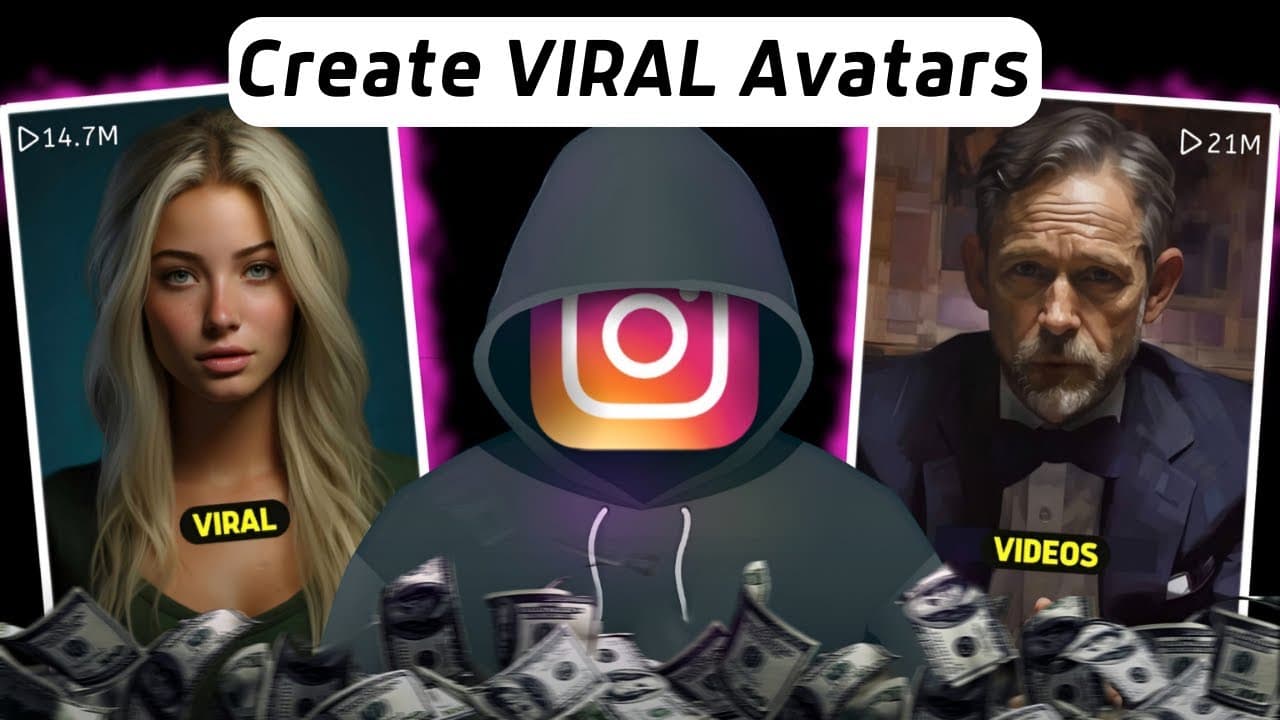
How to create a viral animated avatar for YouTube
TL;DR
The video explains three main methods to build an animated avatar for content creation and how to use them to increase views. It covers Mid Journey prompts, Studio for animation, 11 Labs voice cloning, Hey Jen options, and the basics of Procreate and After Effects for custom characters, plus cost and practicality tips.
Transcript
I've made hundreds of thousands of dollars on social media by following the best Trends and capitalizing on what works lately I've noticed that some of the most viral content on the Internet is using AI generated mascots like these and since I decided that my new YouTube channel would use an animated Avatar and got fully monetized in less than 45 d... Read More
Key Insights
- Animated avatars can boost engagement by letting creators share information without appearing on camera.
- Mid Journey and other AI tools can generate character prompts that influence the final look and vibe of the avatar.
- Studio enables multiple animations per avatar and can integrate a custom voice to improve alignment with the character.
- 11 Labs provides a voice cloning option that can match the avatar to a chosen persona while allowing edits to pitch and tempo.
- Hey Jen offers quick, scalable avatar options with various styles and pre made voices for faster production.
- The creator demonstrates a hands on approach from sketching in Procreate to coloring and then integrating with After Effects for motion.
- Custom workflows may require weeks of work but can yield high return if the audience responds well to the character.
- Subscribers can scale content output by outsourcing design and editing, though at a cost and time commitment.
Install to Summarize YouTube Videos and Get Transcripts
Explore YouTube Video Summarizer or Get YouTube Transcript Extractor
Questions & Answers
Q: What is the first step to create a viral animated avatar according to the video
The first step is to use an AI tool like Mid Journey to prompt and generate a base avatar image. You should think about the character design, what they wear, the lighting, and be specific in the prompt to improve the result. This base image will be the core of the avatar used in later steps.
Q: How does the video suggest handling voice for the animated avatar
The video recommends using 11 Labs for a high quality AI voice that can match the avatar. You can clone a preferred voice or use a pre made option, then adjust pitch and stability to fit the character’s vibe. This voice is uploaded to the animation platform after generating a sample.
Q: What role does Studio play in the avatar creation process
Studio is used to generate video from the avatar. You upload the avatar image, provide a script, and Studio can create multiple animations up to twenty for free. It also supports customizing the on screen dialogue to align with the avatar’s voice and personality.
Q: What is Hey Jen used for in the workflow described
Hey Jen is used as an alternative for quick avatar creation. It can handle video size selection, script input, and avatar selection with many options. It enables generating talking outputs with pre made voices, offering a faster route to a shareable animated video.
Q: What hardware does the creator mention for building a custom avatar
The creator mentions using an iPad and an i Pencil to draw and design a personalized avatar in Procreate, then separating elements in Photoshop and importing into After Effects for animation. This workflow emphasizes a hands on, studio style approach to a unique character.
Q: Why does the video advocate for faceless channels
The video argues that faceless channels can still achieve viral status and monetization while avoiding showing one's face. It points out that audiences can connect with the character rather than the person and that quality information can be delivered through an animated avatar.
Q: What are the pros and cons of using tools like Mid Journey and Studio
Mid Journey offers powerful prompts to craft the character appearance, but it requires subscription and can require iteration for the right look. Studio provides robust animation capabilities, including voice and script integration, but it may require learning curves and time to generate polished videos.
Q: What does the creator say about time and cost when producing a custom avatar
The creator acknowledges that building a fully custom avatar can take weeks and is not cheap. They offer outsourcing options through their team, while warning that custom work involves time and expense, but can deliver higher quality and better viewer engagement if the audience responds well.
Summary & Key Takeaways
-
The video outlines three primary techniques for creating an animated avatar and explains how each method can enhance content without showing the creator’s face, focusing on accessibility and potential reach.
-
It emphasizes starting with AI image prompts in Mid Journey, then moving to Studio for animation and voice work with 11 Labs, and finally exploring Hey Jen for easier avatars.
-
The creator shares a personal workflow involving Procreate and After Effects for a fully custom avatar, including how to separate objects, animate timing, and consider production time and cost.
Read in Other Languages (beta)
Share This Summary 📚
Summarize YouTube Videos and Get Video Transcripts with 1-Click
Try YouTube Summary with ChatGPT & Claude or YouTube Transcript Generator
Explore More Summaries from DIGITAL INCOME PROJECT 📚
Summarize YouTube Videos and Get Video Transcripts with 1-Click
Try YouTube Summary with ChatGPT & Claude or YouTube Transcript Generator