How to Create and Style Buttons with Kivy's .kv Language
TL;DR
To create and style buttons in Kivy using the .kv language, define button parameters like size, position, text, and color in the .kv file. Keep in mind that Kivy's coordinate system has the origin at the bottom-left corner, affecting button placement. Utilize logic within your Kivy syntax for added customization and flexibility.
Transcript
hey guys what's going on welcome to the fourth Python with TV basics tutorial video in the last video what we did is we showed how we can use the keavy language for I suppose styling is the best word I can think of for it and so we saw how we made our basic hello world application and all we're actually doing in Python is returning label which is r... Read More
Key Insights
- 🈸 KeyV is a language used for styling in Python GUI applications.
- ❓ Widgets are a fundamental concept in KeyV and enable the creation and customization of GUI elements.
- 🍃 KeyV's coordinate system is different from other GUI frameworks, with the bottom-left corner of the window serving as the origin.
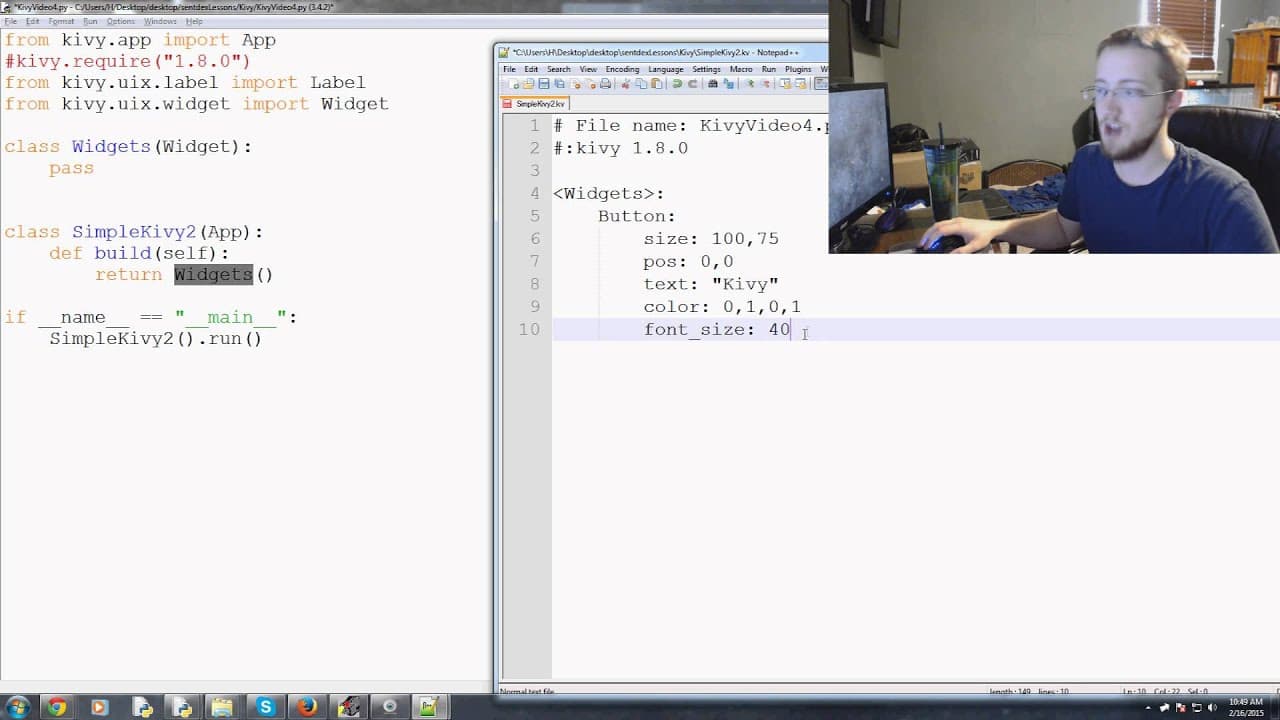
- 🧘 Button styling in KeyV involves specifying parameters such as size, position, text, color, and font size.
- 👻 KeyV allows for the inclusion of logic and calculations within the styling code for added flexibility and customization.
- ❓ Understanding the positioning of elements is crucial in KeyV to ensure proper layout and alignment.
- 👨💻 Reducing redundancy in code can be achieved by referencing variables or using logic within KeyV styling.
Install to Summarize YouTube Videos and Get Transcripts
Explore YouTube Video Summarizer or Get YouTube Transcript Extractor
Questions & Answers
Q: What is the purpose of this Python tutorial?
The purpose of this tutorial is to introduce the concept of widgets and demonstrate how to create and style buttons using KeyV in Python.
Q: How can we create multiple buttons in KeyV?
To create multiple buttons, we can define each button using the KeyV syntax within the widgets class and specify the desired parameters such as size, position, text, color, and font size.
Q: How does the coordinate system work in KeyV?
In KeyV, the coordinate system is based on the bottom-left corner of the window. Positioning an element at (0, 0) corresponds to the bottom-left corner of the element, not the top-left corner as in other GUI frameworks.
Q: Can we add logic and calculations to KeyV styling?
Yes, it is possible to add logic and calculations to KeyV styling. For example, we can dynamically calculate font sizes or positions based on aspects like window height or button height.
Summary & Key Takeaways
-
The video tutorial introduces the concept of widgets in KeyV and demonstrates how to create buttons within a KeyV file.
-
The tutorial explains how to customize the size, position, text, color, and font size of buttons using KeyV syntax.
-
It emphasizes the importance of understanding the coordinate system and positioning elements correctly when working with KeyV.
Read in Other Languages (beta)
Share This Summary 📚
Summarize YouTube Videos and Get Video Transcripts with 1-Click
Try YouTube Summary with ChatGPT & Claude or YouTube Transcript Generator
Explore More Summaries from sentdex 📚






Summarize YouTube Videos and Get Video Transcripts with 1-Click
Try YouTube Summary with ChatGPT & Claude or YouTube Transcript Generator