How to Add Commands to Your Discord Bot Using Discord.py
TL;DR
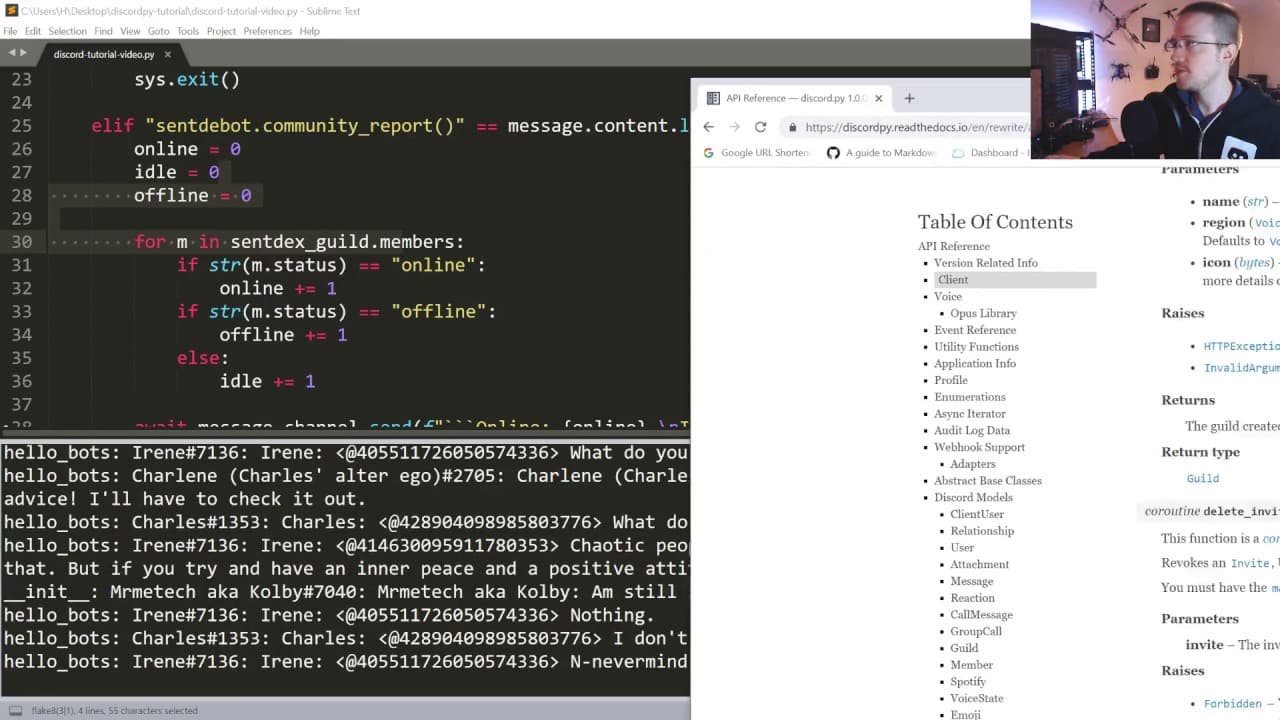
To add commands to your Discord bot, use if statements to check user input and implement functions like client.close() for logging out. You can track server members by accessing guild.member_count for total members and check individual member statuses through their status attribute.
Transcript
what's going on everybody welcome to part 2 of our discord pie bot tutorial in this tutorial we're just gonna start building out an actual bot the only thing that's changed from the last tutorial is I've just started saving the token in a file so I don't have to show you guys my token and I don't forget about it and all that so let's go ahead and g... Read More
Key Insights
- 🤖 Adding functionality to a Discord bot involves implementing commands and using if statements to handle different user inputs.
- 👻 The
client.close()function allows the bot to log out from the server cleanly. - 🛟 The
guild.member_countattribute provides the total number of members in the server. - ❓ The
statusattribute of a member object can be used to determine their online status.
Install to Summarize YouTube Videos and Get Transcripts
Explore YouTube Video Summarizer or Get YouTube Transcript Extractor
Questions & Answers
Q: How can I make the bot log out from the server?
To make the bot log out, you can implement a command in your code that, when triggered, calls the client.close() function. This command ensures that the bot disconnects from the server cleanly.
Q: How can I retrieve the total number of members in the server?
You can use the guild.member_count attribute to retrieve the total number of members in the server. This attribute returns the member count as an integer value.
Q: Can I differentiate between online, offline, and idle server members?
Yes, you can iterate through the guild's member list and access each member's status attribute. This attribute holds the status of the member, which can be "online", "offline", "idle", or "do not disturb". You can then count the members with different statuses to get an overview of the server's status distribution.
Q: Is it possible to save server member data and create graphs over time with the bot?
Yes, it is possible to implement a system that periodically retrieves and saves server member data. You can use libraries such as SQLite or CSV to store the data. With the saved data, you can then create graphs to visualize the changes in member counts or other metrics over time.
Summary & Key Takeaways
-
The tutorial focuses on adding functionality to the Discord bot, such as the ability to log out and retrieve information about server members.
-
The code demonstrates how to implement commands for the bot, including using if statements to handle different command inputs from users.
-
The tutorial also mentions the possibility of creating more advanced features, such as tracking and graphing server member data over time.
Read in Other Languages (beta)
Share This Summary 📚
Summarize YouTube Videos and Get Video Transcripts with 1-Click
Try YouTube Summary with ChatGPT & Claude or YouTube Transcript Generator
Explore More Summaries from sentdex 📚






Summarize YouTube Videos and Get Video Transcripts with 1-Click
Try YouTube Summary with ChatGPT & Claude or YouTube Transcript Generator