How to Create a Bitcoin Trading GUI Using Tkinter
TL;DR
To create a Bitcoin trading GUI with Tkinter, start by using the Tkinter Python module to design user-friendly interfaces. This tutorial series covers building features like live graphs, trading functions, and indicators, making it a comprehensive guide for developing a functional trading application without needing a prior Bitcoin account.
Transcript
everyone was going on welcome to another Python tutorial series this series can be dedicated to tkinter and the making of gooeys or graphical user interfaces so first of all what is tkinter well if you couldn't have guessed from what I just said it's a module within Python that helps us make Windows and really what it is it's a wrapper around TCL /... Read More
Key Insights
- 🥸 Tkinter is a module within Python that allows developers to create GUIs using Python instead of TCL.
- 🥸 GUIs are beneficial for programs focused on enhancing the user experience through visual interaction.
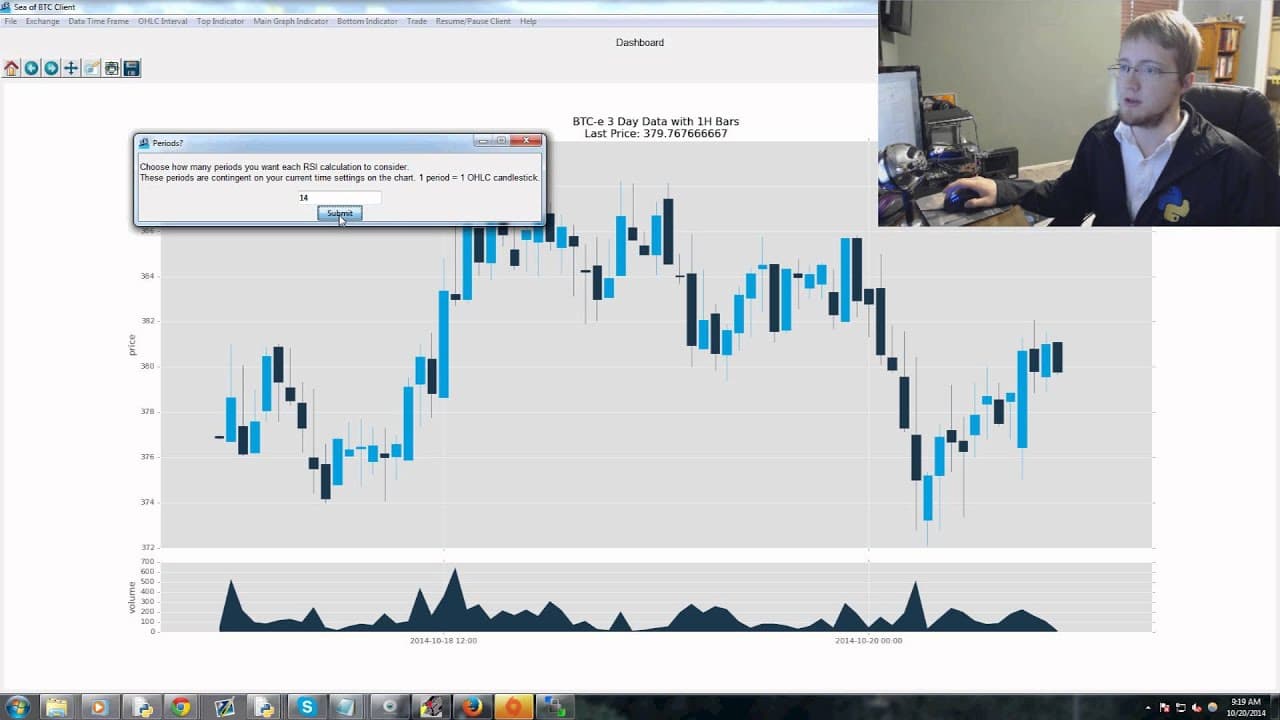
- 🫒 The tutorial series focuses on creating a Bitcoin trading application with live graphs, indicators, trading features, and additional functionalities.
- 🎏 Python's single-threaded nature can cause application lag, but threading can be implemented to mitigate this.
- 🤗 The tutorial series is open-source, and contributions from the community are encouraged.
- 🤗 The main goal of the Bitcoin trading application is to provide an open-source trading platform for Bitcoin.
- 🫒 The application utilizes the matplotlib library to display live graphs and various indicators.
Install to Summarize YouTube Videos and Get Transcripts
Explore YouTube Video Summarizer or Get YouTube Transcript Extractor
Questions & Answers
Q: What is Tkinter and how does it help in creating GUIs?
Tkinter is a module within Python that serves as a wrapper around TCL/TK, a graphical user interface toolkit. It allows developers to create GUIs using Python instead of TCL.
Q: Why are GUIs useful in programming?
GUIs are useful for programs that aim to make the user's experience easier. They provide a visual interface for users to interact with, which is often more intuitive than a headless program without a GUI.
Q: Is it necessary to have knowledge about Bitcoin or own any Bitcoin to follow this tutorial series?
No, the tutorial series does not require any prior knowledge of Bitcoin or owning any Bitcoin. The necessary data and historical data can be acquired for free.
Q: What are the additional functionalities planned for the Bitcoin trading application?
The planned additional functionalities include automated trading, quick buy/sell options, and tying key presses to instant buys and sells. These features aim to enhance the trading experience.
Summary & Key Takeaways
-
The tutorial series is dedicated to teaching how to use Tkinter, a module within Python, to create GUIs for Windows.
-
GUIs are useful for programs that aim to make the user's life easier by providing a graphical interface for interaction.
-
The series focuses on creating a Bitcoin trading application with live graphs, indicators, trading features, and additional functionalities like automated trading.
Read in Other Languages (beta)
Share This Summary 📚
Summarize YouTube Videos and Get Video Transcripts with 1-Click
Try YouTube Summary with ChatGPT & Claude or YouTube Transcript Generator
Explore More Summaries from sentdex 📚






Summarize YouTube Videos and Get Video Transcripts with 1-Click
Try YouTube Summary with ChatGPT & Claude or YouTube Transcript Generator