How to Edit YouTube Videos with Claude AI
TL;DR
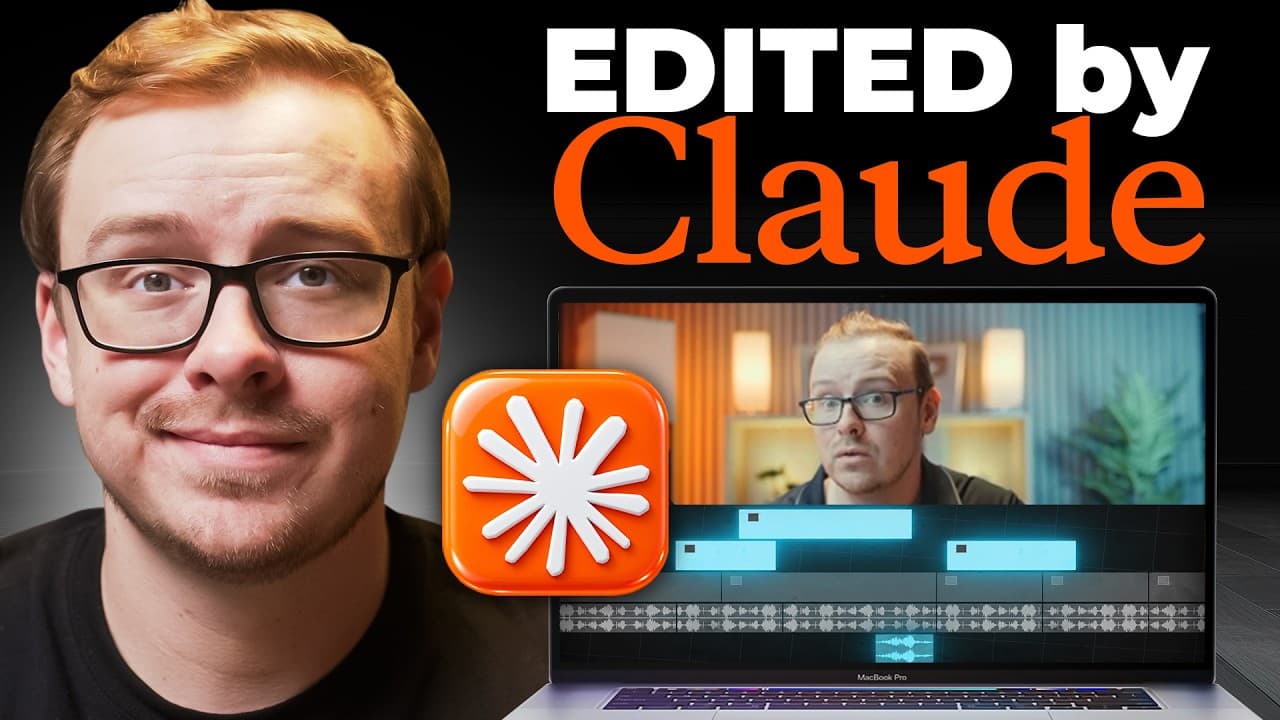
Claude AI can edit a full YouTube video by analyzing the file, removing dead air, and refining edits with Descript integration. The workflow requires setting up Claude, linking Descript, and using prompts to guide the edit while acknowledging current limitations like timing and visual placement. The result can save time but may still need human touch for polish.
Transcript
I found a new way to let Claude Aai edit the entire YouTube video that's showing on the screen right now. And I'm going to show you what it can actually do. And the results are incredible. But I'm also going to show you what it can't do. Cuz I watched a bunch of YouTube videos about how Claude edited the entire video or I fired my entire content te... Read More
Key Insights
- Claude AI can drive the entire editing workflow by integrating Descript and running prompts in a co-work chat mode. This enables automated editing paths that cover filler removal and dead air reduction.
- The connection between Claude and Descript hinges on permissions, particularly a setting called underlord which must be set to always allow to prevent repeated prompts during editing.
- Previewing and testing the edited video reveals gaps like misaligned text, unintended cuts, and zooms that do not match the on screen actions, highlighting the limits of AI in understanding visual context.
- A practical strategy is to complete most edits in Descript with its built in tools such as shorten word gaps and studio sound for faster results.
- Using prompts to instruct Claude to perform specific edits can save time, but human review remains important to catch tone, pacing and visual timing issues.
- The final polish often benefits from a hybrid approach: use Claude for initial edits and Descript for precise adjustments and layout enhancements.
- The video demonstrates a test run time of about 24 minutes for a not too long video, indicating longer footage will require proportionally more processing time.
- There is a trade off between automation speed and accuracy, with the note that longer videos increase processing time and potential for errors requiring manual corrections.
Install to Summarize YouTube Videos and Get Transcripts
Explore YouTube Video Summarizer or Get YouTube Transcript Extractor
Questions & Answers
Q: What is the first step to set up Claude AI for YouTube video editing
The first step is to set up a Claude account, choose to work in a browser or desktop app, and then connect Descript as a connector within Claude. This setup enables Claude to access Descript for transcription and editing, creating an integrated workflow that automates the core editing tasks.
Q: How does Descript assist in the editing process
Descript transcribes the video automatically when a project is created, and provides built in tools like shorten word gaps to reduce silences, studio sound to improve audio, and layout changes to display captions or on screen text as you edit. These features speed up editing and improve quality.
Q: What is the purpose of the underlord permission in Claude
Underlord is the Descript AI integration that Claude uses to perform the actual editing tasks. Setting underlord to always allow prevents Claude from repeatedly asking for permission at each step, which speeds up the workflow and reduces friction during a long edit session.
Q: What common mistakes can occur when Claude edits videos
Common mistakes include leaving in unwanted audio segments, incorrect zooms or visual emphasis, and misplacement of on screen text. These happen because Claude does not fully understand the video context and may interpret sentences as separate editing cues, requiring manual adjustments.
Q: Why might a hybrid approach be preferable for editing
A hybrid approach leverages Claude for the initial automated editing and Descript for precise adjustments and layout enhancements. This combination delivers faster results while preserving quality, because Descript offers strong native AI features and editing tools that complement Claude’s automation.
Q: What timing consideration is noted for longer videos
The creator notes that longer videos take proportionally more time to process with Claude and Descript. Beginning with shorter videos for testing helps verify the workflow and reduces the risk of lengthy, unpolished edits when scaling to longer content.
Q: What specific features in Descript aid rapid editing
Descript features like shorten word gaps automatically reduce pauses, and the ability to delete unwanted words or sentences directly creates a smoother script and video flow. The studio sound feature also improves audio quality for better results without expensive equipment.
Q: What is a recommended user action after an AI edit is produced
After an AI edit is produced, review for any misaligned text, pacing issues, or awkward Zoom inserts. If needed, re-edit within Descript to fine tune captions and transitions, ensuring the final video matches the intended narrative and visual timing before publishing.
Summary & Key Takeaways
-
Claude AI streamlines editing by first removing filler and dead air and then applying targeted edits guided by prompts. This process reduces manual effort and speeds up production while showcasing both capabilities and current boundaries.
-
Descript plays a central role in automatic transcription and editing, with features like shorten word gaps, studio sound, and layout changes that can be used to enhance the final video quickly.
-
Practical tips include configuring permissions so Claude can operate without constant prompts, and verifying the output to catch issues like misaligned text or inappropriate cuts that still require human review.
Read in Other Languages (beta)
Share This Summary 📚
Summarize YouTube Videos and Get Video Transcripts with 1-Click
Try YouTube Summary with ChatGPT & Claude or YouTube Transcript Generator
Explore More Summaries from Shane Hummus 📚




Summarize YouTube Videos and Get Video Transcripts with 1-Click
Try YouTube Summary with ChatGPT & Claude or YouTube Transcript Generator