Adding Indicators cont'd - Tkinter tutorial Python 3.4 part 16
TL;DR
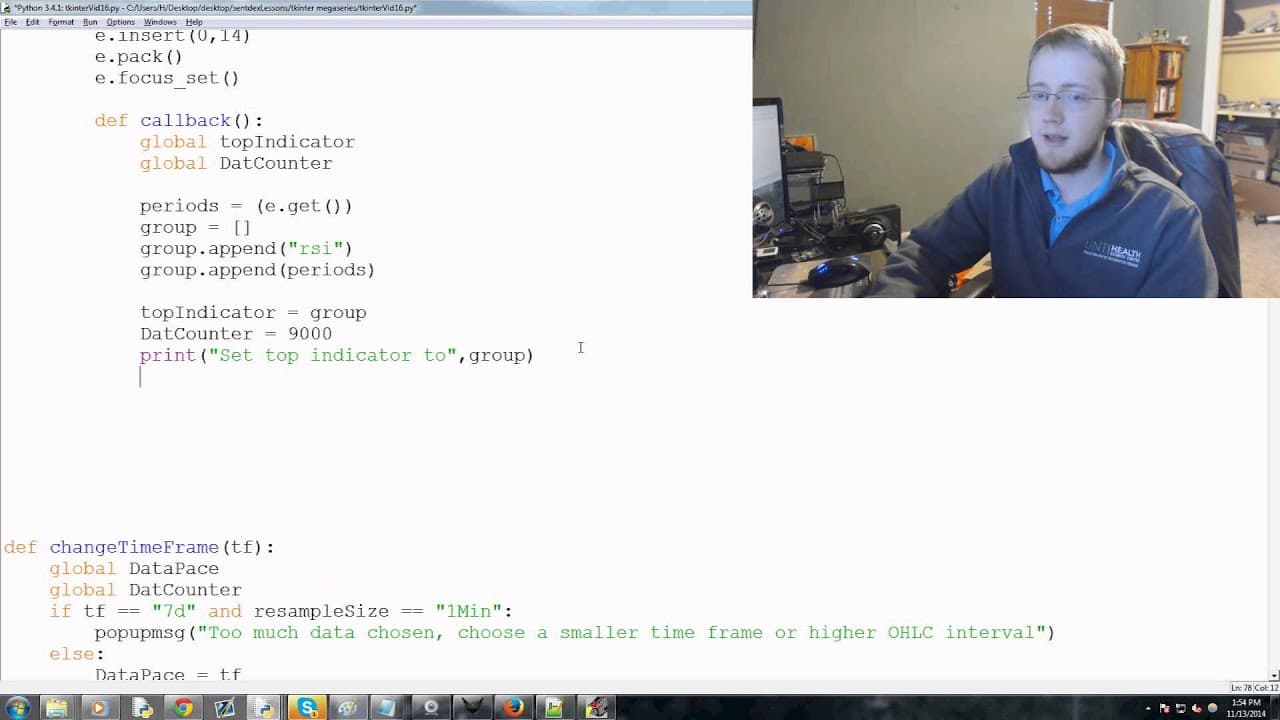
This video tutorial demonstrates how to add functions to menu items in a Python program using Tkinter.
Transcript
hey guys what's going on welcome to the 16th Python with tkinter in a actual creation of a program tutorial video series in this video what we're doing is actually adding the functions that we're calling in some of our menu items so that's add top indicator middle indicator and bottom indicator so let's go ahead and get started so to start we'll do... Read More
Key Insights
- 🎮 The video tutorial focuses on adding functions to menu items in a Python program using Tkinter.
- 🍵 Conditional statements are used to handle different indicator options.
- 🤒 A pop-up window is created to allow user input for the RSI indicator.
- 😒 The selected indicators are stored in global variables for future use.
- ❓ The tutorial suggests combining the functions for all indicators into one for a more efficient program.
- 🫵 The video provides a challenge for viewers to combine the functions and improve the program.
- 🖕 The next video in the series will cover adding a middle indicator to the program.
Install to Summarize YouTube Videos and Get Transcripts
Explore YouTube Video Summarizer or Get YouTube Transcript Extractor
Questions & Answers
Q: What is the purpose of this video tutorial?
The purpose of this video tutorial is to teach viewers how to add functions to menu items in a Python program using Tkinter.
Q: How do you handle different indicator options in the program?
The program uses conditional statements to handle different indicator options. For example, if the indicator is tick data, a pop-up message is displayed stating that indicators in tick data are not available.
Q: How is user input for the RSI indicator handled?
User input for the RSI indicator is handled through a pop-up window. The user is asked to choose how many periods each RSI calculation should consider.
Q: How are the selected indicators stored in the program?
The selected indicators are stored in a global variable called "top indicator" or "bottom indicator," depending on the chosen indicator option.
Summary & Key Takeaways
-
The video explains how to add top, middle, and bottom indicators to a Tkinter program.
-
It covers conditional statements and pop-up messages for different indicator options.
-
The tutorial demonstrates how to create a pop-up window for user input and store the selected indicator.
Read in Other Languages (beta)
Share This Summary 📚
Summarize YouTube Videos and Get Video Transcripts with 1-Click
Try YouTube Summary with ChatGPT & Claude or YouTube Transcript Generator
Explore More Summaries from sentdex 📚






Summarize YouTube Videos and Get Video Transcripts with 1-Click
Try YouTube Summary with ChatGPT & Claude or YouTube Transcript Generator