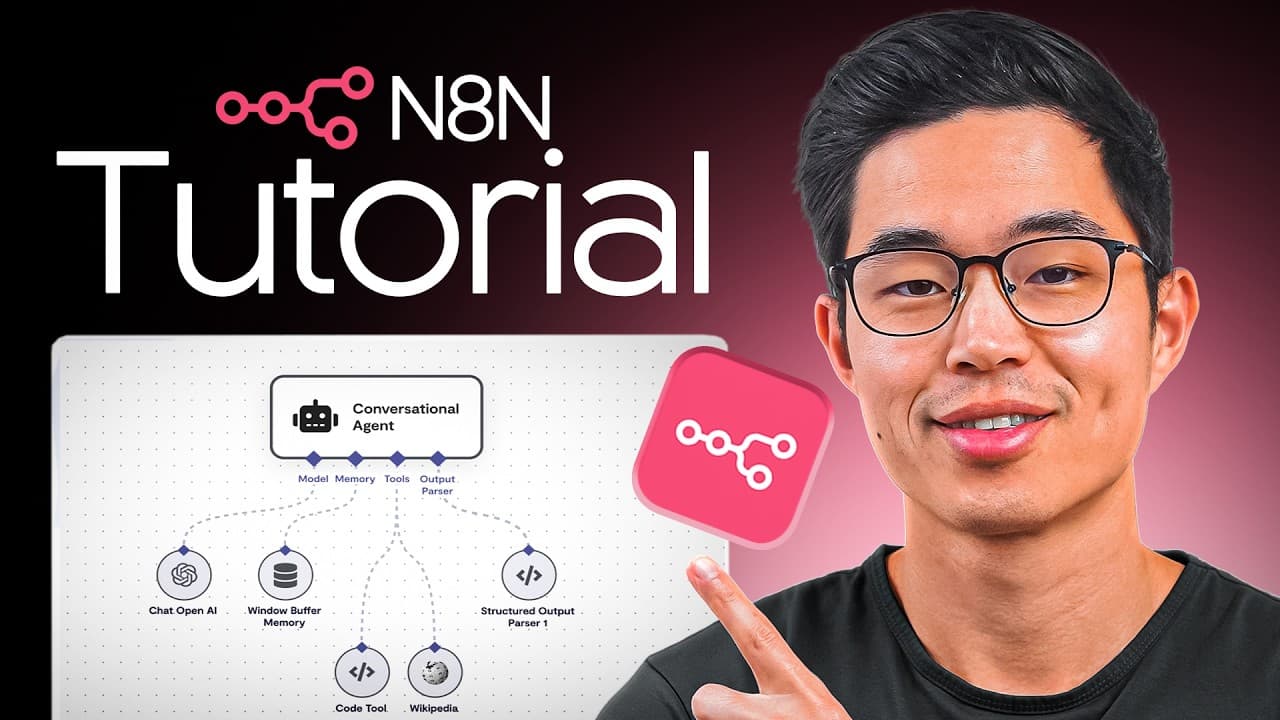
n8n Tutorial for Beginners: How to Build Free AI Automations Step by Step
TL;DR
Beginners can build AI automations with n8n by self-hosting it on a VPS, creating credentials, and connecting a trigger to a sequence of actions. The tutorial demonstrates a simple workflow that starts with a form submission, connects to Google Sheets, and sends an email, while templates offer a faster starting point. Read on for the setup, workflow-building, credential, and template steps.
Transcript
if you want to learn how to use N8N to build AI automations you're in the right place in this video I'll show you exactly how you can build AI automations using N8 which is a free open-source platform that is super super powerful it's by far one of the most customizable and powerful softwares out there and if you stick around I'll actually show you... Read More
Key Insights
- n8n is an open-source automation tool similar to Zapier but more AI-focused and flexible.
- Self-hosting n8n on a VPS can significantly reduce costs compared to using n8n's cloud hosting.
- Users can automate workflows for tasks like managing emails, databases, and social media.
- Setting up n8n involves creating workflows, adding credentials, and utilizing pre-built templates.
- The platform supports various triggers and actions, allowing for complex automation sequences.
- n8n's community version allows access to paid features for free when self-hosted.
- Templates in n8n can save time by providing pre-built automation setups for common tasks.
- Building workflows in n8n requires connecting APIs and setting up triggers and actions.
Install to Summarize YouTube Videos and Get Transcripts
Explore YouTube Video Summarizer or Get YouTube Transcript Extractor
Questions & Answers
Q: How do beginners build free AI automations with n8n?
Self-host n8n on a VPS, set up the owner account, activate the community license, and create credentials for the apps your workflow will use. Then create a workflow with a trigger and connected actions, or import a pre-built template and follow its setup guide.
Q: What is n8n and how does it work?
n8n is a free, open-source automation platform described as similar to Zapier but more AI-focused and flexible. Its workflows begin with a trigger, such as a chat message or form submission, followed by a branch of actions that runs when the trigger activates.
Q: How do you self-host n8n on a VPS?
Choose a VPS plan with the n8n template installed, or open the operating-system settings, search for n8n, and change the OS to that template. After the installation finishes, select “Manage App,” create the owner account, request a free license key by email, and enter the activation key.
Q: Why self-host n8n instead of using n8n cloud hosting?
The tutorial says n8n cloud hosting costs about $24 per month, while the Pro plan costs $60 per month. The presenter says self-hosting on a VPS can save about 70–80% and provides the same workflow-building experience as the cloud account.
Q: How do you use n8n workflow templates?
Browse the templates on the n8n website, choose one for your apps or use case, and select “Use workflow” or copy the template to the clipboard. Paste it into a new workflow in the self-hosted dashboard, then read its guide and add every required API key and login credential.
Q: How do you connect apps and APIs to n8n?
Create credentials for each app or service you want to connect, such as Google Sheets, Gmail, or OpenAI. The tutorial says an OpenAI account must have at least $5 loaded before it can run requests, after which a test key can be copied into the n8n credential.
Q: What simple n8n automation does the tutorial build?
The tutorial builds a workflow that starts when someone submits a form, connects the submitted information to a Google Sheet, and then sends an email. The form begins with text fields for first name, last name, and email.
Q: What can n8n automate?
The transcript identifies emails, databases, social media, and AI chatbots as possible automation targets. Because workflows can connect triggers, actions, APIs, and multiple branches, they can be customized for different personal or business processes.
Summary & Key Takeaways
-
n8n is a versatile open-source automation tool that allows users to create AI-powered workflows without subscription fees by self-hosting on a VPS. This video provides a comprehensive guide for beginners, covering setup, workflow creation, and cost-saving tips. By utilizing pre-built templates and connecting APIs, users can automate tasks like email management and data processing efficiently.
-
Self-hosting n8n on a VPS offers a cost-effective alternative to cloud hosting, enabling users to save significantly on monthly fees. The video demonstrates how to set up n8n on a VPS, create workflows, and use templates to streamline automation processes. By following the step-by-step instructions, even beginners can harness the power of n8n for personal and business automation needs.
-
The video emphasizes the importance of hands-on learning, encouraging viewers to follow along and build their own workflows. By doing so, users can better understand n8n's capabilities and create customized automation solutions. The tutorial also highlights the availability of community resources and templates to assist users in maximizing n8n's potential for automating various tasks efficiently.
Read in Other Languages (beta)
Share This Summary 📚
Summarize YouTube Videos and Get Video Transcripts with 1-Click
Try YouTube Summary with ChatGPT & Claude or YouTube Transcript Generator
Explore More Summaries from Charlie Chang 📚





Summarize YouTube Videos and Get Video Transcripts with 1-Click
Try YouTube Summary with ChatGPT & Claude or YouTube Transcript Generator